Which recorders are suited to different needs?

One person telling their story

When one person is telling their story, the priorities are clear speech and positioning the recorder or microphone appropriately. The Oral History Association emphasises informed consent, while the Library of Congress recommends testing your equipment before the interview.

Getting everyone together for a conversation

When several family members are taking part, make sure quieter voices can be heard from the seats you plan to use. The Library of Congress recommends choosing a quiet place to record and muting nearby devices.

Recording and preserving longer interviews

If you’re planning longer conversations, check the power supply and recording beforehand, and plan how you’ll transfer the files and find them again later. The Library of Congress recommends checking batteries and microphones before an interview; the Oral History Association also covers archiving oral history recordings.

What should you look for when choosing?

Voice recorder with built-in microphones

A good fit if: you want to record at a table without an additional microphone and get started easily.

Consider: built-in microphones don’t guarantee that every voice will be clear in a reverberant room.

Handheld recorder with an optional external microphone

A good fit if: you’d like to position a compatible microphone closer to the person telling their story.

Consider: the microphone, connection, power supply and controls all need to be compatible with the recorder.

What you need What to check before buying Who it matters most to
Making sure the main speaker is clear Check the microphone position and, if needed, whether there’s an input for a compatible external microphone. Record and listen back to a test from the seat you plan to use. If I’m recording one person in an untreated room, I want to be able to hear their voice clearly from the seat I’ve chosen. Around 36% of consumers prioritise clear speech from the main speaker.
Getting started simply and reliably Try the record button and power supply; check recording and playback with a short test. If I don’t want to spend time searching through lots of settings during a personal conversation, I want recording to be straightforward. Around 29% of consumers prioritise ease of use.
Capturing several voices Check the model’s microphone layout. Ask someone to speak from every seat you plan to use, then listen to the full test recording. If several family members are taking turns telling their stories, I want to hear quieter voices from different seats too. Around 21% of consumers prioritise clear speech in group conversations.
Keeping long conversations safe Check the recording format, available storage, power supply and transfer method in advance; plan where you’ll store the file afterwards. If I’m recording a longer interview, I want to be able to transfer the file and find it again later. Around 14% of consumers prioritise recording time and long-term storage.

Which common misconceptions should you avoid?

  • Thinking 32-bit float means you can skip a listening test

    32-bit float doesn’t automatically solve problems caused by room noise or poor microphone positioning. Zoom describes the feature in terms of managing recording levels, but it doesn’t change the recording environment.

    Start by testing the room and seating arrangement, then listen to a test recording before weighing up additional features.

  • Assuming the maximum recording time applies to every format

    For the Sony ICD-PX470, Sony gives different maximum recording times for different formats.

    Check the recording time for the format you’ll actually use and the power supply you have in mind.

  • Confusing cloud transcription with local file storage

    Philips says that the DVT4115 can upload files to a separate app for transcription. This is different from making a local recording.

    Before recording, agree whether you’ll use a service like this and who will be able to access the personal conversation.

Notable brands and models

Zoom

The H1essential is a handheld recorder with X/Y microphones, 32-bit float recording and a 3.5 mm microphone input.

  • Zoom lists mono mode and a headphone jack among its features for recording conversations.
  • You’ll need to check how clearly a voice can be heard in your particular untreated room, and whether an external microphone is compatible with your set-up.

Tascam

The DR-05XP combines built-in stereo condenser microphones, a 32-bit float mode and a stereo mini-jack input.

  • The input lets you connect external microphones or line-level signals.
  • The built-in microphones have an omnidirectional pickup pattern. Test how clearly voices can be heard over room noise where you plan to record.

OM SYSTEM

The WS-883 offers a simple mode, a built-in USB connector and internal storage.

  • OM SYSTEM lists two built-in directional microphones and a memory card slot among the model’s features.
  • The manufacturer’s description is no substitute for listening to a test recording from the seats you’ll actually use.

Philips VoiceTracer

The DVT4115 offers three microphones, an interview scene, and MP3 and PCM recording.

  • Philips also lists a rechargeable battery.
  • Philips describes uploading recordings to an AI-powered cloud transcription service as a separate option. If you’re recording personal family conversations, agree in advance whether you’ll use the cloud service.

Sony

The ICD-PX470 is a voice recorder with a stereo microphone, MP3 and L-PCM recording, and a recording monitor.

  • Sony lists two AAA batteries as the power source.
  • Sony gives different maximum recording times depending on the format. Check the figure for the format you plan to use for your conversations.

Joybuy products at a glance

This selection includes compact voice recorders and recording devices whose product details mention conversations or voice recordings.

Mobvoi TicNote Standard AI Voice Recorder, 64 GB, Dark Grey

Mobvoi TicNote Standard AI Voice Recorder, 64 GB, Dark Grey

This could suit conversations if you’re looking for a compact recording device with features for managing files later. The product title lists 64 GB of storage, a 3-microphone array, 20 hours of recording time, Wi-Fi, Bluetooth, AI transcription and summaries, and an OLED display.

View at Joybuy
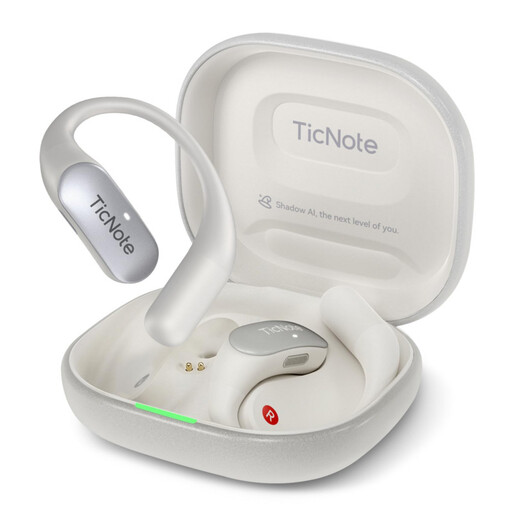
Mobvoi TicNote Pods 4G AI Voice Recorder, Pearl White

Mobvoi TicNote Pods 4G AI Voice Recorder, Pearl White

This could be an option if you’re considering a device with microphones and cloud upload. The product title lists 32 GB of storage, dual microphones, 4G cloud upload and a wirelessly rechargeable charging case. Before using the cloud, check where personal conversations will be stored and who will have access to them.

View at Joybuy
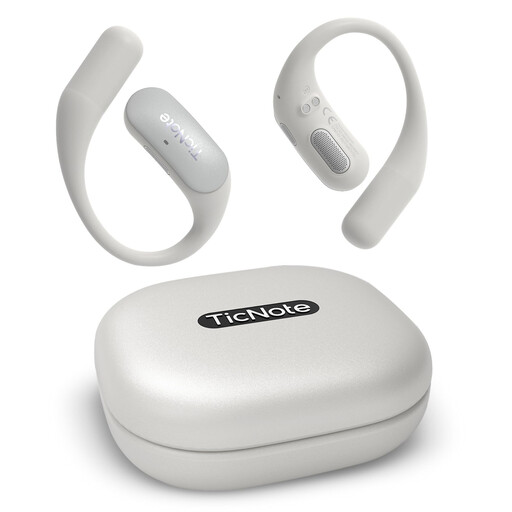
Mobvoi TicNote Pods Wi-Fi AI Recording Earbuds, Pearl White

Mobvoi TicNote Pods Wi-Fi AI Recording Earbuds, Pearl White

This could suit you if you want to use the charging case’s recording function, as described in the product listing, to capture external audio. The product title lists 32 GB of storage, live transcription, 25 hours of recording time and Bluetooth 6.0. Check whether recording with the case is suitable for your conversation set-up.

View at Joybuy
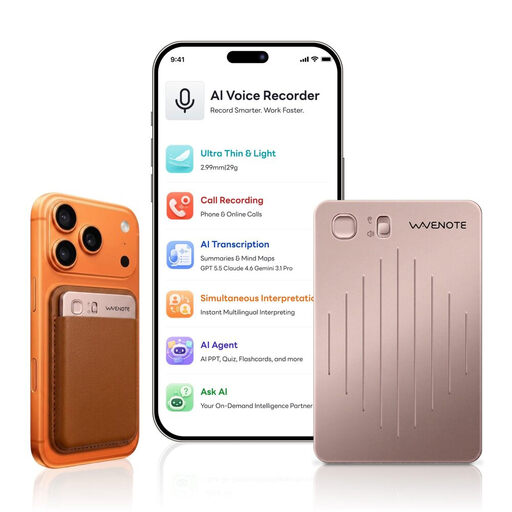
WaveNote AI Voice Recorder, 64 GB, Rose Gold

WaveNote AI Voice Recorder, 64 GB, Rose Gold

This could be worth considering for voice recordings and conversations if you’re looking for a compact device with file transfer. The product title lists 64 GB of storage. If you’re recording personal family conversations, check where files will be stored and who can access them before using any cloud features.

View at Joybuy

Digital Voice Recorder, 64 GB, with transcription function

Digital Voice Recorder, 64 GB, with transcription function

This could be an option for interviews if you’re considering a transcription feature and file storage. The product title lists 64 GB of storage, while the product description mentions local and cloud storage. Check in advance which storage option is intended for personal family conversations.

View at Joybuy

Frequently asked questions

Where and how should I get started in an untreated room?

Start in the quietest spot you can find, mute nearby devices and make a short test recording from the seats you plan to use. This lets you check whether voices and distracting noises are audible before the conversation begins; no particular recorder feature can guarantee the result.

Does 32-bit float get rid of room echo?

No. 32-bit float is no substitute for a suitable recording spot or good microphone positioning. The feature described by manufacturers relates to managing recording levels; test the room echo and how clearly people can be heard from different seats for yourself.

What should I check before making a longer recording?

Test recording and playback, check the power supply and available storage, and make sure you know how to transfer the file. Also plan where you’ll store it and how you’ll find it again later.

What should I bear in mind when using cloud transcription?

Cloud transcription is an additional service, not the same as local recording. Check in advance whether you want to use it and who will be able to access the personal conversation. Philips describes this option for the DVT4115 as uploading files to a separate app.

Can I record or share a family conversation in Germany without asking first?

Under section 201(1)(1) of the German Criminal Code, it’s a criminal offence to record someone else’s privately spoken words without authorisation. The provision also covers using or making available a recording made without authorisation. The German Federal Ministry of Justice and Consumer Protection and the Federal Office of Justice include this provision in the text of the law. Get consent from the people concerned before recording, and separately agree who should receive the file afterwards.