For practice in a reverberant room
If you want to assess individual sounds, you need to position the microphone close to your voice. Shure explains that a microphone can’t simply separate the desired direct sound from unwanted reverberation.


For pronunciation practice in an untreated room, the key question is whether you can position the microphone close to your voice while speaking. 32-bit float won’t eliminate reverberation. A lavalier recorder is a better fit if you move around, while a handheld recorder or voice recorder may suit a fixed position and easy playback. Also check the playback features, file format and accessories required for the specific model.
If you want to assess individual sounds, you need to position the microphone close to your voice. Shure explains that a microphone can’t simply separate the desired direct sound from unwanted reverberation.
If you listen to short passages repeatedly, playback and repeat functions that are easy to access can be useful. Sony lists A/B repeat and speed control for the ICD-UX570.
If you want to start a short exercise quickly and transfer the files afterwards, ease of use and file transfer are important things to consider. OM SYSTEM lists one-touch recording and USB transfer for the VN-541PC.
A good choice if: you move around while speaking and can wear the microphone on your clothing, close to your voice.
Bear in mind: your clothing and the cable are part of the setup, and a lavalier microphone doesn’t guarantee a reverb-free recording.
A good choice if: you speak from a fixed position and can set the recorder up securely at a suitable distance.
Bear in mind: a recorder placed further away will pick up more of the room; stereo mode won’t solve the reverberation problem.
A good choice if: you want to record short practice sessions quickly and listen back straight away.
Bear in mind: check that the recording format and playback features suit the way you plan to review your recordings.
| What you need | What to check before buying | Who is this important to? |
|---|---|---|
| Assessing your voice despite room reverberation | Check the microphone position and whether a built-in or supplied clip-on microphone suits the way you speak. | If I want to assess individual sounds in a reverberant room, the microphone needs to stay close to my voice and in a steady position. Around 36% of consumers are mainly concerned with being able to assess their voice clearly despite room reverberation. |
| Repeating specific passages | Check whether the specific model has a repeat function or speed control. | If I want to listen to short recordings several times, I need playback controls that are easy to access. Around 29% of consumers prioritise being able to listen to short passages again. |
| Starting practice quickly | Check how to start recording, as well as the power supply and accessories required. | If I practise short exercises regularly, I want to start recording without a lengthy setup. Around 21% of consumers mainly look for a straightforward start. |
| Using your files elsewhere | Check that the recording format works with your software and find out how to transfer the files. | If I want to compare my practice sessions on a computer, the format and transfer method need to suit the way I plan to use the files. Around 14% of consumers focus on how they’ll use their files afterwards. |
Features for adjusting recording levels or processing noise can’t replace suitable microphone placement. Reverberation comes from the room and can make it harder to assess your pronunciation.
First, decide where you’ll place or wear the microphone during practice, then make a short test recording from that position.
At a greater distance, more reflected speech may be picked up, which can affect clarity.
Before choosing a type of recorder, compare a stable position close to your voice with the spot where you plan to put it on the table.
If your playback or analysis software can’t handle the file format properly, it may be harder to compare your practice sessions.
Check that the format used by the specific model works with the software you plan to use, and find out how to transfer the files.
The DR-10L Pro, DR-05XP and DR-07XP offer different microphone designs and controls.
The H1essential is a handheld recorder with built-in microphones and recording and playback features.
The ICD-UX570 voice recorder may appeal to buyers who want to listen to passages repeatedly.
The VN-541PC is positioned as a voice recorder for short practice sessions, with a straightforward way to start recording.
The VoiceTracer DVT4115 is aimed at buyers who want to use recordings in different formats and manage them through an app.
These Joybuy voice recorders may suit personal practice and managing your audio files afterwards. Check the microphone position and file output for each model; product details alone don’t prove that a recorder will reduce room reverberation.
 No image available
If you want to turn your voice recordings into text, the product title mentions AI transcription; check that the process suits your practice routine.
Four MEMS microphones, 64 GB of storage and compatibility with Android and iOS are listed.
 No image available
If it’s important to start recording quickly for short practice sessions, the product description mentions one-button recording; also check how you’ll play back your recordings later.
The product description lists 4 GB of storage, real-time transcription and Bluetooth or USB-C connectivity.
 No image available
If you want to review your recordings afterwards, the product description mentions transcription and summaries; check that the file management features suit your practice routine.
Features listed include 64 GB of storage, a triple-microphone system, and Wi-Fi and Bluetooth transfer.
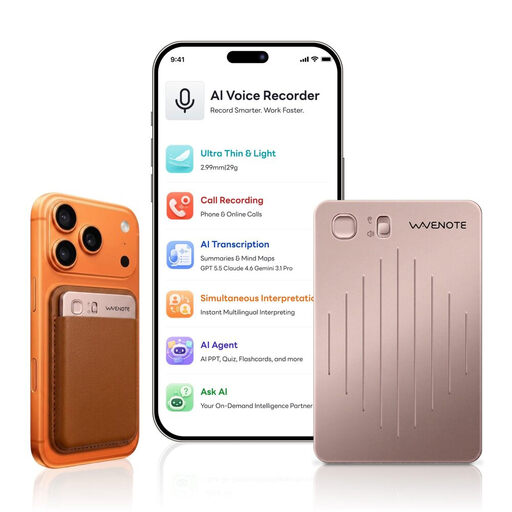 No image available
If you want to start recording using a physical sliding switch, the product description lists this control; check that the microphone position will work in your room.
WAV recording and 64 GB of storage are listed; the description also mentions an app and AI transcription.
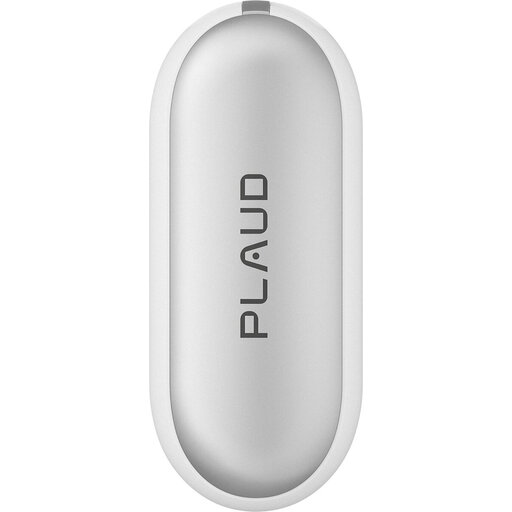 No image available
If you want to keep your hands free while practising, the product description lists different ways to wear it; check first that the microphone will stay close enough to your voice.
WAV recording, 64 GB of storage and two microphones are listed.
No, 32-bit float won’t eliminate room reverberation. The feature relates to recording levels; Shure explains that a microphone can’t simply separate the desired direct sound from reverberation. For a test, move the microphone closer to your voice and listen back to the recording.
Choose the quietest place you can, position the microphone close to your voice and make a short test recording in your usual speaking position. Listen for reverberation, handling noise and clarity. If necessary, adjust the position before recording a full practice session.
Check which storage media and accessories your chosen device actually needs, and make sure the file formats suit how you plan to use it. For distance contracts that are generally eligible for cancellation, consumers have a right of withdrawal under § 312g BGB in accordance with § 355 BGB; the withdrawal period is generally 14 days. Statutory exceptions and the rules on when the period begins should be considered in each individual case. Further information is available from the Federal Ministry of Justice and the Federal Office of Justice.
Under § 201 (1) StGB, recording another person’s privately spoken words without authorisation is a criminal offence; the legislation is available from the Federal Ministry of Justice and the Federal Office of Justice. Make sure you have the necessary permission before recording a teacher or practice partner, for example, or sharing a recording of them.