For short personal training notes, an easy-to-use voice recorder is a sensible place to start. However, the only way to find out whether your voice remains clear with a fan running is to make a test recording in the spot where you plan to use it. A low-cut filter may help with a low hum, while handheld recorders can offer more options for positioning the device or using an external microphone. An audio recording does not automatically replace the written or electronic training record you have agreed to provide.
Who is a voice recorder suitable for?
Apprentices working near a fan
If you dictate your own daily notes with a fan running, clear speech should be your priority. RØDE points out that a microphone placed further from your mouth can pick up more background noise. A test recording will help you assess the best position at your workstation.
Apprentices making short daily notes
If you often record short entries and want to find them again later, easy recording and straightforward playback matter. OM SYSTEM describes the WS-882 as having a simple mode and calendar search; Sony lists search and playback functions for the ICD-UX570.
Apprentices with a text-based workflow
If you want to turn audio notes into text later, consider the file format, how you will transfer files and whether this involves uploading them to the cloud. Section 13 of the BBiG requires a written or electronic training record; the Aachen Chamber of Industry and Commerce explains that the format is agreed in the training contract.
What should you look for when buying?
First, check whether your voice is clear at the place where you will record. Then compare the controls and file transfer process with your daily routine, and decide whether you need extra options for positioning the recorder or using a microphone.
| What matters |
What to check before buying |
Who is it most relevant to? |
| Clear speech with a fan running |
Position the microphone to pick up your voice clearly, then listen back to a test recording with the fan running. A low-cut filter may help with a low hum. |
If I dictate my notes near a fan, I want to be able to hear my voice clearly later. Around 36% of consumers cite clear speech as their main priority. |
| Quick, easy daily use |
Check how to start and play back a recording, and how to find an entry again. |
If you want to record and listen back to short entries without spending time setting up the device, a simple process is especially important. Around 29% of consumers cite ease of use as their main priority. |
| Files and training log workflow |
Check the file format and transfer process, and follow the record-keeping format agreed in your training contract. Before uploading anything to the cloud, check that you are permitted to do so. |
If I want to turn my audio notes into the agreed record format later, I need a file workflow that suits the task. Around 21% of consumers focus on their training log and file transfer. |
| Flexible microphone positioning |
Check whether the model has a suitable microphone input and can be positioned appropriately for your workspace. Also consider any recording media or accessories you may need. |
About 14% of consumers want to position the microphone differently or use an external one. |
Common buying mistakes
-
Assuming noise reduction will eliminate all fan noise
Manufacturers’ claims about filters or noise reduction do not show how clearly your voice will come through with your particular fan and recording distance. OM SYSTEM describes the WS-882’s low-cut filter as reducing low-frequency noise; Sony’s and Zoom’s claims are not comparable tests carried out at your own recording spot either.
Make a short test recording with the fan running and listen back before relying on a particular feature.
-
Assuming audio notes count as your required training record
Section 13 of the BBiG requires a written or electronic training record. The format that applies to you is the one agreed in your training contract.
If useful, dictate notes as an aide-mémoire, then transfer the content to the agreed record format.
-
Choosing a handheld recorder without checking the recording media and setup
Requirements vary by model. Zoom specifies a microSD card as the recording media for the H1essential and advises against simply placing the recorder directly on a tabletop.
Before choosing, check how you plan to position the device at your recording spot and what recording media and accessories you will need.
Key brands at a glance
OM SYSTEM
The WS-882 is a compact voice recorder for personal notes, with a simple mode, calendar search and built-in USB.
- OM SYSTEM specifies that the WS-882 has a low-cut filter for low-frequency noise below 300 Hz.
- The manufacturer’s claim does not show how well the filter will reduce noise from the fan at your recording spot.
Sony
Sony says the ICD-UX570 combines voice recording, playback search and direct USB file transfer for short notes.
- Sony says Auto Voice Recording optimises audio recording for voice frequencies.
- The manufacturer’s claim does not show how it will perform with the fan at your own recording spot.
Zoom
The H1essential is a handheld recorder that can be positioned on a surface or used with a compatible external microphone.
- Zoom specifies a microphone input and describes AI noise reduction following a firmware update.
- This does not independently confirm how it will perform with a particular fan; a suitable microSD card is required for recording.
Tascam
The DR-05XP is aimed at people looking for a handheld recorder with low-cut settings and an external microphone input.
- Tascam specifies four low-cut options and built-in omnidirectional microphones.
- More filter options do not, by themselves, mean your voice will be clearer with your fan running.
Philips VoiceTracer
The DVT2015 is an option for personal voice notes, with MP3 or PCM files and optional transcription after uploading.
- The product documentation describes uploading recordings to Sembly.
- This feature does not show that fan noise is reduced or that cloud uploads are approved for workplace use.
Voice recorders at Joybuy
This selection includes digital voice recorders for personal notes and subsequent text processing. A test recording in the place where you intend to use the device will help you check whether your voice remains clear with a fan running.
 No image available
PLAUD Note Pro, 64 GB
For personal voice notes that you want to process afterwards using the described transcription and summarising features.
64 GB storage; 30 hours of recording time; four MEMS microphones. According to the description, the PLAUD app is required for AI features and file management.
View at Joybuy
 No image available
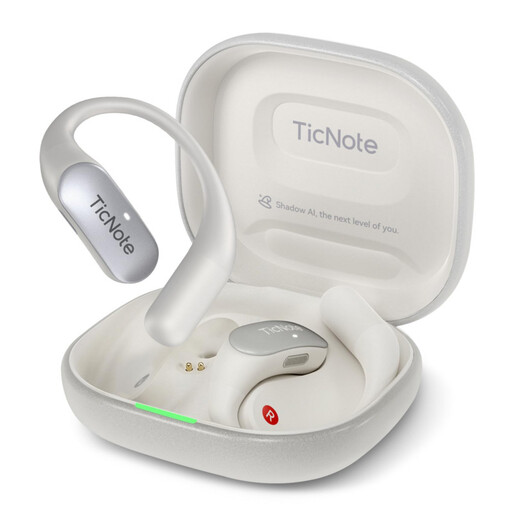
Mobvoi TicNote Lite, 4 GB
An option for short recordings if you want to use one-button recording and process the audio into text afterwards.
4 GB storage; the description lists Bluetooth connectivity and app management. It also mentions AI noise reduction, but this does not confirm how it will perform with fan noise.
The instructions describe Bluetooth pairing and use of the app.
View at Joybuy
 No image available
Mobvoi TicNote Standard, 64 GB
For personal notes that you want to record and then process into transcripts, summaries or mind maps.
64 GB storage; three microphones; 20 hours of recording time; OLED display. The description also mentions a noise reduction algorithm, but does not specify how it performs with fan noise.
View at Joybuy
 No image available
Mobvoi TicNote Pods 4G, 32 GB
An option for personal recordings with one-button operation and the option to transcribe or summarise them afterwards.
32 GB storage; the product description lists microphones with ENC and transcription features. This does not confirm how it will perform with fan noise.
After initial setup, the description says files can be uploaded to the cloud over 4G. Check whether this process is suitable for your content.
View at Joybuy
 No image available
Digital voice recorder, 64 GB
For voice recordings you want to process afterwards using the described transcription and summarising features.
64 GB storage; the description lists a multi-microphone system and noise reduction, but does not specify how it performs with fan noise.
View at Joybuy
Frequently asked questions
Can I submit the audio file instead of the required training log?
Not simply because your recorder can make audio recordings: section 13 of the BBiG requires a written or electronic training record. The Aachen Chamber of Industry and Commerce explains that the format is agreed in the training contract. If appropriate, use dictation as a draft for the agreed record.
How should I position the recorder with a fan running?
Make a short test recording where you plan to use it, then listen back. Point the microphone towards your voice as best you can; RØDE notes that a greater distance from the speaker can make background noise more noticeable. Zoom also warns that placing the H1essential directly on a surface may cause unwanted reflections from the tabletop.
What ongoing costs or service details should I check?
Check which recording media and accessories are included in the offer, and whether the file or cloud workflow described suits your needs. Zoom specifies microSD as the recording media for the H1essential. If you want to use cloud transcription, check whether you are permitted to upload workplace content before doing so.
Can I record other people at work?
Being allowed to use a recorder for your own notes does not automatically mean you can record other people’s conversations. Section 201 of the StGB covers the unauthorised recording of another person’s non-public speech. Before planning to record anyone else, check that you have the necessary permission and comply with workplace rules.


