For a modest folder of recordings that you move between compatible devices, a USB flash drive may be enough. If your archive is growing, consider an external HDD or, for frequent travel and larger transfers, an SSD. The key factors are the number of files, the connections and the file systems supported by the devices involved. Germany’s Federal Office for Information Security recommends keeping a separate backup: a single drive is not a backup plan.
Who is this relevant to?
Anyone with recordings they can’t replace
If you want to keep voice recordings for the long term, it’s important to store a separate copy and test that you can restore it. Germany’s Federal Office for Information Security explains how backups can help if a device fails or files are deleted by mistake.
People using several devices
If you copy recordings between a computer, a mobile device or several computers, check the ports, cables and file systems on both the source and destination devices. A matching plug alone doesn’t guarantee that both devices can access the files.
Anyone with confidential recordings
If you don’t want other people to access your audio files, you may need suitable access protection. Germany’s Federal Office for Information Security explains ways to encrypt individual files, folders or entire storage devices.
What should you look for when choosing?
Start by identifying what matters most for your voice recordings, then check how the devices actually connect.
| What you need |
What to check before buying |
Who this matters to most |
| A backup you can restore |
Allow enough space for your recordings and a separate copy; open the files and test the restore process. |
If you don’t want to lose important recordings if a drive fails or files are deleted by mistake, you need a separate copy that you can read. Around 31% of consumers put recovery first. |
| Connections and file access |
Check the ports and cables on both devices, as well as the file system and write access. |
If you switch between a computer, a mobile device or several computers, the drive needs to work with the devices you plan to use. Around 25% of consumers prioritise compatibility when switching between devices. |
| Protecting confidential files |
Check how to encrypt files or storage devices, and whether you can unlock and restore them on the devices you plan to use. |
If your voice recordings are confidential, you’ll want to limit other people’s access and keep your login details safe. Around 19% of consumers put protecting confidential files first. |
| Room for your archive |
Check the size of your existing folders, allow for future growth and confirm the capacity of the specific model. |
If your collection of recordings is growing, you’ll want enough space for your existing files and new recordings. Around 13% of consumers say archive space is their top priority. |
| Portability and copying |
Consider how often you’ll carry the drive and the size of your typical transfers; to achieve advertised SSD speeds, check the host device and cable too. |
If you often take the drive with you or regularly copy larger folders, portability and the right connection matter. Around 12% of consumers prioritise portability and ease of copying. |
Avoid common mistakes
-
Keeping the only copy on your new drive
If the drive fails or goes missing, you may not have another independent copy of your recordings.
Keep the original and a separate backup. Try copying a file back and opening it to make sure it works.
You’ll need extra storage space or another storage device for a separate copy.
-
Assuming USB-C guarantees speed or universal file access
A USB-C plug doesn’t guarantee a particular transfer speed or mean that every device can read and write to the file system. Samsung’s maximum T9 speeds require a compatible host, a suitable cable and UASP mode enabled.
Check the ports, cables and file systems on both devices. Test write access with a file before transferring important recordings.
-
Reformatting a drive with existing recordings before backing them up
Formatting deletes the files on the affected drive.
First, make a readable copy on another storage device. Only change the format after that.
Files that aren’t backed up elsewhere may be lost when you format the drive.
Brands to consider
Kingston
The DataTraveler Duo range is designed for switching between USB-A and USB-C. It may suit modest folders of recordings when used with compatible devices.
- Kingston lists 128 GB and 256 GB models, with a five-year limited warranty.
- The plug types alone don’t guarantee that every recording device supports the drive or that confidential files are protected.
Toshiba
Canvio Basics is an external HDD range for local files and archives that are mostly managed in one place.
- Toshiba lists USB-powered operation, USB 3.2 Gen 1 and models with capacities of 1 TB, 2 TB and 4 TB.
- According to Toshiba, the range is ready to use straight away with Windows. For other devices, check the file system and write access.
Samsung
The Portable SSD T9 may be worth considering for more frequent or larger transfers, provided the host and cable support the interface.
- For the German 1 TB model MU-PG1T0B/EU, Samsung lists sequential speeds of up to 2,000 MB/s.
- Samsung specifies that these speeds require USB 3.2 Gen 2x2 on the host, a suitable cable and UASP mode enabled. This doesn’t mean you’ll see a similar copying benefit with small voice files.
Seagate
Expansion Portable is another external HDD range for files stored locally.
- Seagate describes it as using USB 3.0, with files saved by drag and drop.
- Check the specific model’s connections and suitability for your devices before choosing it for a recording archive.
Crucial
The X9 is a compact external SSD range that may be a good option if you’ll be carrying it around often.
- Crucial lists read speeds of up to 1,050 MB/s for the X9, a maximum measured under test conditions.
- According to Crucial, performance and compatibility depend on the device, formatting and host features. The maximum speed doesn’t tell you how fast every transfer will be.
Joybuy products for local storage
This selection includes external HDDs and SSDs, as well as a USB flash drive, for storing and copying voice recordings locally. Before buying, check that the capacity, connections and file system will work with your devices.
 No image available
WD Elements 2 TB, USB-C, USB 3.2 Gen 1, 2.5-inch, exFAT
May suit a larger local archive of recordings, provided your devices support exFAT and the connection.
The product name lists 2 TB, USB-C, USB 3.2 Gen 1 and exFAT. A separate backup is still important for recovery.
View at Joybuy
 No image available
WD My Passport 2 TB
May suit mobile local storage, provided the connection and features are compatible with your devices.
The product name lists 2 TB, password protection and automatic backups. A backup feature on the drive still doesn’t replace a separate copy.
View at Joybuy
 No image available
Samsung Portable SSD T7 4 TB, Titanium Grey
May suit a larger collection of recordings that you carry around often, provided your devices support the connection.
The product name lists 4 TB, USB Type-C and USB 3.2 Gen 2. Check the connection with your devices and keep a separate backup too.
View at Joybuy
 No image available
Lexar D40E Dual USB 3.2 Gen 1, 128 GB (LJDD40E128G-BNSNG)
May suit a modest folder of recordings, provided the storage capacity and connections match the devices involved.
The product name lists 128 GB, Dual USB 3.2 Gen 1 and a swivel metal casing. Check which connections your devices support.
View at Joybuy
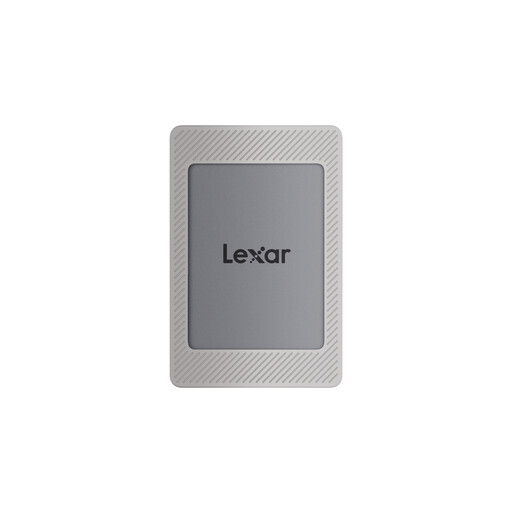 No image available
Lexar ES4 Portable SSD with Magnetic Set, 2 TB
May suit a larger local collection, provided the capacity and connection are right for the devices you plan to use.
The product name lists USB 3.2 Gen 2, read speeds of up to 1,050 MB/s and write speeds of up to 1,000 MB/s. It also lists compatibility with iPhone 15/16, PC and Mac; check the connection for your specific setup.
View at Joybuy
Frequently asked questions
Is it enough to move my recordings to an external drive once?
No, not if you want to be able to recover them if the drive fails, goes missing or files are deleted by mistake. Keep a separate copy and check that you can copy it back and open it. Germany’s Federal Office for Information Security recommends backups; this doesn’t make any particular drive failure-proof.
How can I use a drive with both Mac and Windows?
First, check the connections and write access on both devices. Apple lists exFAT as a format option for an external drive over 32 GB that you want to use with both Mac and Windows. Back up any existing files first, as formatting deletes them.
Do I need to buy an SSD with built-in encryption?
Not necessarily. Germany’s Federal Office for Information Security also describes software for encrypting individual files, folders or entire storage devices. If your recordings need access protection, check the setup and operation on the devices you plan to use, and keep your login details safe. Encryption doesn’t replace a backup.
Can I record and copy other people’s voice recordings in Germany without permission?
No, you can’t assume that there is general permission to do so. Section 201 of the German Criminal Code specifically covers unauthorised recording of another person’s private spoken words, as well as using or sharing a recording made in this way. Section 53 of the German Copyright Act provides a conditional exception for individual private copies of copyright-protected works; it doesn’t generally permit recording other people’s conversations or distributing copies. The German Federal Ministry of Justice publishes the legal texts on its “Gesetze im Internet” website.


