Studio with a PoE desk phone
If you want to power your phone over Ethernet, its power requirements need to match the switch’s capabilities. Information from TP-Link Germany and NETGEAR Germany describes the relevant PoE features.


First, check whether your VoIP phone needs PoE and how much power it draws. Then find out whether the shared network requires VLAN or QoS settings. A non-PoE switch may be enough if the phone has a separate power supply and you simply need more ports. For a managed PoE switch, the number of ports, PoE power, network configuration and specific hardware version all need to suit your studio.
If you want to power your phone over Ethernet, its power requirements need to match the switch’s capabilities. Information from TP-Link Germany and NETGEAR Germany describes the relevant PoE features.
If you share your studio’s network infrastructure with other devices or users, check whether you need VLANs or traffic prioritisation, and whether your router, uplink and phone support the planned configuration. Cisco explains that Voice VLAN settings depend on the device and port.
If you want to connect your phone, uplink and other devices by cable, count the total number of ports you need and allow for a spare. Manufacturer information from NETGEAR Germany and TP-Link Germany distinguishes between models with five and eight ports.
Start by checking your phone’s power requirements, then consider the network controls you need and finally count all the wired connections, including the uplink.
| Buying consideration | What to check | Who it matters to |
|---|---|---|
| Power supply | Match the phone’s PoE standard and power requirements to the power available per port and the switch’s total PoE budget. | If I want to power a compatible phone and provide data over the same cable, the PoE power needs to be right. This is the main consideration for around 36% of consumers. |
| Network separation and prioritisation | Check the VLAN and QoS features of the specific model, along with the configuration of the router, uplink and phone. | If I share the studio network with other users, I want to be able to manage phone traffic appropriately without assuming that a particular feature will automatically improve call quality. Around 29% of consumers prioritise network separation or traffic prioritisation. |
| Number of ports | Count the phone, uplink and any other planned connections; keep the number of PoE ports separate from the total number of ports. | If I need to connect a phone, router uplink and other studio devices, I need enough ports without assuming that every one supports PoE. Around 21% of consumers prioritise having enough ports. |
| Setup and noise | Check the management type and fan specifications for the specific version; if you need VLANs, plan the setup across the whole network. | If the switch will sit at my workstation and I don’t need to configure the network, I want to keep setup simple and take operating noise into account. Around 14% of consumers prioritise easy setup and a quiet place to position the switch. |
The power limit per port and the total budget for all PoE devices are different figures.
Compare the requirements of each planned phone and other device with both the relevant port limit and the shared budget.
On the TP-Link TL-SG108PE currently described, four of the eight ports are PoE+ ports.
Count the total ports, PoE ports and the uplink you need separately.
TP-Link Germany’s current product page lists a total budget of up to 64 W and up to 30 W per PoE port for the TL-SG108PE. An older manufacturer’s guide lists 55 W in total and 15.4 W per port.
Before buying, check the hardware version, power supply and data sheet for the specific product on offer.
These features need to be configured appropriately. Cisco’s Voice VLAN guide explains that setup depends on the device and port.
Check the entire network path and phone configuration instead of choosing a switch based solely on a VLAN or QoS label.
According to TP-Link Germany, the TL-SG105PE and TL-SG108PE offer managed PoE options for smaller setups.
The models described by NETGEAR Germany cover port expansion without PoE, management without PoE and managed PoE.
Zyxel describes its GS1200-PoE series as designed for smaller offices, with web management and PoE.
According to D-Link, the DGS-1100 series includes managed models with and without PoE.
This Joybuy selection includes managed PoE switches with five or more ports, a managed switch without PoE, and PoE switches for straightforward port expansion. The key questions are whether your phone needs power over Ethernet and whether you want to configure your network connection.
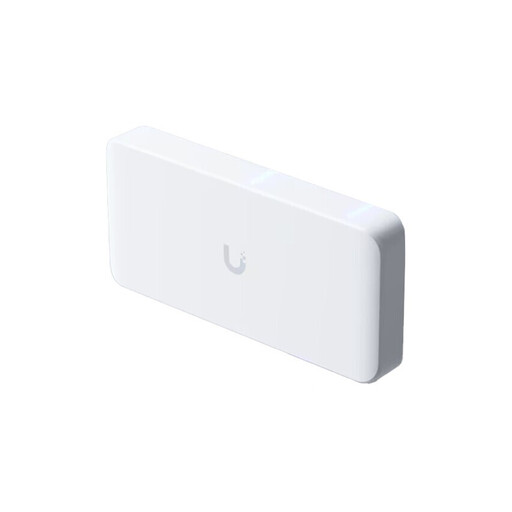 No image available
For connecting several wired devices and providing PoE++ power; the available PoE capacity depends on the power supply.
Specifications list eight 2.5 GbE ports with PoE++, plus one 10 GbE RJ45 port and one SFP+ port. The AC/DC adapter is optional and not included.
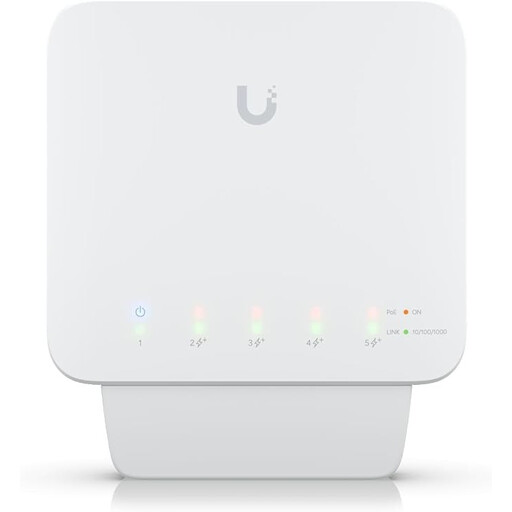 No image available
For a compatible PoE phone and other connections, if four PoE+ outputs are enough.
Five Gigabit ports, four of which are PoE+; up to 46 W of total power is specified when using a compatible PoE++ or 60 W input supply. A suitable power supply or PoE adapter is required for operation; an injector or power supply is not included.
 No image available
For extra wired connections and configurable network separation when the phone has a separate power supply.
Five RJ45 Gigabit ports; VLANs and port isolation are specified. The switch can be powered via USB-C or 802.3af/at, but does not provide PoE output to connected devices.
 No image available
For a compatible PoE phone and straightforward port expansion without switch configuration.
Five Gigabit ports, four of which are PoE+; the specifications list up to 30 W per PoE port and a total budget of 60 W. A fanless design and plug-and-play operation are also listed.
 No image available
For extra wired studio devices, if four PoE ports are enough for your phone and other compatible devices.
Eight Gigabit ports, four of which are IEEE 802.3af PoE ports; the total budget is specified as 55 W. A fanless design and plug-and-play operation are also listed.
Yes, as long as the phone and network connection are compatible and the phone has another suitable power supply. No PoE budget is specified for the NETGEAR GS305v3.
Not simply because of where the phone is located. If you want to separate phone traffic from other network traffic, check VLAN support and the configuration of the entire network path, including the phone and uplink. Cisco’s Voice VLAN guide describes a setup that depends on the device and port; it is not a general requirement for every switch.
Check the network connection and, if applicable, the PoE status and whether the phone is reachable on the intended network. Then test a call. If you have a managed model, document the VLAN or QoS configuration.
No. PoE alone does not provide backup power. Whether you can make calls during a power cut also depends on the switch’s power supply and the other network infrastructure required.
Electrical switches marketed in Germany must meet the applicable EU conformity requirements. The German Federal Network Agency lists CE marking as a subject of market surveillance; however, the marking alone does not prove that every specific device variant has been checked. Check the information for the version being offered.