Who can benefit from a remote shutter release?

If you need to check camera compatibility

Check your camera’s full model name against the manufacturer’s compatibility list, and confirm the specified connection or supported wireless link. Canon Germany and Fujifilm list requirements that vary by model; some Fujifilm cameras also need an adapter.

If your camera is fixed in place for close-ups

A remote shutter release lets you take the shot without touching the camera body. Canon Academy notes that even slight movement can cause problems in macro photography; Nikon Germany describes the MC-DC3 as suitable for macro and close-up photography.

If you often adjust your framing

A wireless remote or an app that your camera already supports can be handy when you’re moving around your window setup. Canon Germany lists Camera Connect as an option for many cameras, although the features available depend on the specific model.

What should you consider when choosing one?

Cable remote shutter release

A good fit if: your camera supports the specific connection listed and is set up securely for repeatable close-ups. For example, Canon Germany lists the RS-80E3 with an E3 2.5 mm connector.

The trade-off: The cable limits how freely you can move and should be positioned so it doesn’t tug on your setup.

Bluetooth remote control

A good fit if: you want to take photos without a cable and your camera supports this specific model. Canon Germany lists a range of up to 5 m for the BR-E1 with compatible cameras.

The trade-off: Check camera compatibility, pairing and battery requirements. The BR-E1’s stated range does not apply to other devices as a rule.

Remote control using an existing app

A good fit if: your specific camera already supports app-based remote control and you don’t need an extra handheld remote. Canon describes Camera Connect as an option for many cameras.

The trade-off: Features vary by model. Sony notes that its remote shooting workflow can involve trade-offs in connection, delay and battery use.

Buying priority What to check Who is this especially important to?
Camera compatibility Exact camera model and manufacturer’s list; connection, wireless features and any required adapter. I want to be sure the remote shutter release is right for my camera model before I buy. Around 36% of consumers put compatibility first.
Taking photos with minimal camera shake Whether you can take the shot without touching the camera or pulling on your setup. With a fixed close-up setup, I don’t want the camera to move when I take the shot. Around 29% of consumers prioritise minimising camera shake.
Image checks and avoiding an unnecessary purchase Whether your camera already supports a suitable remote-control app; check focus and reflections in the finished image. I want to check first whether a remote shutter release will solve my actual image problem, or whether I can already control my camera using an app. Around 21% of consumers prioritise checking the image and avoiding an unnecessary extra purchase.
Freedom to move Supported camera, pairing and battery; check the range listed for the specific model. If I often change position by the window, I want to be able to take photos without a cable. Around 14% of consumers prioritise working wirelessly.

Avoid common buying mistakes

  • Choosing by plug shape alone

    A socket that looks similar doesn’t prove that a remote shutter release will work with your camera. Manufacturers list compatibility by model; some Fujifilm cameras also require an additional adapter for the RR-100.

    Check your camera’s full model name against the manufacturer’s list, and confirm the connection and any adapter requirements.

    Some combinations may require an additional adapter.

  • Expecting a remote shutter release to produce a sharp, reflection-free image

    A remote shutter release means you don’t have to touch the camera when taking a photo, but it won’t correct the focus or remove reflections from the watch glass. Depth of field can also be a factor in close-up photography.

    Check the focus and reflections in your image before buying more shutter-release accessories.

  • Overlooking an app-based remote control you already have

    Some cameras can already be controlled remotely using an app. The available features depend on the specific camera model.

    Check your camera’s remote-control features, then decide whether a separate remote would add anything to your setup.

    If the remote control you already have does the job, you can skip buying an extra handheld remote.

Key camera brands at a glance

Canon

Canon offers cable and Bluetooth remote shutter releases for listed EOS models. Camera Connect is another option for many cameras.

  • Canon Germany lists the RS-80E3 for E3 connections with a 2.5 mm jack and describes it as suitable for macro and tripod photography.
  • The BR-E1 requires a compatible camera model. App features also vary between Canon cameras.

Nikon

Nikon offers the MC-DC3 as a cable option and the ML-L7 as a Bluetooth remote for supported cameras.

  • Nikon Germany describes the MC-DC3 as a way to minimise camera shake when taking macro and close-up photos.
  • The ML-L7 product description doesn’t confirm compatibility with every Nikon camera. Check your specific camera against the manufacturer’s list.

Sony

Sony offers the RMT-P1BT Bluetooth remote control. App- and computer-based remote shooting are separate options.

  • Sony says the RMT-P1BT uses the built-in Bluetooth receiver with a supported camera, so no separate receiver is needed.
  • The description doesn’t confirm compatibility with all Sony cameras or provide a direct comparison with cable releases.

Fujifilm

The RR-100 is a cable option for the X and GFX cameras listed by Fujifilm.

  • Fujifilm lists the supported models and includes an angled extension cable.
  • Some specified cameras also require a 2.5 to 3.5 mm adapter.

Panasonic

The DMW-RS2E is a LUMIX cable remote shutter release with photo shutter and video start/stop functions.

  • Panasonic lists a clip for attaching it to a tripod.
  • Check the firmware note and confirm compatibility with your specific LUMIX camera.

Joybuy products for smartphone setups

The Joybuy products below are for smartphone setups with a tripod and remote control. Before buying, check that the accessory suits your planned setup. Compatibility with any particular camera body is not specified.
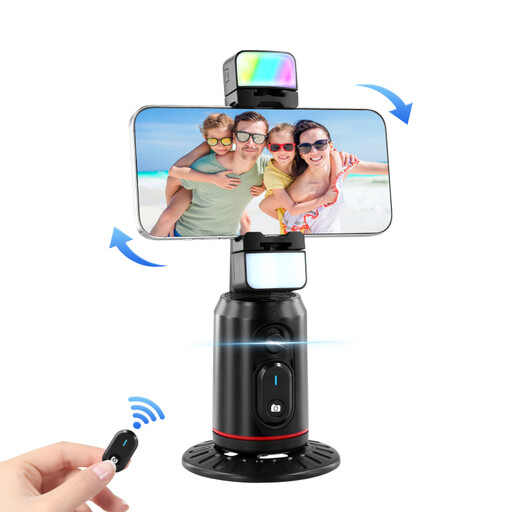
Smartphone tripod with face tracking, 360° holder and remote control

Smartphone tripod with face tracking, 360° holder and remote control

For a smartphone setup with hands-free positioning and remote control.

The holder rotates through 360° and has an integrated fill light. The product description lists a Bluetooth remote control for starting and stopping recordings.

Set the tripod on a stable surface and secure your smartphone.

View at Joybuy

Ulanzi JJ02 smartphone tripod with Bluetooth remote control

Ulanzi JJ02 smartphone tripod with Bluetooth remote control

For taking smartphone photos from a little further away with an extendable tabletop tripod.

The product description lists a smartphone holder, a remote control for operating your smartphone camera wirelessly and two cold shoe mounts.

Set the stand on a stable surface and secure your smartphone in the holder.

View at Joybuy
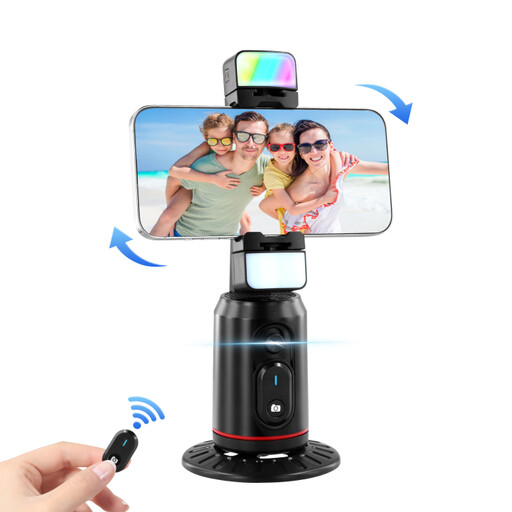
Smartphone tripod with 360° rotation, gesture control and remote control

Smartphone tripod with 360° rotation, gesture control and remote control

For a smartphone setup with a tripod and included remote control.

The product description lists 360° rotation, gesture control and a fill light.

View at Joybuy

Verbex K60 selfie stick with tripod function and remote control

Verbex K60 selfie stick with tripod function and remote control

For taking smartphone photos from a little further away with a hands-free setup.

The product description lists a 70 cm selfie stick, a smartphone holder and a Bluetooth remote control for photos and videos, with a stated range of up to 10 m.

Before taking a photo, make sure all three tripod legs are stable.

View at Joybuy
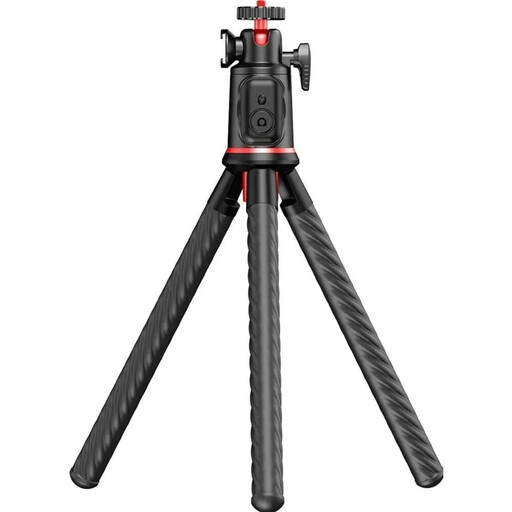
Rollei Easy Creator MonkeyPod mini tripod with flexible legs and Bluetooth remote control

Rollei Easy Creator MonkeyPod mini tripod with flexible legs

For an adjustable tabletop setup with a smartphone or camera and remote control.

The product description lists flexible legs, a 360° ball head and a Bluetooth remote control with a snapshot button. The stated maximum load capacity is 2 kg.

Secure the tripod before letting go of your smartphone or camera.

View at Joybuy

Frequently asked questions

Can I use any remote shutter release with a socket of the right size?

No. A socket that looks similar doesn’t confirm compatibility with your camera. Check your camera’s full model name against the manufacturer’s list, along with any adapter requirements. For certain cameras, Fujifilm lists an additional adapter for the RR-100.

How do I use a remote shutter release to photograph a watch dial by a window?

Set up your supported camera and focus on the watch dial, then take the shot without touching the camera body. Check the result: close-ups can have a shallow depth of field, and a remote shutter release won’t change reflections on the watch glass.

Do I need to buy a separate remote shutter release?

Not necessarily. Canon says Camera Connect works with many Canon cameras, and Sony describes remote shooting using an app or computer. Check whether your specific camera offers the features you need for your setup.

What costs and rights should I consider when buying online?

Allow for possible adapter or battery costs, and check the details of the specific offer. For a distance purchase from a trader covered by the rules, Your Europe states that you generally have 14 days from delivery to cancel. Under EU rules, purchased goods are covered by a legal guarantee of at least two years; this is separate from any additional manufacturer’s warranty.

What should I look for in a Bluetooth remote control in Germany?

For relevant radio and other electronic products, the Bundesnetzagentur lists CE marking, manufacturer details, instructions in German and a declaration of conformity among the points to check. Check the information for the specific product; a CE mark is not an independent performance test.