Close-up filming at the repair bench
If you want to show screws, hands or watch components in close-up, you’ll need to consider the macro framing, focus and enough room for your hands.


For close-up shots of small watch parts, choosing the right macro lens and working distance comes first; 4K alone tells you nothing about how large your subject will appear in the frame. If you’re switching between your hands, the workpiece and explanations, you’ll also need focus controls and a screen you can see from your working position. For lengthy repair steps, plan for power and storage too, and test your exact setup in advance.
If you want to show screws, hands or watch components in close-up, you’ll need to consider the macro framing, focus and enough room for your hands.
If you switch between repairing and talking to the camera, easy-to-control focus and a screen you can see from your workbench will make things easier.
If you want to minimise interruptions, consider recording time, power and storage as part of one complete setup.
| What you need | What to check before buying | Who will find this most important? |
|---|---|---|
| Showing small parts in close-up | Check the lens mount, magnification ratio and distance from the work surface; test the framing with an actual watch part. | If I want to show tiny gears or screws clearly, I also need room for my hands and lighting. Around 36% of consumers prioritise close-ups. |
| Focus and image control | Test whether the focus works with your subject in the chosen video and lens mode; check that you can see the screen from where the camera will be mounted. | When switching between tools, the workpiece and explanations, I want to be able to check the focus and framing. Around 29% of consumers prioritise focus and image control. |
| Long recordings | Check the recording time for your planned settings, as well as the power supply and storage required for your camera model. | If I want to capture a repair step without interruption, I plan for power and storage alongside recording time. Around 21% of consumers prioritise long, uninterrupted recordings. |
| A straightforward setup | Decide in advance which details need to be visible; with interchangeable-lens cameras, check the mount and what’s included. | If I want to keep my setup simple, the equipment still needs to show the required view of the workbench. Around 14% of consumers prioritise a straightforward setup. |
Video resolution doesn’t determine how large a small watch component appears in the frame. The lens and framing matter too.
Compare the magnification ratio using an actual component, and check whether the camera kit includes a suitable macro lens.
Depending on the system, you may need to buy a compatible macro lens and suitable mount separately.
A very short focusing distance can leave little room for tools and lighting. Sony Germany lists a distance of 2.4 cm between the front of the lens and the subject at close range for the SEL30M35.
Measure the available space where you plan to position the camera, and consider working distance and magnification ratio together.
If space is limited, you may need to change your lens or lighting arrangement.
A manufacturer’s stated continuous recording time doesn’t necessarily apply to every format, power supply or environment.
Check your planned settings and run a sufficiently long test before filming a complete repair.
For long takes, your storage and power supply need to suit your specific setup.
The ZV-E10 II is a video-focused APS-C interchangeable-lens camera with an E-mount. The E 30 mm F3.5 Macro SEL30M35 is a separate lens option.
The EOS R50 has an RF mount and a product demonstration mode. The RF 35mm F1.8 MACRO IS STM is a separate lens option.
The Z 30 is a Z-mount camera designed for video recording. The NIKKOR Z MC 50mm f/2.8 is a separate macro option.
The LUMIX G100D is a Micro Four Thirds camera with 4K/30p. The LUMIX G 30mm F2.8 Macro H-HS030 is a separate lens option.
The Osmo Pocket 3 is a compact camera with a fixed lens and a mechanical three-axis gimbal, suited to moving overview shots.
The following Joybuy products are cameras for filming. For each model, check the framing of small watch parts and the space available at your workbench with the specific lens or camera system.
 No image available
Could be worth considering if you want to use autofocus and a tilting screen while filming; check the macro framing with the actual workpiece.
APS-C; 16–50 mm Power Zoom lens; 4K video; autofocus with eye detection; tilting screen.
 No image available
Could suit you if a compact setup and stabilised moving overview shots are important; test the framing for small watch parts in advance.
1″ CMOS; 4K/240fps; 3-axis stabilisation; 2× lossless zoom; 107GB built-in storage; 2″ rotating screen.
 No image available
Could be an option for filming with autofocus; check that the framing is wide enough for the watch parts you need to show.
4K video; 64 MP; autofocus; 18× zoom; flash; black.
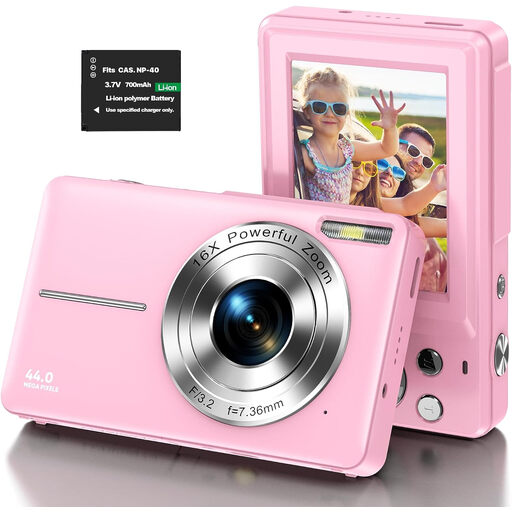 No image available
Could be worth considering if you’re looking for a compact camera for photos and video; check the close-up framing with your actual subject.
4K video; 64 MP; 16× zoom; pink.
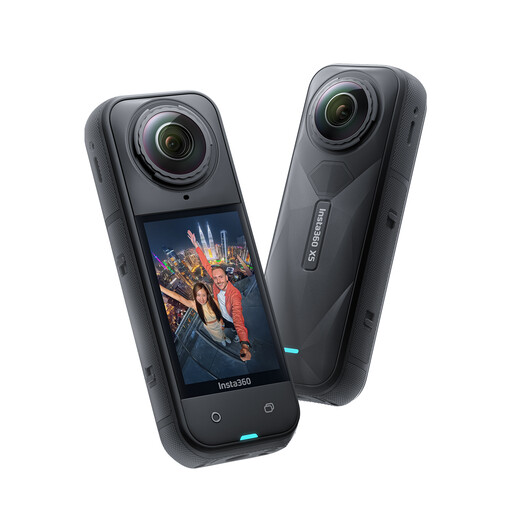 No image available
Could be an option if 360° video and stabilisation suit your planned shoot; check whether small watch parts will appear large enough in the framing you want.
Waterproof; 8K 360° video; replaceable lens; 3-hour battery; stabilisation.
Not necessarily. Check the framing with the actual component and the minimum focusing distance of the supplied lens; a macro lens may provide greater magnification. The Sony and Panasonic kits described come with standard zoom lenses, while the macro lenses mentioned are sold separately.
Secure the camera firmly and check focus and depth of field with your actual subject. Record a short test using your lighting. Sony Germany explains that flickering light can cause banding, and that adjusting the shutter speed may help, depending on the camera and lighting.
Before buying, check whether you already have a macro lens, mount, lighting, memory card and suitable power supply. According to Your Europe, goods bought from a business seller in the EU are covered by a legal guarantee of at least two years from receipt; this is separate from any voluntary manufacturer’s warranty.
Section 22 of the KunstUrhG generally states that images may only be distributed or displayed publicly with the consent of the person depicted. The German Federal Ministry of Justice’s Gesetze im Internet website reproduces this provision. Whether an exception or another legal basis under data protection law applies in a particular case depends on the circumstances in which the footage is recorded and published.
The German Environment Agency advises that waste electrical equipment must not be put in household rubbish. Remove the battery before returning the camera, if possible, and take it to a separate battery collection point.