Demonstrating colour mixes
If you want to show how colours change between mixing steps, look for consistent lighting and adjustable white balance. Adobe explains that the colour of the light affects white balance and, in turn, every colour you see.


Choose a webcam that captures your entire mixing area, and set up the lighting and framing first. For colours that are easy to compare, adjustable white balance and a neutral reference matter more than a 4K claim. A higher camera resolution also doesn’t guarantee equally high-resolution video calls. A tiltable presentation mode may be enough for occasional desk views, while a camera mounted specifically for longer overhead shots requires more preparation.
If you want to show how colours change between mixing steps, look for consistent lighting and adjustable white balance. Adobe explains that the colour of the light affects white balance and, in turn, every colour you see.
If you switch between showing your face and your work surface, the frame should capture your hands, mixing containers and tools. Logitech describes Show Mode on the Brio 500 and MX Brio as a way to show objects on your desk; Insta360 describes DeskView for temporary desk views.
If you hold samples or small containers up to the camera, check the focus and framing at the actual distance you’ll be working from. The resolution of the video feed also depends on the settings and conditions of the video service you use.
First, decide what matters most to you: colour, a desk view, close-up details or a simple set-up. Then test the relevant feature with your own workspace and the video service you plan to use.
| What you need | What to check before buying | Who it matters most to |
|---|---|---|
| Colours that are easy to compare | Check whether you can adjust white balance and exposure. Test the lighting with a neutral reference and your actual colours. | If I want to compare mixing steps, I want to keep the lighting and image as consistent as possible. Around 36% of consumers prioritise colours that are easy to compare. |
| A clear view of the mixing area | Test the framing with your monitor height, containers and hand movements. Check whether a temporary desk mode will be enough. | If I want to switch between talking and showing the mixing area live, my hands and workspace need to stay in the frame. Around 29% of consumers prioritise a desk view. |
| Focus for close-up details | Test the focus at the distance you’ll actually be working from. Also check what resolution your video service transmits under the conditions you plan to use. | If the distance to my samples varies, I want to be able to show small details clearly. Around 21% of consumers prioritise close-up details. |
| A simple set-up | Check the mount, microphone and any settings software for the specific model, as well as their compatibility with your computer. | If I want to set up as few extra devices as possible, easy positioning and a suitable audio set-up matter. Around 14% of consumers prioritise a straightforward set-up. |
Resolution alone doesn’t tell you whether colours will look true to life under your lighting. The video service may also limit the resolution that’s actually transmitted.
Before a demonstration, test the lighting, a neutral reference and your actual colours. Also check the settings for the video conferencing service you use.
You may need extra accessories, such as suitable lighting or a neutral reference.
Insta360 describes DeskView as a mode for temporary desk shots, and distinguishes it from a camera mounted specifically overhead.
Check the field of view, monitor height and work surface before planning to use desk mode for longer sessions.
According to the manufacturer, the Elgato Facecam MK.2 has no built-in microphone, so you’ll need to record audio using another device.
Check the audio set-up and what’s included with the specific model.
You may need a separate microphone or headset to record audio.
According to Logitech, the Brio 500 and MX Brio have Show Mode, which lets you show objects on your desk.
Insta360 describes DeskView on Link models as a feature for temporary desk views.
The Facecam MK.2 is designed for a fixed workstation where you can adjust image settings using Camera Hub.
According to the manufacturer, the Tiny 2 is designed for switching between a desk position and a moving presentation.
The PowerConf C200 is a webcam option for varying distances from the subject and video calls.
The Joybuy products below include webcams and a conference camera for flexible framing, close-ups or video calls. Test how true to life your colours look using your own lighting and mixing set-up.
 No image available
Could be a good fit if you want to adjust the view at your desk.
 No image available
Autofocus could be useful when showing samples at different distances. Test it with your actual set-up.
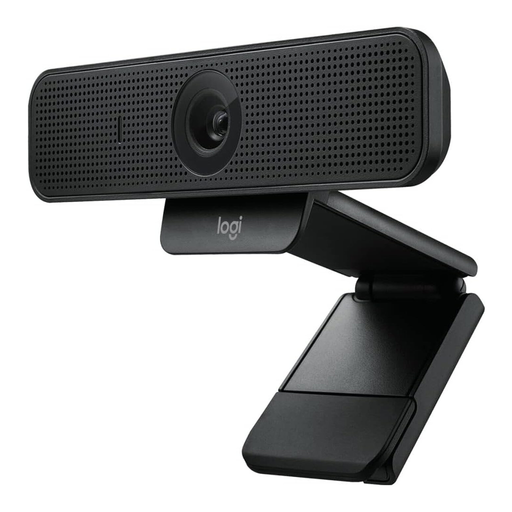 No image available
This webcam could suit video calls where the distance to your subject varies. Check the focus at your usual working distance.
 No image available
Autofocus can be useful when the distance to the objects you’re showing changes.
 No image available
The pan, tilt and zoom functions could be useful when adjusting the frame.
Light the mixing area as evenly as possible, and check the white balance using a neutral reference under the same lighting. Also check the preview with your actual colours. A reference card doesn’t automatically ensure that the webcam or viewers’ screens show colour accurately.
Not necessarily for brief shots: Logitech describes a tiltable Show Mode on the Brio 500, while Insta360 offers DeskView for temporary desk shots without an overhead mount. If you plan to use a dedicated overhead view for longer, check the framing and mounting beforehand.
No. The camera’s resolution alone doesn’t determine the resolution in a meeting. Zoom describes HD at 720p for the active speaker view in group meetings. Check the account, settings and technical requirements that apply to your video service.
The Verbraucherzentrale distinguishes between your statutory rights against the seller and a voluntary manufacturer’s or retailer’s guarantee. Before buying, check who the seller is and what additional guarantee terms are offered.
Not necessarily. For video conferences in businesses, public authorities and other organisations, the Datenschutzkonferenz advises checking the legal basis and obtaining effective consent for recording and further processing. Its guidance dates from 2020; having a webcam doesn’t in itself give you permission to record. Check the requirements for your specific situation before recording other people.