If one person will mainly be hosting the meeting in front of a computer, a personal USB webcam may be enough. If several members will be sitting around a table, a conference camera with room microphones and a speaker is better suited to the job. What matters is the camera’s field of view and how clearly it picks up voices from the seats you plan to use – not just the stated resolution. For a room camera, also check that the power supply, connection and mounting position are right for your space.
Which type is right for you?
Club meetings with several people around the table
If remote members need to see the group and hear contributions from different seats, consider a room camera with built-in microphones and a speaker. Logitech and HP describe their relevant models as solutions for small meeting rooms.
One person hosting the meeting
If you’ll mainly be sitting alone in front of a laptop or monitor and don’t need to show the whole table, a personal USB webcam may be a good option. Logitech lists a microphone range of up to 1.22 m for the Brio 500.
Meetings with people seated at the sides
If people at the ends of the table need to stay in shot, make sure the field of view suits your seating arrangement. Jabra lists a 180° field of view for the PanaCast 50; such a wide angle may also show more of the room.
What should you look for when buying?
For a club meeting in a small room, the key considerations are the seating arrangement, clear audio throughout the room, a practical connection and the field of view you need.
| What matters |
What to check before buying |
Who will value this most? |
| Everyone in shot |
Check the seating arrangement and camera position, including whether people at the outer seats are in frame. |
If I want to show the whole group around the table, I need to make sure there’s enough room in shot for people at the ends too. For around 36% of consumers, covering the whole group is the top priority. |
| Clear audio throughout the room |
Make a test call from each seat you plan to use, and check that speech is clear and there’s no echo. |
If people in different seats need to speak, I want everyone to be heard clearly without having to repeat themselves. For around 29% of consumers, clear audio throughout the room comes first. |
| Easy to set up |
Check that the USB connection, power supply, cable route and mounting position work with your room. |
If I’m using the camera at our existing meeting space, I want to be able to connect it and position it properly. For around 21% of consumers, a straightforward set-up is the most important consideration. |
| Controlled field of view |
Check the edges of the frame before the meeting. If you plan to record, follow the Data Protection Conference’s guidance on legal basis and informing people. |
If we don’t need to show the whole room, I want to be able to choose exactly what appears in the frame. For around 14% of consumers, having control over the field of view is the main concern. |
Common buying mistakes
-
Assuming resolution means the camera is right for a room
A specification such as 1080p or 4K doesn’t tell you whether everyone will be in shot or whether voices from around the table will be picked up clearly.
Choose a camera to suit your seating arrangement, then test the picture and sound with a call from the seats you plan to use.
If a personal webcam can’t pick up people speaking from further away, you may need an additional audio solution.
-
Assuming a video bar works just like a webcam, with no extra set-up
A room camera may need a power supply, a USB connection to the computer and a suitable place to mount it. HP specifically lists these steps for the Studio R30.
Before buying, check the connection route from the planned camera position to the computer, as well as the nearest power socket and mounting position.
-
Choosing the widest field of view without checking it first
A panoramic view can capture seats at the sides, but it may also show more people and background than you want in the meeting.
Choose the field of view to suit your seating arrangement and check the edges of the frame before the meeting.
Brands to consider
Logitech
The Brio 500 is a personal webcam, while the MeetUp 2 is designed for small meeting rooms. The right choice depends mainly on whether you need to show one person or a group around a table.
- Logitech lists a 120° field of view, six microphones and a speaker for the MeetUp 2.
- Logitech lists a microphone range of up to 1.22 m for the Brio 500; this doesn’t mean it will cover every seat in a room.
HP Poly
The Studio R30 is a USB video bar for small conference rooms where the whole club group sits together in front of the camera.
- HP lists a 120° field of view, three built-in microphones and a speaker.
- The set-up described requires a monitor clamp, a power supply and a USB connection to the PC. Test how clearly speech can be heard in the room where you plan to use it.
Jabra
The PanaCast 50 is a panoramic video bar to consider if your seating arrangement really does call for a very wide field of view.
- Jabra lists a 180° field of view and eight microphones.
- The wide view may show more of the room. Whether you need it instead of a narrower room camera depends on your seating arrangement and camera position.
AnkerWork
The PowerConf C300 is a webcam that attaches to a laptop or screen. It may suit a meeting where one person is hosting or a closely seated group needs to be in shot.
- AnkerWork lists two microphones, automatic framing and a lens cover.
- Test whether the microphones pick up people sitting further away in your particular set-up.
Joybuy products for your club meeting
This selection includes USB conference cameras and video bars for a group around a table in a small meeting room, as well as a webcam for the meeting host or a group in shot.
 No image available
Logitech ConferenceCam
For small groups around a table. The description mentions a full-duplex speakerphone and a microphone range of up to 2.40 m.
USB-A connection, autofocus, zoom and 180° pan are listed. Bear the microphone range in mind when choosing where to place it.
View at Joybuy
 No image available
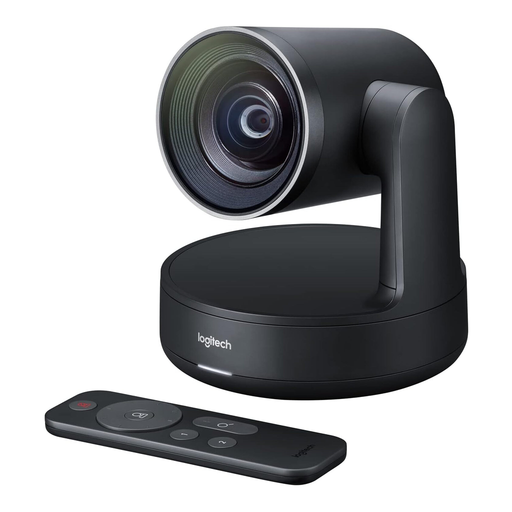
Logitech Conference Camera Rally 960-001227
Described as a conference camera with a USB connection to a computer.
The product specifications list 4K video and USB connectivity.
View at Joybuy
 No image available
Insta360 Link 2C Standard Bundle, Graphite Black
For one person or a group in shot. The description lists auto-framing for both uses.
Features listed include 4K, a 1/2" sensor, HDR, gesture control and a physical privacy switch. The description says this model is currently not compatible with ARM-based Windows systems.
View at Joybuy
 No image available
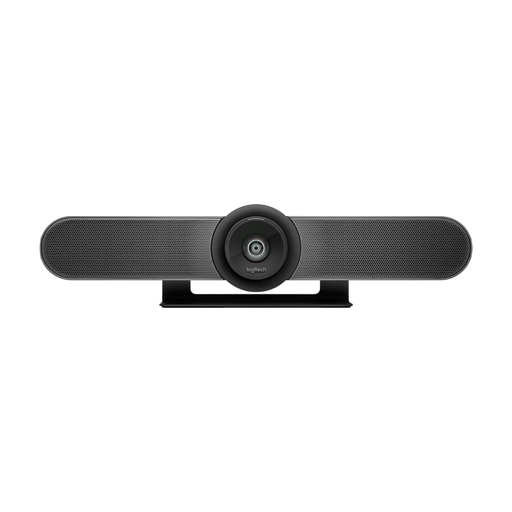
Logitech MeetUp All-in-One 4K Conference Camera
For small meeting rooms with several people around the table. Built-in microphones and a speaker are listed.
The specifications list a 120° diagonal field of view, motorised pan and tilt, and 5× digital zoom. An external power supply and a USB connection to the computer are listed as required for operation.
View at Joybuy
 No image available
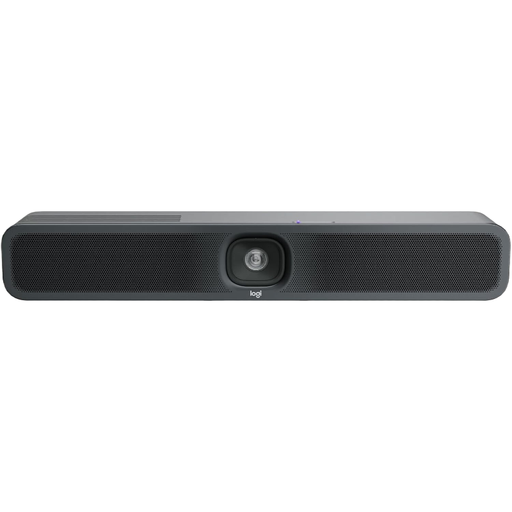
Logitech MeetUp 2, 4K All-in-One Conference Camera
For a small meeting group, with a built-in camera, microphone and speaker.
The product specifications list 4K video, USB, autofocus, and table and wall mounting. An external power supply and a USB connection to the computer are required for operation.
View at Joybuy
Frequently asked questions
Do I need a 4K webcam for a group around a table?
No. A 4K specification alone doesn’t mean everyone will be in shot or that their voices will be picked up clearly. First check the camera position, field of view and sound from the seats you plan to use. 4K is a manufacturer specification for the devices mentioned here.
What should I set up and test before the first club meeting?
At the planned camera position, check the edges of the frame, power supply, USB connection and mounting. Then ask people at the furthest seats and the ends of the table to make a test call. HP lists a monitor clamp, a power supply and a USB connection to the PC as set-up requirements for the Poly Studio R30.
What happens if something goes wrong after I buy it?
For consumer purchases in Germany, the statutory warranty is a claim against the seller and is not the same as a voluntary manufacturer’s guarantee. Before ordering, check whether the club purchase in your particular case counts as a consumer purchase. The Verbraucherzentrale explains your rights and possible steps to take if a product is faulty.
Can the club record a video meeting without asking?
Simply connecting a camera doesn’t give you blanket permission to record. The Data Protection Conference treats checking the legal basis and informing the people concerned as separate steps. The appropriate legal basis for a particular meeting depends on the circumstances. Even if you don’t record, you should consider how personal data is handled by the video-conferencing service.


