Who will use the camera?

Housemates around the planning table

When several people are joining in from different seats and talking to remote guests, it’s important to get everyone in the frame and make sure their voices are clear. Logitech describes the BCC950 as a conference camera for groups of 1–4 people; Owl Labs lists the Meeting Owl 3 as a 360° device for a group gathered around a table.

Hosting the meeting from a laptop

If you’ll be hosting the meeting on your own for most of the time, you can manage the camera and your notes from your workspace. For this setup, look for a suitable field of view and a microphone that fits the way you’ll actually be using it.

Housemates who value privacy

If your meeting spot is also a living area, position the camera so that housemates and private spaces aren’t unnecessarily in shot. The Federal Commissioner for Data Protection and Freedom of Information notes that users determine what content is transmitted during video communications.

What should you look for when buying?

What matters What to check before you buy Who this matters most to
Voices from multiple seats Compare the distances between seats with the microphone position; test the sound from every seat on a trial call. When several of us are speaking around the table, I don’t want to have to move seats for every contribution. Around 33% of consumers put clear voices from multiple seats first.
Everyone in the same frame Check the seating arrangement and camera position against the field of view in the conferencing software you use. If everyone around the table needs to be visible on the call, I make sure no one is cut off at the edge of the frame. Around 27% of consumers prioritise getting everyone in the same frame.
Privacy in your home Check the camera angle and field of view; use a lens cover between meetings if one is available. If the camera is in a shared living area, I want to keep private spaces and housemates who aren’t involved out of shot as much as possible. Around 20% of consumers prioritise limiting how much of the shared home is visible.
Easy to set up and put away Check the USB ports, power supply, space required and any cables or mounts you’ll need. If we want the table clear again after the meeting, I want to be able to use the setup without permanently rearranging the room. Around 20% of consumers pay particular attention to ease of set-up.

Common buying mistakes

  • Assuming 4K resolution means everyone will be heard clearly

    High video resolution doesn’t tell you whether voices from several seats will be picked up clearly. In its test of the Obsbot Meet 4K, CHIP noted that the microphone noise cancellation was a limitation in very noisy conditions.

    First, check that the microphone position suits your seating arrangement and the noise levels in your shared home.

  • Choosing the widest possible field of view without considering the rest of the room

    According to Owl Labs, a 360° device captures the room all the way around. That can work well for a group around a table, but it may also show more of your shared living space; an adjustable webcam may let you use a narrower field of view.

    Decide which seats should be in shot before you buy, and check what you want to keep out of frame.

  • Planning for a video bar as if it were a single USB webcam

    Positioning, connections and power requirements vary by device. Logitech lists a separate power supply and several mounting options for the MeetUp 2; the BCC950 is designed to sit on a table or desk.

    Before you buy, check that the connections you need and the planned location will work in your shared-house room.

    You may also need a suitable mount and cable management, depending on how you install it. Make sure you have enough space and a suitable route for the cables.

Brands to consider

Logitech

The BCC950 and MeetUp 2 offer different positioning and connection options for groups around a table and smaller rooms.

  • Logitech says the BCC950 is designed for groups of 1–4 people; the MeetUp 2 has a 120° diagonal field of view.
  • According to the manufacturer, the BCC950 doesn’t have a lens cover. Manufacturer claims about range are no substitute for a trial call from the actual seats.

Owl Labs

The Meeting Owl 3 is designed as a 360° device for a group gathered around a table.

  • Owl Labs says the model combines a 360° camera with eight microphones and a speaker.
  • Choose the all-round view only if your group wants to include the area of the living space that it captures.

Jabra

The PanaCast 50 is a video bar designed to sit near a wall or screen when you need to capture seats from one side of the room.

  • Jabra lists a 180° field of view and several mounting options for this model.
  • These specifications don’t show how well it picks up voices from every seat in a shared house. Also check whether a more permanent installation will suit the room.

AnkerWork

The PowerConf C200 is a webcam option if one person will be hosting most of the time.

  • Anker lists three selectable fields of view—65°, 78° and 95°—and a sliding lens cover.
  • The field-of-view figures alone don’t tell you whether the camera can pick up voices from a whole group around a table.

OBSBOT

The Meet 2 is a compact webcam with automatic framing, designed for situations where the person hosting moves around.

  • OBSBOT lists 4K at 30 frames per second and two built-in microphones.
  • These manufacturer specifications don’t prove that it will pick up voices clearly from every seat in a shared house.

Joybuy products for shared-house planning meetings

This selection of Joybuy models includes webcams for a laptop or monitor, as well as conference cameras for groups gathered around a table.

AOC webcam with microphone, 4K, 99° field of view and privacy cover

AOC webcam with microphone, 4K and 99° field of view

A good fit if you’re looking for a webcam with a wide field of view and a lens cover.

The product name lists 4K video, a 99° field of view, plug-and-play set-up and a privacy cover.

View at Joybuy

Logitech ConferenceCam, 10.4 × 15 × 15.4 cm

Logitech ConferenceCam, 10.4 × 15 × 15.4 cm

Worth considering for a group around a table if you’re looking for a product described as a conference camera rather than a single webcam.

The dimensions given in the product name are 10.4 × 15 × 15.4 cm.

View at Joybuy

Insta360 Link 2C Standard Bundle Graphite Black, 4K webcam

Insta360 Link 2C Standard Bundle Graphite Black

A good fit if you’re looking for a webcam to host meetings from a laptop or monitor and automatic framing would be useful for your setup.

The product name lists 4K, Auto-Framing, HDR and a microphone with AI Noise Cancellation.

View at Joybuy
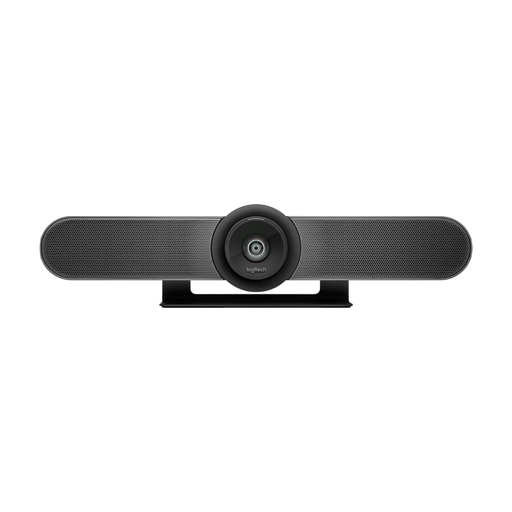
Logitech MeetUp all-in-one 4K conference camera with 120° field of view

Logitech MeetUp all-in-one 4K conference camera

A good fit for a group around a table if you want the camera, microphones and speaker in one conference unit.

The product name lists a 120° field of view, built-in microphones and speaker, and motorised pan and tilt.

View at Joybuy

Logitech Brio 4K Webcam Black

Logitech Brio 4K Webcam Black

A good fit if one person will be hosting most of the time and you’re looking for a webcam for business video calls.

The product name identifies the model as a 4K webcam.

View at Joybuy

Frequently asked questions

Can a laptop webcam capture everyone in the shared house?

It depends on the seating arrangement, distance and audio pick-up. Logitech describes the BCC950 as an all-in-one device for 1–4 people, with a microphone range of 2.4 m. Test the sound from every seat on a trial call rather than comparing video resolution alone.

What should I set up before the first meeting?

Check the USB connection, power supply and available space, and make sure the conferencing software has selected the right camera, microphone and speaker. According to Logitech, the MeetUp 2 comes with a power supply and a USB-C cable; the BCC950 uses a permanently attached USB-A cable.

How can I stop the camera pointing into the living area after a meeting?

Adjust the field of view to suit your needs and use a physical cover if one is available. Logitech says the BCC950 doesn’t have a lens cover; AnkerWork lists a sliding cover for the PowerConf C200.

What should the household check about mounting and the warranty?

Check that the required mounts and everything included in the box suit your planned location, and review the warranty terms for the specific offer. Logitech lists a two-year limited hardware warranty for the MeetUp 2; this doesn’t mean the same warranty terms apply to other models or retailers.

Can you record a shared-house meeting without asking first?

You can’t assume that you have blanket permission to record. The Federal Commissioner for Data Protection and Freedom of Information distinguishes the responsibility of the conferencing service from that of users for the content they transmit; processing personal data must have a legal basis under Art. 6(1) GDPR. Before recording, agree on the purpose, who will take part, which parts of the home will be visible and the legal basis. The obligations that apply to a particular private meeting in a shared house depend on the circumstances.