Dictionary demonstrators
If a demonstration is mainly about showing pages and looking up entries, it’s important to be able to position the view accurately over the book and your hands. IPEVO describes the V4K as having an adjustable arm.


If you mainly need to show dictionary pages and pointing hands from above, an adjustable document camera is the obvious choice. If you regularly switch between showing your face and the book, a webcam that tilts towards the table may fit your workflow better. At a shared table, check that the view you want makes the text readable in your video-conferencing app, and that the mount, connection and app all work together.
If a demonstration is mainly about showing pages and looking up entries, it’s important to be able to position the view accurately over the book and your hands. IPEVO describes the V4K as having an adjustable arm.
If you usually speak to the camera but occasionally show the dictionary, check how quickly you can switch between a view of your face and one of the table. Logitech describes this option for the Brio 500’s Show Mode.
If several people share a table and camera, it’s important to get the right framing and control which items are visible. The Federal Commissioner for Data Protection and Freedom of Information notes that the data-protection implications depend on the specific personal data being processed.
Best suited if: The dictionary page and pointing hands take up most of your demonstration.
Trade-off: A base or arm takes up space. The stated capture area alone doesn’t tell you whether small text will be easy to read on a video call.
Best suited if: You often use the same camera for calls and short book demonstrations, and your monitor is positioned suitably in relation to the book.
Trade-off: Your monitor position and mount limit the angle you can achieve, so check that the camera can be tilted securely.
When demonstrating a dictionary at a shared table, the right choice depends on what matters most to you. The percentages below refer to consumers who prioritise each purchase consideration.
| Consideration | What to look for when buying | Who it matters to |
|---|---|---|
| Making small entries readable | Check the text and pointing hand in the framing you want, using the video-conferencing app you’ll actually use. | When I want to show specific dictionary entries, the text needs to remain clear in the video feed. Around 36% of consumers say readability is their top priority. |
| Positioning the camera to suit | Compare the base or monitor mount with the space available on your table and the angle you need. | When I want to show the book and my hands without unnecessarily taking over a shared workspace, getting the position right matters. Around 29% of consumers put this first. |
| Switching between a call and the book | Check that your monitor position, mount and video-conferencing app allow you to switch views as needed. | When I mainly have conversations and only occasionally show a page, I don’t want to set up a different camera every time I switch. Around 21% of consumers prioritise switching between views. |
| Controlling what appears in the shared view | Position the camera so that only the areas needed for the demonstration are visible, and check the image before sharing it. | When I show a shared table, I want to check beforehand that personal papers or other people’s information won’t appear alongside the dictionary. Around 14% of consumers put control over the camera view first. |
When dictionary text is small, the capture area, focus, camera angle and how the image appears in your video app all affect the result.
Try a typical dictionary page in your intended framing and in the app you’ll use for the demonstration.
With the Logitech Brio 500, the view of the book depends on your monitor position and how the camera is mounted. Logitech says you need to hold the mount while tilting it if it isn’t secured with the micro-suction pad.
Check the tilt angle and how the camera attaches at your shared table before choosing this webcam view.
The ELMO MX-P3’s HDMI output is only useful if it works with your display and cabling. The consumer advice centre also distinguishes between the seller’s statutory liability for defects and a voluntary manufacturer’s warranty with its own terms.
Check the connections against your existing equipment and read the terms of the specific offer.
The V4K document camera is a specific USB model to consider if you need an adjustable view of a book.
The Brio 500 combines a webcam view for conversations with a tilting view of the table.
The HD Pro is a compact USB document camera with a flexible neck and manual focus.
The MX-P3 is a document camera with several output options, including for demonstrations without a computer.
The AVerVision M5 is a foldable USB visualiser for demonstrations.
This selection includes webcams and a conference camera for flexible conversation or table views. Check how each camera can be positioned at your workspace and whether the dictionary page is readable in your video-conferencing app.
 No image available
Worth considering if you’re looking for a webcam with a stated 99° field of view and a cover for privacy.
The product title also mentions plug and play and noise reduction.
 No image available
This could suit you if you want to position an autofocus webcam on your monitor or laptop. Check that the mount fits your device.
The product title mentions autofocus, two microphones and a cover. Secure the clip mount as directed in the safety instructions.
 No image available
The table view could be useful for a short dictionary demonstration. Check that DeskView mode gives you the framing you want and works with your app.
The product title describes a 4K webcam for PC and Mac with a 1/2" sensor and autofocus. According to the product description, the model is currently not compatible with ARM-based Windows systems.
 No image available
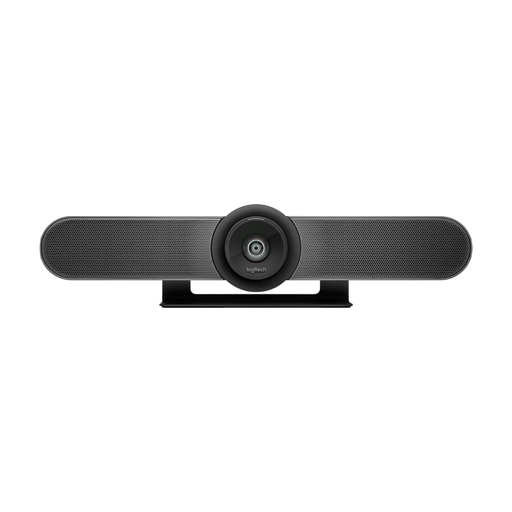
Consider this conference camera if you want to adjust the framing remotely. Check whether placing it on a table or mounting it on a suitable wall works for your workspace.
The product title mentions a 120° field of view, built-in microphones and speakers, and motorised pan and tilt. If you’re mounting it on a wall, make sure the fixings are suitable for the wall type.
 No image available
This could be an option if you’re looking for a 4K webcam for calls with adjustable framing. Check how it can be positioned on your particular monitor.
The product title mentions a removable cover. Before buying, check that the framing settings you need work with your video-conferencing app.
Place the open dictionary where you plan to use it, then check the text and pointing hand in the video app you’ll actually be using. With the Logitech Brio 500, the monitor mount needs to allow the tilt angle you require. The HUE HD Pro is focused using its ring.
It depends on the device and the software you’re using. IPEVO lists a UVC interface for the V4K. Your app needs to support external cameras for the device to be recognised as a video source, so check compatibility with your operating system and video-conferencing app.
Your statutory rights apply in relation to the seller, while a manufacturer’s warranty is a voluntary offer with its own terms. Before buying, check who the seller is and which warranty terms apply to the specific offer.
Not in every case. If personal information appears in the video, the specific data and risks are relevant under data-protection law. Under the legal conditions set out in § 60a UrhG, up to 15% of a published work may be used to illustrate teaching and learning at educational institutions for non-commercial purposes. This isn’t blanket permission for every demonstration or publication of dictionary pages, so check who will be able to view the content and how you intend to use it.