Teachers who need an overhead view
If you want to show the class fold lines and hand movements, you need a frame that can be positioned above the table. IPEVO and Lumens describe document cameras with movable arms for viewing documents and objects.


If you mainly need to show hands and paper, a document camera with a movable arm is often the more straightforward choice: you can position it above the work surface. A webcam that tilts down may be a better fit if you also want to show your face and its mount covers the area of the desk you need. Also check how it connects to a screen or projector, how well it focuses on raised folds and whether the lighting is adequate.
If you want to show the class fold lines and hand movements, you need a frame that can be positioned above the table. IPEVO and Lumens describe document cameras with movable arms for viewing documents and objects.
If you want to display the live image directly on an existing projector or monitor, check its inputs and the camera’s power requirements. IPEVO and ELMO both list models with HDMI output.
If you want to show your face as well as your paper work, you could consider a webcam that tilts down. Logitech describes a Show Mode for the MX Brio; whether it gives you a good enough view of the table depends on where it is mounted.
| Priority | What to check before buying | Who it matters most to |
|---|---|---|
| Clear space for paper and an overhead view | Check the paper size and make sure there is room for both hands beneath the planned arm or mount position. | If I want to show paper and both hands without constantly repositioning the frame as I fold, a clear overhead view is my main priority. Around 36% of consumers also prioritise clear space for paper and hands. |
| Connection to the classroom display | Check the inputs on your projector or monitor, whether you need a computer, the cable route and the power requirements of the specific model. | If there’s no classroom PC available, I want to display the image on the existing screen as directly as possible. Around 29% of consumers prioritise connecting to the classroom display. |
| Clearly visible folding steps | Check the focus type and frame rate at the video resolution you’ll actually use, and make sure the work surface is well lit. | If raised paper needs to stay in focus as I fold and the movement needs to be easy to follow, focus and the live image matter more to me than a high pixel count alone. Around 21% of consumers prioritise clearly visible folding details. |
| Switching between face and table views | Check the planned webcam position and mount at the actual work area to see how much of the table will be visible. | If I want to show myself as well as paper from time to time, I’m looking for a way to change the view without setting up a second camera. Around 14% of consumers prioritise switching between face and table views. |
For the CZUR Shine800 Pro, the manufacturer specifies a frame rate of 10 frames per second at full video resolution and fixed focus. The scan resolution alone therefore doesn’t tell you how moving folds will look in the live image.
Check the frame rate and focus separately at the video resolution you plan to use in class, and bear in mind that the height of the paper will change as you fold.
IPEVO states that the VZ-R also needs a power source when used via HDMI.
Plan the entire signal path, from the camera and power supply through the cable to the display’s input.
Logitech describes the MX Brio as providing a view of the table by tilting down. But that feature alone doesn’t tell you whether the frame will be wide enough for your particular workspace.
Check the webcam, screen position and space for paper and hands together at the planned mounting position.
The V4K is a USB document camera for overhead views of a table, while the VZ-R offers USB and direct HDMI output.
The MX-P3 is designed for demonstrating paper and three-dimensional folds, with USB or HDMI output.
According to the manufacturer, the DC-F20 is a foldable USB document camera that can also be turned to provide a webcam view.
The MX Brio is aimed at teachers who want to switch between views of their face and the table.
The Shine800 Pro is a document scanner with video recording, for buyers who also want to digitise flat documents.
The following Joybuy products are webcams and conference cameras for suitable camera setups. Before buying, check whether you can position each model so that the paper and hands appear in the frame where you want them.
 No image available
Could be suitable for a webcam view that tilts down; check whether the desk stand covers the area of paper you need.
Autofocus; adjustable desk stand with swivel mount, extends up to 18.5 cm.
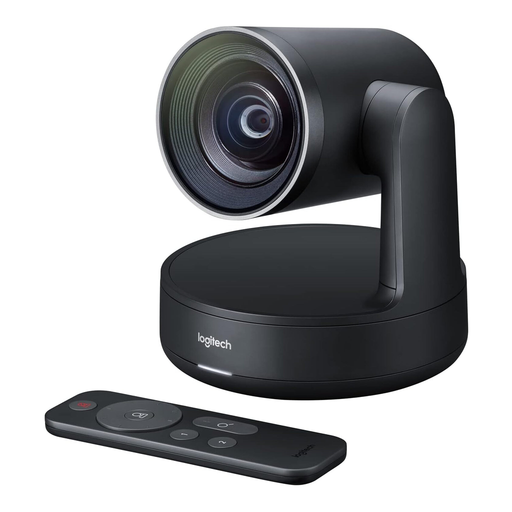 No image available
As a conference camera, it’s only suitable for demonstrating paper if you can position it at the planned location to give you the right view of the table.
 No image available
The DeskView feature is designed to provide a view of the table; check how the frame covers the paper and your hands at the planned location.
DeskView for overhead shots; PDAF autofocus; 1/2-inch sensor; 4K; for PC/Mac.
 No image available
If you’re considering a webcam for occasional views of the table, check whether you can position it accordingly at your workspace.
Autofocus; three field-of-view presets.
 No image available
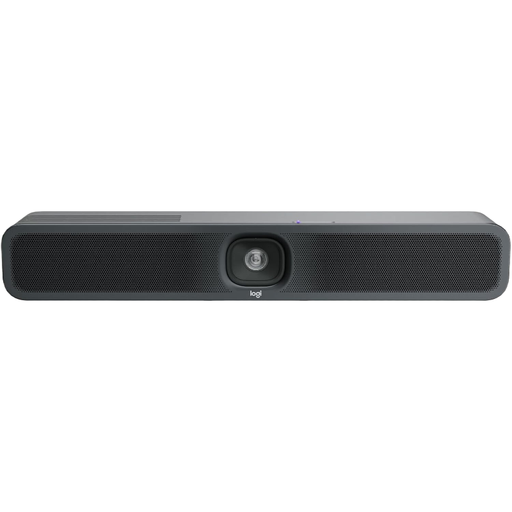
For a USB setup, check whether the planned mounting position will give you the right view of your paper work.
USB connection and autofocus; desk or wall mounting; external power connection.
Not with every model: according to IPEVO, the VZ-R can connect directly to a compatible display via HDMI; when used via HDMI, it also needs a 5 V, 1 A power supply. For a USB setup, check the planned computer and display connections.
Position the paper and both hands in the planned frame, and check the focus with the paper raised as well. Position the arm so that it doesn’t get in the way of the folding. Lumens lists a movable arm for the DC-F20, while ELMO describes the MX-P3’s focus as being activated at the press of a button.
Check that the cables and power supply you need are compatible with the connections on your existing projector or monitor. IPEVO notes that the VZ-R needs an additional power supply when used via HDMI; ELMO lists a five-year manufacturer’s warranty for the MX-P3.
There’s no universal yes or no without knowing the school and the specific use. Keep the frame focused on the folding materials wherever possible, and before recording or streaming online with identifiable people, check your school’s requirements and those of the relevant state data protection authority. The Data Protection Conference notes that personal data is processed during video conferences. The consent form for school video conferences published by the Hesse data protection authority dates from 2021; it isn’t a uniform approval or requirement across Germany, nor does it apply to every demonstration filmed solely from above the table.