What should you look for when buying?
First, decide where everyone will sit and how you want voices in the room to come through. You can then compare camera types and connections more effectively.
Standard USB webcam
Suitable if: usually one person or a small group sitting close together takes part at the computer.
Bear in mind: The widest field of view listed for the C200 is 95°. Also check how people in the room will hear the other side.
USB video bar at the front of the room
Suitable if: several people sit in front of a screen or along the same side of a table, and you want a camera, microphones and speaker in one unit.
Bear in mind: You’ll need a suitable place to position it at the front of the room. A 120° field of view doesn’t guarantee that everyone will be in shot with every table layout.
360° table camera
Suitable if: family members sit around a table and the camera can be placed in the middle.
Bear in mind: EMEET lists the Meeting Capsule as offering 1080p. Check in advance how it looks in the video-calling service you plan to use.
Wide front-facing view
Suitable if: people are sitting well to the sides and you want to keep the camera at the front of the room.
Bear in mind: Jabra lists the PanaCast 50 as having a 180° field of view. The position, connection and audio still need to suit the way you’ll use it.
| What matters |
What to check when buying |
Who is it important to? |
| Capturing everyone’s seat |
Field of view and camera position; check the shot from the seats people will actually use. |
If several family members sit side by side, I don’t want anyone to be cut off at the edge of the frame. Around 36% of consumers prioritise getting everyone in the shot. |
| Picking up voices clearly |
Check the microphones and speaker separately; make a test call from several seats. |
If people are sitting further away from the camera, I want their voices to come through clearly and to hear the other side well. Around 29% of consumers prioritise room audio. |
| Joining a call easily from a computer |
Check the USB connection, operating system and video-calling service against the specific model. |
If one person usually sits at the computer, I want to use the camera without permanently installing equipment in the room. Around 21% of consumers prioritise straightforward use for one person. |
| Being seen from around the table |
Check the central position and seating directions; test how it looks in the video-calling service you plan to use. |
If the family sits around a table facing different directions, I don’t want to capture only the seats in front of the room. Around 14% of consumers prioritise a view that includes everyone around the table. |
Joybuy products for family calls
This selection includes USB webcams for one person or participants sitting close together, as well as USB video bars for small rooms where several people sit at the front.
 No image available
Full HD webcam with microphone, 120° field of view
For video calls on a PC or laptop; product specifications list USB plug-and-play and a built-in microphone.
1080p; 120° field of view; USB plug-and-play.
View at Joybuy
 No image available
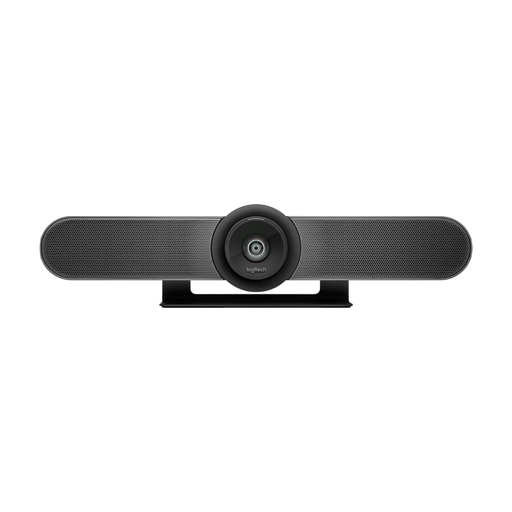
Logitech MeetUp 4K conference camera
For several people at the front of a room; the product description says it’s designed for small meeting rooms, with built-in microphones and a speaker.
4K; 120° field of view; built-in microphones and speaker; USB connection.
View at Joybuy
 No image available
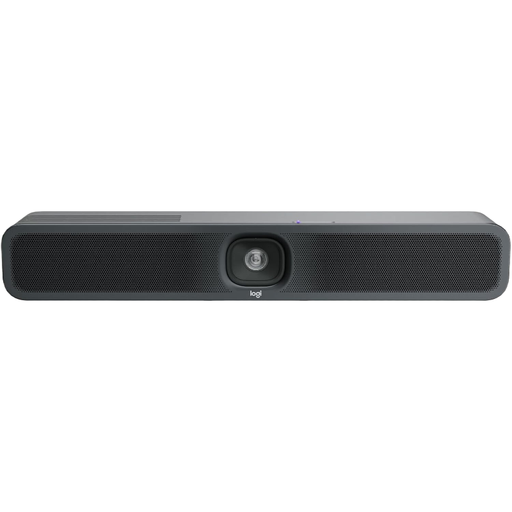
Logitech MeetUp 2 4K conference camera
For small meeting rooms; the product description lists an all-in-one camera with a microphone and speaker.
4K; USB connection; built-in camera, microphone and speaker.
View at Joybuy
 No image available
AOC 4K webcam, 99° field of view
For video calls on a PC; product specifications list a wide field of view and two microphones.
4K; 99° field of view; two noise-cancelling microphones; USB-A/USB-C.
View at Joybuy
 No image available
AOC 4K PRO webcam with Sony IMX363 sensor
For video calls on a computer; check that the listed field of view and connections suit the number of participants and the computer you have.
75° field of view; autofocus; two microphones; USB-A/USB-C.
View at Joybuy
Frequently asked questions
Is a standard webcam enough if several people are sitting at the table?
It depends on how people are sitting. For participants close together, the AnkerWork PowerConf C200’s field of view can be adjusted to up to 95°, according to the manufacturer. Logitech and HP describe video bars with a 120° field of view for small rooms. Test the picture and sound from the seats people will actually use.
What needs setting up before your first call?
Check the position, computer connection and power supply for the specific model. For example, HP says the Studio R30 comes with a monitor clamp and power supply, and connects to a PC via USB. Then select the camera, microphone and speaker in your video-calling service and make a test call.
What rights apply when buying a camera online?
When you buy as a consumer from a business seller in the EU, you’re generally entitled to a statutory guarantee of at least two years from the date you receive the goods. For eligible online distance purchases, you generally have a 14-day right to cancel, starting from delivery. Check separately for any return costs and exceptions.
Are there any special privacy considerations for private family calls?
Don’t assume that recording or sharing call content is automatically permitted. The Federal Commissioner for Data Protection and Freedom of Information distinguishes between the responsibility of commercial video-calling services and that of users for the content of their communications. This doesn’t amount to a blanket statement about possible recordings or other uses.


