Start by checking your webcam image at the time you usually make calls. Light behind you or a bright window to one side can darken your face. Logitech and c’t explain how changing your position or adding a light in front of you can brighten the shadowed side. If you have a permanent setup, an adjustable desk panel could be a good option. Compact monitor or clamp lights can be more practical when space is limited, but offer less flexibility when it comes to positioning and coverage. Focus on mounting height, power supply and adjustable lighting – not just the maximum brightness figure.
Who is webcam lighting for?
Regular video callers with shadows on their face
You use a permanent spot in your guest room and want to brighten the shadowed side of your face, rather than just changing your camera settings. Logitech and c’t explain how light behind you or a window to one side can darken your face on camera.
Video callers with limited desk space
You need a light close to your webcam, but have little room to spare. So it’s important to check whether a monitor or desk clamp will fit your screen or desk. Elgato and Logitech describe the mounting options for their respective models.
Video callers who work in different places
You move between your laptop and other workspaces, so you’ll need to balance size, mounting and power supply against the length of your calls. NEEWER states that the NL-60AI runs on battery for up to two hours at full brightness.
What should you look for when buying?
| What matters |
What to look for |
Who is it important to? |
| Reducing shadows on your face |
Check the camera image at the time you usually make calls and see whether you can direct the light in front of you towards the darker side of your face. |
If I sit with light coming from the side, I want to brighten the darker side of my face. Around 33% of consumers are likely to have this as their main concern. |
| Space and positioning |
Measure the desk edge and available space; check the reachable height, direction and room for your webcam. |
When space is limited, I want a mount that works with my screen or desk. Around 27% of consumers are likely to prioritise mounting and space. |
| Matching the light to your room and camera |
Look for adjustable brightness and colour temperature, and assess the result in your webcam preview. |
When daylight and room lighting change, I want to be able to adjust the brightness and colour of the light. Around 20% of consumers are likely to have this as their main lighting concern. |
| Power supply and controls |
Check the connection, required input power, included power adapter and battery life at the brightness you need. |
When working in different places or making longer calls, I want to know whether my existing connections or a battery will be enough. Around 20% of consumers are likely to prioritise power and controls. |
Common mistakes when choosing webcam lighting
-
Choosing based only on the maximum lumen figure
The stated maximum brightness of the Elgato Key Light Air MK.2 depends on the power output of the source. So a high figure alone doesn’t tell you how bright the light will be when powered by your existing connection.
Compare the requirements of the specific model with your connection or power adapter, then check the position of the light in your camera image.
To reach the full stated brightness, you may need a USB-C power adapter with sufficient output. Elgato says this is not included.
-
Buying a desk panel without checking where it will go
A clamp needs a suitable desk edge, while a stand takes up floor or desk space. Mounting a light at the wrong height can create unwanted shadows on camera.
Measure the desk edge and check that the light can reach the height and direction you want. An existing light can help you test the position in advance.
Depending on your workspace, you may need a different mount or position.
-
Expecting a compact light to perform like a larger desk panel
Monitor and clamp lights take up little space, but their mounting options can limit how freely you can position them. According to a 2022 review by heise online, the Logitech Litra Glow can make lightweight laptops wobble.
Choose based on the light position you want and the space available. If you’re using a monitor light, check that your screen remains stable.
Key brands at a glance
Elgato
The Key Light Air MK.2 is a desk panel with a clamp, designed for a permanent webcam setup.
- Elgato specifies a colour temperature range of 2.900–7.000 K and a clamp for desks up to 6 cm thick.
- According to the manufacturer, the stated maximum brightness of around 2.100 lm depends on the input power.
- Full stated brightness requires a USB-C power source of at least 30 W; a power adapter is not included.
Rollei
The LUMIS Key Light and LUMIS Key Light Pro are desk panels supplied with a stand.
- Rollei specifies three colour temperatures and eight brightness levels for the LUMIS Key Light. The Pro model offers finer adjustment and a remote control.
- According to Rollei, the Pro model’s stand is height-adjustable from 28,5 to 78 cm.
- The manufacturer says that the Pro model does not include a USB power adapter. Claims about reduced glare come from the manufacturer and are not based on independent comparative measurements.
NEEWER
The NL-60AI is a small, battery-powered clamp light for mobile webcam setups.
- The manufacturer specifies three light colours and up to two hours of battery life at full brightness.
- The stated illuminance of 260 lx applies at 0,5 m. It doesn’t prove that the light will be bright enough from further away.
Logitech
The Litra Glow is a compact light that can be attached to a monitor.
- Logitech says you can adjust the colour temperature.
- A 2022 review by heise online notes that the model tested can make lightweight laptops wobble. This applies to the model tested and its setup.
Joybuy products for webcam calls
This selection includes ring lights and video lights for webcam calls, including models with adjustable brightness or colour, as well as compact options that attach to a laptop.
 No image available
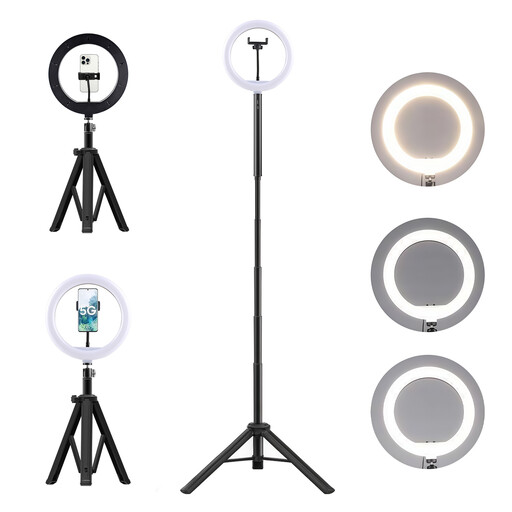
LED ring light with 10.000-mAh power bank and stand
Designed for video calls and described as compatible with webcams in the product description.
Features include three colour temperatures, ten brightness levels and a tilting ring. The height-adjustable floor stand has a 360° head.
Joybuy
 No image available
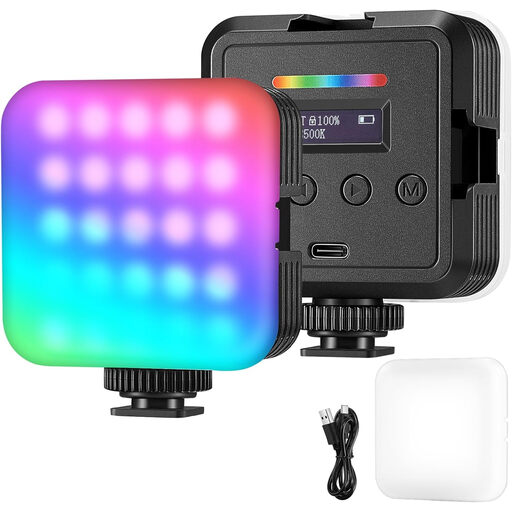
Portable RGB LED video light
Described as a portable light for video and streaming, with the product description also mentioning video calls.
Features include RGB, white and warm-light modes, as well as adjustable brightness and colour temperature. Battery and USB power are both mentioned.
Joybuy
 No image available
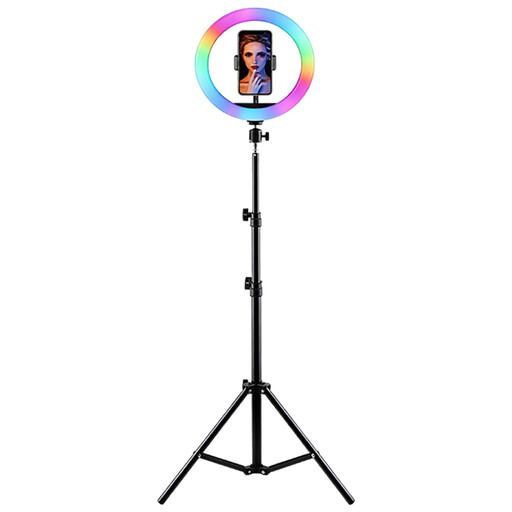
LED ring light with RGB and height-adjustable stand
Described as suitable for video conferences and live streaming.
Brightness and colour temperature are adjustable. According to the product description, it comes with a height-adjustable stand and smartphone holder.
Joybuy
 No image available
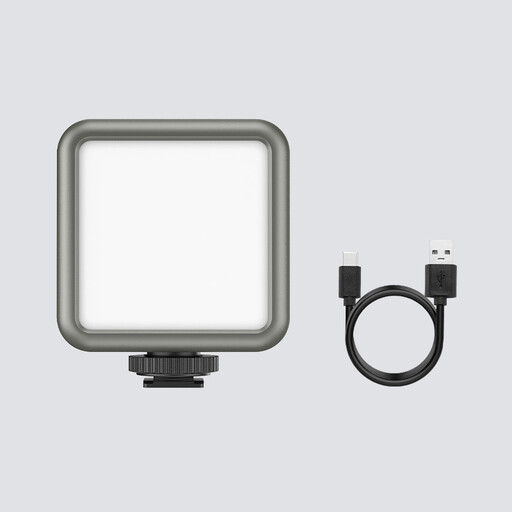
ULANZI VL49 LED video light with 2.000-mAh battery
A compact light for video recording and vlogging, ideal when you want to change the light position easily.
The colour temperature is specified as 2.500–9.500 K; RGB and dimming are also mentioned. Magnets on the back allow it to be attached to metal surfaces. Use only in dry conditions and do not cover the ventilation openings during operation.
Joybuy
 No image available
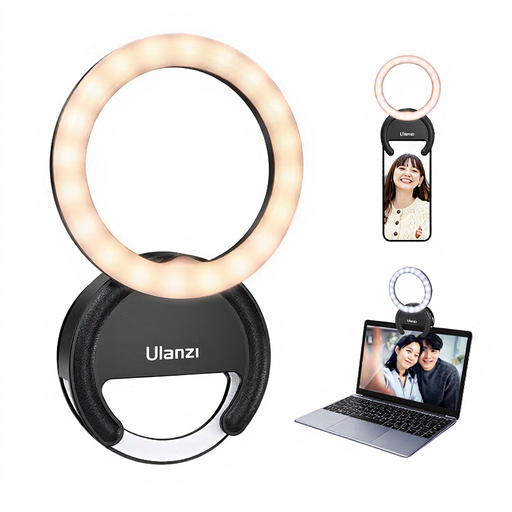
ULANZI 4-inch ring light for laptop, smartphone or tablet
Ideal when space is limited: according to the product description, this compact light can be attached to a laptop, smartphone or tablet.
Features include three colour temperatures from 3.000–7.000 K and five brightness levels.
Joybuy
Frequently asked questions about webcam lighting
Where should I position the light if a side window causes shadows?
Start by checking your webcam preview and position a light so it brightens the darker side of your face. In a setup described by c’t, the light was placed opposite the side window. You should also take into account any strong light source directly behind you.
Can I plug a USB-C panel into any laptop port?
Not necessarily if you want to reach the full stated brightness. Elgato specifies a USB-C power source of at least 30 W for the Key Light Air MK.2; a suitable power adapter is not included. Check the requirements of the specific model and the output of your port.
What should I check if I’m using a battery-powered light for longer calls?
Compare the length of your calls with the battery life at the brightness you actually need. NEEWER specifies up to two hours at full brightness for the NL-60AI; whether that’s enough for your setup depends on how much light you need and how long your calls last.
What are the rules in Germany on labelling and making a complaint about a light?
For electrical and electronic products, the Federal Network Agency lists points to check including the CE mark, correct manufacturer details and instructions in German. The CE mark is not a general, independent quality seal. If a product is faulty, statutory rights against the seller should be distinguished from a voluntary guarantee. Most online purchases are generally covered by a 14-day right to cancel; possible exceptions and when the cancellation period starts depend on the circumstances.


