For digital slides, first check screen sharing, then test the sound, framing and lighting at your desk in the shared house. If you want to show paper or move around while explaining, camera positioning or auto-framing becomes more important. However, a microphone advertised as noise-cancelling won’t guarantee clear speech over the sounds of a shared house. Zoom Support distinguishes between screen sharing and camera video: screen sharing there doesn’t depend on the “Group HD” setting for the camera image.
Who these webcams may suit
Presenters in a lively shared house
If you explain your findings aloud, check at your actual desk whether your voice remains clear despite background noise. An advertised noise-cancelling feature alone doesn’t prove that it will; Dell and EMEET list microphone features for their respective models.
Presenters using slides and paper
For digital content, you can share the relevant app or your screen. If you occasionally need to show paper, you’ll also need to position the camera appropriately. Zoom Support explains screen sharing, while Logitech lists a Show Mode for the Brio 500.
Housemates who need to control what’s in shot
If you don’t want shared spaces or housemates to appear in shot or be picked up by the microphone unintentionally, check the preview, field of view and microphone before you go live. The State Commissioner for Data Protection and Freedom of Information Rhineland-Palatinate notes that video conferences may also involve processing other people’s data.
What to look for when choosing
First, test the sound and screen sharing at your usual spot in the shared house. Then decide whether you’ll simply speak to camera or also want to show paper or move around in shot.
| What you need |
What to look for when buying |
Who it matters most to |
| Clear speech over the sounds of a shared house |
Test a call with typical background noise and from your usual speaking distance. Also check which microphone is selected in your conferencing software. |
When I explain my findings in a busy room, I want to know whether people can hear me clearly from my usual spot. Around 31% of consumers prioritise this when choosing a webcam. |
| Slides and the occasional view of paper |
Check that you’re sharing the right window. For paper, consider the viewing angle, focus and how legible it looks in the preview. |
If I want to show printed notes as well as digital slides, I need to position the camera appropriately. Around 25% of consumers prioritise how slides or paper appear on screen. |
| Control over what’s in shot |
Check the preview and see whether you can limit the field of view. A lens cover blocks the lens, but not the microphone. |
When I present in a shared space, I want to control the background and avoid capturing other people. Around 25% of consumers pay particular attention to framing and privacy. |
| Image quality as the light changes or you move |
Check the camera image at the time you plan to present. Find out in advance whether the auto-framing feature you want requires additional software. |
If the lighting at my desk changes or I move while explaining, I want to remain clearly visible on camera. Around 19% of consumers prioritise lighting and movement. |
Common misconceptions when buying a webcam
-
4K automatically makes digital slides easier to read
In Zoom, screen sharing is separate from the “Group HD” setting for camera video. A higher camera resolution therefore won’t automatically improve the slides you share.
First, test how your slides look when shared. Then decide what quality you need for your own camera image.
-
Noise cancellation guarantees clear sound
Manufacturers’ claims about microphone features don’t show how clear your voice will be over the sounds of a shared house and from your usual speaking distance.
Listen back to a sample recording or test call under typical conditions. If needed, compare it with another available audio source.
-
A wide field of view doesn’t need to be controlled
A wide field of view can capture more of your shared living space. Video conferences may also involve processing the image and audio of people who aren’t taking part; the State Commissioner for Data Protection and Freedom of Information Rhineland-Palatinate highlights this.
Before you go live, check the video preview and audio, then adjust the framing to suit your presentation.
Relevant brands at a glance
Logitech
The Brio 500 may suit you if you speak to camera and occasionally want to show your desk.
- Logitech lists 1080p, light correction and Show Mode for the Brio 500.
- According to Logitech, RightSight auto-framing requires Logi Tune. It won’t automatically make small details on paper legible.
Dell
The Pro Webcam WB5023 is an option if you want to choose between two fields of view and cover the lens.
- Dell lists a 65° or 78° field of view, autofocus and a magnetic cover for the WB5023.
- Dell says the built-in microphone must be enabled in its associated software. These features don’t prove that speech will be clear over the sounds of a shared house.
HP
The HP 325 FHD is a Full HD option for a permanent presentation setup.
- HP lists 1080p, a built-in microphone, automatic light correction, a 66° field of view and a lens cover.
- These manufacturer specifications don’t measure image or sound quality at your particular desk in the shared house.
EMEET
The SmartCam C960 is a Full HD option if you deliberately want to capture a wider view of the room.
- EMEET lists 1080p, fixed focus, a 90° field of view and two microphones.
- A wider view may show more of your shared house. The manufacturer’s noise-cancellation claim doesn’t prove that other people’s voices will be filtered out.
OBSBOT
The Meet 2 may suit you if you move around while presenting or want to show additional material.
- OBSBOT lists auto-framing, autofocus and 4K at 30 fps or 1080p at 60 fps.
- Check whether your conferencing service will transmit the image quality you want and whether you need the extra features.
Webcams for presentations from a shared house
This Joybuy selection includes webcams for spoken presentations with a built-in microphone, as well as models with adjustable framing, a lens cover or other image features. Test speech clarity at your usual spot in the shared house.
 No image available
Razer Kiyo V2 X Full HD webcam, 1080p, 60 FPS, black
May suit you if you want to adjust the framing and cover the lens when the webcam isn’t in use; test speech clarity for yourself.
Autofocus, 80° field of view with software adjustment, privacy shutter and built-in microphone.
View at Joybuy
 No image available
AOC 4K PRO webcam with Sony IMX363 sensor
May suit you if you want a lens cover and two built-in microphones; test the sound with the levels of background noise you experience in your shared house.
Autofocus, 75° viewing angle, lens cover, and USB-A and USB-C connections.
View at Joybuy
 No image available
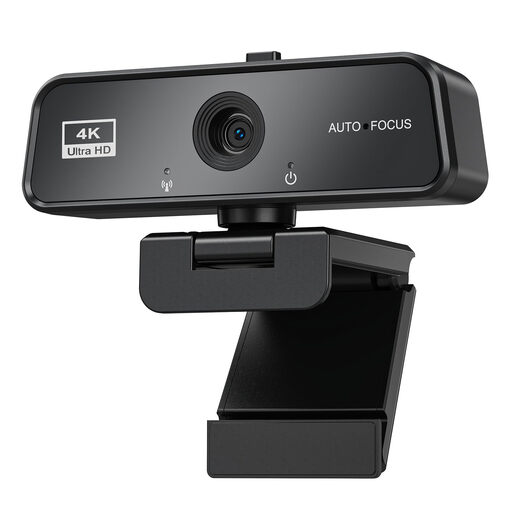
maxineer 4K webcam with autofocus, microphone and cover
May suit video calls if you want automatic light correction and a lens cover; you’ll need to test sound quality in your own room in the shared house.
3840 × 2160 at 30 FPS, autofocus, built-in microphone, automatic light correction and USB 3.0.
View at Joybuy
 No image available
Logitech C922 Pro Stream webcam
May suit you if you want flexibility when positioning the camera on your desk; test the built-in microphone with typical background noise from your shared house.
Autofocus, exposure correction, 78° field of view and built-in stereo microphone. A tripod and adjustable stand are described.
View at Joybuy
 No image available
Philips 2K QHD webcam, SPL6308S/00
May suit you if you want a clip-on mount for your laptop or monitor and a microphone advertised as noise-reducing; check how clear your voice sounds in your own room.
QHD resolution and clip-on mount for a laptop or desktop monitor.
View at Joybuy
Frequently asked questions
Do I need a 4K webcam for digital research slides?
Not just for the slides: in Zoom, screen sharing is independent of “Group HD” for camera video. Check how readable the slides are in the actual meeting; this doesn’t cover the settings of other conferencing services. (Zoom Support)
What should I set up before my presentation?
Check the camera and microphone previews, and make sure you’re sharing the right window. Some model-specific features may require additional software: Logitech lists Logi Tune for RightSight auto-framing on the Brio 500; Dell says its companion software is needed to enable the WB5023 microphone.


