Presenters in open-plan offices
If you’re presenting alone at your desk while other people are talking within earshot, the microphone and meeting audio are key factors to consider.


For a project update in a noisy office, first decide whether the webcam’s microphone will do the job or whether a separate audio source positioned closer to your mouth would be better. A manufacturer’s claims about noise reduction don’t guarantee that conversations at the next desk will disappear. If you need to show sketches on your desk, look for a presentation mode that points the camera downwards. If you move around the room, tracking is the more suitable camera feature — Insta360 describes tracking for the Link 2, not the Link 2C. Also check the connection and software permissions on your work computer, and test the audio in typical office noise. Microsoft Teams notes that IT policies can restrict the audio options available.
If you’re presenting alone at your desk while other people are talking within earshot, the microphone and meeting audio are key factors to consider.
If you want to show sketches, prototypes or other objects as well as slides, pay attention to the camera angle and focus.
If you use different office computers or workstations, check the connection, software permissions and setup on each device.
Start by deciding how you’ll capture the audio and what you want to show on screen. Then you can compare picture features, connections and setup requirements more effectively.
| What matters | What to check before buying | Who is this important to? |
|---|---|---|
| Clear speech | Test the microphone in typical office noise. IT policies can restrict the audio options available in Microsoft Teams. | If other people’s voices drown out my update, I want to know whether the microphone will pick up my speech clearly. Around 31% of consumers prioritise speech clarity. |
| Showing objects or movement | Know the difference between a desk view for sketches and tracking when you move around the room. | If I want to show sketches or objects, or move around while speaking, I need a camera feature that suits the task. Around 25% of consumers put presentation features first. |
| A clear picture | Check the focus and exposure adjustment on the specific model. A higher resolution alone tells you nothing about the audio. | If the lighting changes, I want my face and any details I’m showing to remain clear. Around 19% of consumers prioritise picture quality and lighting. |
| Setup costs | Check which picture and audio features you need, and whether you’ll need an additional audio source. | If I need audio accessories as well as a camera for my update, I want to compare the cost of a complete setup. Around 13% of consumers focus primarily on the overall cost. |
| Setup and privacy | Check the connection, app and IT permissions, camera framing and, if needed, a lens cover. The BfDI recommends taking appropriate protective measures when using video conferencing services. | If I want to connect my webcam at different workstations and control how much of the office is visible, setup and camera framing matter. Around 12% of consumers prioritise these points. |
A manufacturer’s claim isn’t a guarantee that the webcam will work well in your particular office. CHIP found the MX Brio’s microphone noise cancellation inadequate in very noisy conditions; that finding doesn’t automatically apply to other models.
Test the microphone in realistic conditions and keep a separate audio source in mind as an alternative.
The Brio 500, MX Brio and Brio 4K are distinct models with different picture and presentation features.
The Link 2 range includes different variants for presenters who want to show items on their desk or move in front of the camera.
The Meet 2 is a compact webcam with auto-framing to adjust the camera view.
The C-600 Pro is a Full HD USB-A webcam with autofocus and a built-in stereo microphone.
The Taxon QHD combines autofocus and a wider field of view with a built-in privacy filter.
This Joybuy selection includes webcams with built-in microphones for project updates. The listed features for showing items on your desk and adjusting the camera view vary between models.
 No image available
If you want to stay in shot during a project update, autofocus and the stated 75° field of view are useful points to consider.
Listed in the product name: 4K, PDAF autofocus, two microphones, lens cover and USB-A/USB-C.
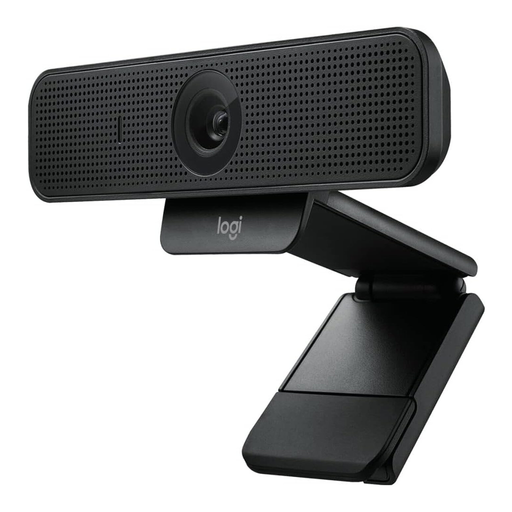 No image available
If you’re looking for a business webcam with autofocus and a built-in audio source, the stated picture and microphone features are the key points to compare.
Listed in the product name: HD 1080p, 78° field of view, autofocus, RightLight 2, Privacy Shutter and two built-in microphones.
 No image available
If you want a built-in audio source and a flexible camera position, the product description lists a stereo microphone, a clip and a desktop tripod.
The description lists 1080p at 30 fps or 720p at 60 fps, autofocus and exposure correction.
 No image available
If you prefer a built-in audio source, test the stated microphone feature in typical office noise before relying on it.
The product description lists Full HD 1080p, automatic low-light correction and two microphones with noise cancellation. This feature claim isn’t independent proof of how well it will work in your particular office.
 No image available
If you want to show items on your desk as well as your face, the stated DeskView mode is worth considering. The Link 2C isn’t the Link 2 with the described gimbal tracking.
The product specifications list a 4K webcam, auto-framing, HDR and a microphone with AI noise cancellation. The description states that ARM-based Windows systems aren’t supported. The advertised noise cancellation isn’t independent proof of how well it will work in an office.
Not just because the manufacturer says so. CHIP found the MX Brio’s microphone noise cancellation inadequate in very noisy conditions. In Microsoft Teams, you can also check which noise cancellation or voice isolation features are available. Voice isolation requires a voice profile.
First check the connection and camera access on your work computer. Select your preferred audio source in the meeting app and test it before the call. Hama lists USB-A and a UVC setup that doesn’t require an additional camera driver for the C-600 Pro. For other models, check the relevant connection and software specifications.
The BfDI notes that appropriate protective measures are needed when video conferencing services process personal data. In its checklist dated 11 November 2020, the Data Protection Conference recommends checking the legal basis for recordings separately. A webcam cover doesn’t replace this check; you should take the specific circumstances and your organisation’s requirements into account.
If a product is faulty, your statutory consumer rights generally apply against the seller; this is separate from any manufacturer’s guarantee. According to the Verbraucherzentrale, consumers usually have a 14-day right to cancel contracts made online. Whether this applies in your case depends on the relevant conditions.