Explaining as you work at the table
If you’re mainly filming the pieces and your hands at work, the frame should consistently capture the whole working area.


If you’re mainly filming how you solve the puzzle on the table, check the framing, mounting and focus at the actual recording distance. Resolution alone won’t tell you whether hands and small pieces will be clear. A tilting webcam can work well if you occasionally switch between showing your face and the puzzle, provided your monitor position covers the area. For a permanent desk view, a separate mount gives you more flexibility, but you’ll need a suitable setup.
If you’re mainly filming the pieces and your hands at work, the frame should consistently capture the whole working area.
If you want to explain steps to camera and show the puzzle in between, a tilting webcam can make it easier to switch views without setting up a second camera each time.
If you’re showing details while speaking, check the camera position and audio together to make sure both suit your setup.
For a clear puzzle video, the framing, focus and setup need to suit your actual table. First decide whether you want to point the camera at the table from your monitor position occasionally, or mount it permanently above the working area.
Suitable if: you switch between showing your face and the puzzle, and your monitor position gives you a good view of the area.
Bear in mind: Insta360 describes DeskView as a temporary desk view, distinct from the separately mounted Overhead mode; according to the instructions, Overhead mode is only available on the original Link model. Logitech describes a Show Mode on the MX Brio for showing objects on a table.
Suitable if: the puzzle is your main focus and you want to set the framing independently of your monitor.
Bear in mind: Elgato states that the Facecam MK.2 has a 1/4-inch thread and a fixed focus range of 30–120 cm. You’ll need a suitable mount and distance for your table.
Suitable if: you want to start by occasionally showing puzzle areas or individual steps in your explanation.
Bear in mind: a tilted camera isn’t automatically stable or framed to capture the whole puzzle. Logitech describes a similar presentation approach in the Brio 500 instructions.
| What to consider | What to look for when buying | Who should consider this? |
|---|---|---|
| Field of view | Check the preview to see whether the puzzle, its edges and your hands all stay in frame. | If I want to show the whole solving process, I need a frame that captures the working area and my hands. Around 31% of consumers prioritise a wide enough field of view. |
| Focus on small pieces | Measure the distance from the lens to the puzzle and compare it with the focus range of the specific model. | If I’m showing individual pieces, the image needs to be sharp at my planned recording distance. Around 25% of consumers put clarity on small details first. |
| Room lighting | Check the preview under the lighting you plan to use, including any shadows cast by your hands. | If I’m filming in a spare room, I want the puzzle and my hands to be clearly visible in the actual lighting conditions. Around 19% of consumers prioritise the lighting in their recording setup. |
| Audio | Record a short voice test from your planned position and check the sound and picture together. | If I’m explaining the solution aloud, my voice needs to be clear from the camera position. Around 13% of consumers put audio first. |
| Setup and connections | Check that the mount and connections work with your computer, and see whether you’ll need any extra accessories. | If I want to set up the camera with my existing space and computer, it should work without an unsuitable mount or incompatible connections. Around 12% of consumers prioritise a straightforward setup. |
According to Insta360, DeskView is designed for temporary desk recordings and isn’t the same as a dedicated, mounted Overhead mode. A monitor position that only shows part of the puzzle won’t solve the problem.
Check the full frame from your intended position before choosing a desk-view mode. For regular use above the table, you may need a suitable separate mount.
Elgato gives the Facecam MK.2 a fixed focus range of 30–120 cm. If your planned distance falls outside that range, the camera may not suit your setup.
Measure the distance between the lens and the puzzle, then check the small details in a test recording.
Elgato specifies uncompressed 1080p60 for the Facecam MK.2 over USB 3.0; for USB 2.0, it specifies MJPEG.
Check your computer’s connection and your preferred recording format against the specifications for the exact model.
The MX Brio and Brio 500 are relevant options for filming puzzles, thanks to their described desk-view features.
The Link 2C is one option for temporary desk views from your screen position.
The Facecam MK.2 may be suitable for a separately mounted camera, thanks to its tripod thread.
This selection includes webcams for filming puzzles on a PC, with different specifications for field of view, focus, connections and audio.
 No image available
The built-in microphone may be useful if you’re explaining things while using your PC; check how clear it sounds in your actual setup.
1080p video; built-in microphone; USB Plug & Play.
 No image available
The stated field of view may affect your framing choices; check the preview to see whether it captures the whole puzzle.
4K video; 99° field of view; built-in noise-cancelling microphone; mount tilts 180° and swivels 360°.
 No image available
If you want to show small puzzle pieces, check the focus at your planned recording distance and make a test recording of the details.
PDAF autofocus; two noise-cancelling microphones; 75° viewing angle; USB-A/USB-C; lens cover.
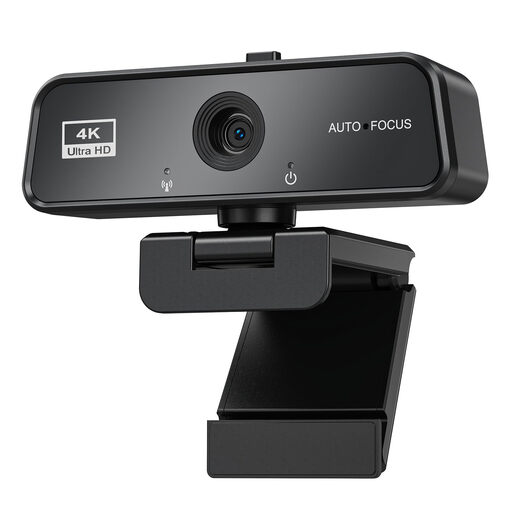 No image available
Autofocus and automatic light correction may be useful if the distance or room lighting changes; check the result in your recording preview.
3840 × 2160 at 30 fps; USB 3.0; automatic light correction; built-in microphone; Plug & Play; described in the product name as compatible with Windows and Mac.
 No image available
If you want to record explanations as well as the puzzle, check how clearly the built-in microphones pick up your voice from your planned position.
4K UHD; 8 MP; autofocus; two microphones; privacy cover; described in the product name as compatible with Zoom and Teams.
First, check the framing and distance from the object using the actual puzzle. In OBS, you can select the webcam as a video capture device. The device must support your chosen resolution and frame rate; otherwise, according to OBS, the source may not display an image.
No. Insta360 describes DeskView as a temporary desk view from a laptop or monitor. The instructions list the separate Overhead mode, which requires a special mount, only for the original Link model.
For eligible online consumer purchases, you generally have 14 days from delivery to cancel; exceptions and possible return costs should be taken into account. Your Europe also explains that faulty goods are covered by a legal guarantee of at least two years against the seller. This is separate from any additional warranty.
Not simply because you filmed it in your own spare room. Under section 22 of the German Act on Copyright in Works of Visual Arts (KunstUrhG), images of people may generally only be shared or shown publicly with their consent. For a simple puzzle video, film only the working area you need, and get separate consent from any identifiable people before publishing.