Which ring light is right for you?

Laptop users dealing with shadows on their face

If you sit close to your laptop camera and want to light your face from the front, first check the position of any existing lights and whether a clip will stay attached to your screen. Logitech recommends placing a light source in front of you for video calls; Hama says its ToGo clip is also suitable for laptops.

Students with limited desk space

If you need to put your light away after a call or have little room, how it attaches and how much space it takes up are key considerations. Hama describes the ToGo as a clip-on model, while the NEEWER BASICS R10 comes with a desk stand.

People working with changing daylight

If you make calls at different times of day, adjustable brightness and colour temperature can help you adapt the lighting. Logitech recommends positioning the light close to your face; Hama and NEEWER list adjustable light settings for certain models.

What should you look for when buying a ring light?

Clip-on ring light for a laptop

A good fit if: you sit close to your laptop camera, have limited desk space and the clip fits your screen.

The trade-off: You’ll need to check the distance and lighting effect from your usual seat. The light is less independent of the camera’s position than a separate model.

Ring light with a desk stand

A good fit if: you have space for the base on your desk and want to adjust the light or camera position separately from your laptop.

The trade-off: Check the footprint, height, cable routing and power requirements of the specific model.

Existing light or a light positioned to one side

A good fit if: an existing light in front of you is already sufficient, or front-facing ring light causes distracting reflections.

The trade-off: Soft light from the side creates a different effect from a front-facing ring light.

What matters What to check before buying Who is it important to?
Shadows on your face Check that the light can sit close to the camera’s direction and that its brightness is dimmable at your actual viewing distance. If your face looks too dark on calls, you’ll want to position the light in front of you and close enough. Around 29% of consumers prioritise reducing shadows on the face.
Attachment and desk space Check whether the clip fits or the base is suitable, and compare the assembled height with your screen and desk. If your desk is small or you need to put the light away, a setup without an inconvenient base can make a difference. Around 24% of consumers prioritise attachment and a small footprint.
Glare and reflections Check the angle and brightness in your camera preview from your usual seated position. If you want to avoid reflections on your glasses or screen, you’ll need a light position that works with your setup. Around 18% of consumers prioritise avoiding reflections.
Changing room light Compare the brightness and colour temperature settings listed for the specific model. If you make calls in changing daylight, you’ll want to be able to adjust the lighting to suit. Around 18% of consumers prioritise adapting to changing light conditions.
Power supply Check the connection, required power source, what’s included and how the cable will run. If you want to connect the light in a way that suits your desk, the power source and cable routing matter. Around 11% of consumers prioritise the power supply.

What should you avoid?

  • Choosing based on ring diameter alone

    Distance and positioning also affect how the light looks on camera. A larger ring light won’t automatically make up for a poorly arranged setup.

    Measure the space available and check the lighting in your camera preview from your usual sitting distance.

  • Assuming a smartphone kit includes a webcam mount

    A smartphone mount doesn’t necessarily mean you can attach your webcam to it too. Hama lists accessory connections on the SpotLight Smart 80 II, while Rollei lists a smartphone mount for the LUMIS Comfort.

    Check the connections and included accessories against your webcam. Only plan for an additional compatible mount if your setup actually needs one.

    An additional mount may take up more space and require an extra assembly step.

  • Overlooking power requirements and desk space

    A desk model needs room, while its connection and power source determine where you can set it up.

    Before buying, check the base, cable routing, connection specifications and what’s included with the specific model.

    Depending on the model, you may need a suitable external power source for your planned setup.

Which brands are worth considering for webcam ring lights?

Hama

Among the products featured here, Hama offers both a laptop clip and desk ring lights.

  • Hama says the ToGo 00004674 is suitable for laptops and offers three light settings.
  • For the SpotLight Smart 80 II, Hama lists a tilting head and connections for accessories, including a webcam.
  • Check that the clip fits your screen, or that the desk model has enough space. Its lighting performance has not been independently tested.

NEEWER

The BASICS R10 is a desk ring light for a fixed spot on your desk; NEEWER lists laptop and monitor calls as possible uses.

  • NEEWER lists a height-adjustable desk stand, along with adjustable brightness and colour temperature.
  • The base needs clear desk space. Its advertised lighting performance has not been independently tested.

Rollei

The LUMIS Comfort Bi-Color 28585 is a ring light kit with a lighting stand and smartphone mount, designed for a separate setup.

  • Rollei lists three colour modes, ten brightness settings and a stand that extends to 1.6 m.
  • Check that you have room for it and that the camera can be positioned as needed; the listed contents are geared towards smartphone use.

Ring lights at Joybuy

The following Joybuy products are ring lights for video calls and flexible webcam lighting setups. When choosing, pay particular attention to the space required, how the light attaches and the stated power supply.
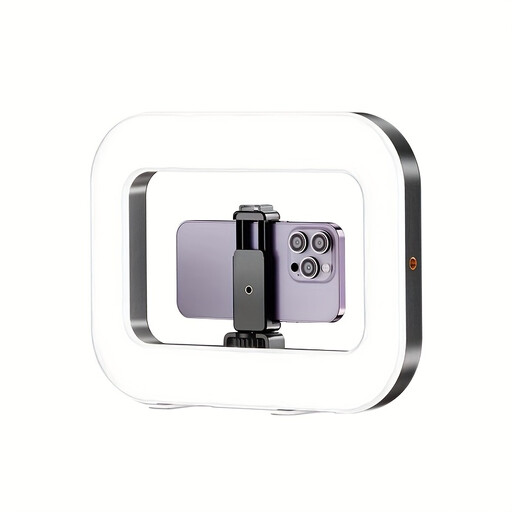
Yoever smartphone ring light with built-in battery

Yoever smartphone ring light with built-in battery

The product description lists the ring light as suitable for video calls.

Built-in battery; the description specifies a 5 V/2 A USB charger for charging.

View at Joybuy
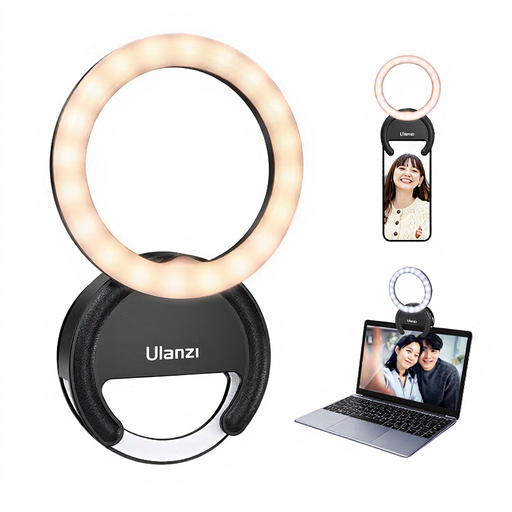
ULANZI Ring Light for Phone 4 inches

ULANZI Ring Light for Phone 4"

The product title specifically describes the ring light as a laptop video light for video conferences.

4"; three colour temperatures from 3000K–7000K and five brightness settings, according to the product title. Avoid looking directly at the LEDs at maximum brightness, and keep the device away from water and high humidity.

View at Joybuy
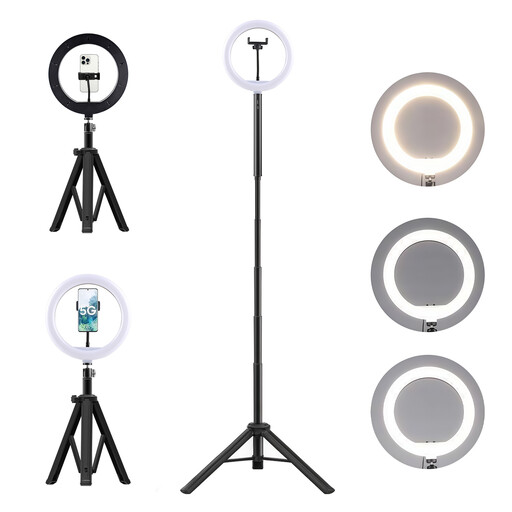
LED ring light kit with 10,000 mAh power bank and floor stand

LED ring light kit with 10,000 mAh power bank and floor stand

The product description lists video calls and webcams as possible uses; the floor stand needs space.

The description notes that the device has a lithium-ion battery: do not dismantle, crush or puncture it, and keep it away from heat, fire and water. Use only compatible chargers.

View at Joybuy
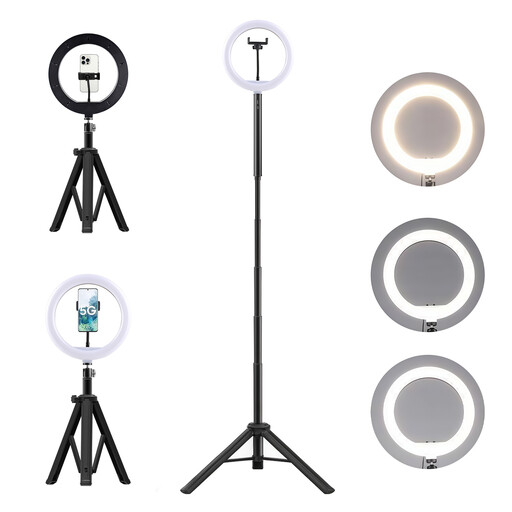
3-in-1 tripod with 10,000 mAh power bank and ring light

3-in-1 tripod with 10,000 mAh power bank and ring light

The product description lists video calls as a possible use; the floor or desk tripod needs space.

The description warns against mishandling the lithium-ion battery: do not dismantle, crush or puncture it, and keep it away from high temperatures, fire and water.

View at Joybuy

10-inch ring light with tripod and 63-inch stand

Ring Light with Tripod, 10 inch, with 63-inch stand

The ring light and stand are designed for a separate setup; the 63-inch stand needs space.

The product title lists three colour temperatures and ten brightness settings.

View at Joybuy

Frequently asked questions about ring lights for webcam calls

Where should I position the light for a webcam call?

Start with a light in front of you rather than a bright background behind you. Check the distance in your camera preview from where you normally sit, as a ring light’s effect also depends on how close it is to your face.

Can I use a smartphone ring light clip on my laptop?

Not every smartphone clip will fit a laptop. Hama describes the ToGo 00004674 clip as suitable for laptops too, but still check that it fits the edge of your screen and doesn’t block the camera.

What should I check about the power supply and cable routing?

Compare the power specifications for the specific model with the power source you have available. Hama specifies an external 5 V/1.8 A USB power supply for the SpotLight Smart 80 II. Adjust the brightness in your camera preview and plan the cable route to suit your desk.

What should I know in Germany about faults and disposal?

Statutory consumer rights against the seller are separate from a voluntary guarantee, as explained by the Verbraucherzentrale. End-of-life electrical appliances should be taken to an authorised collection or take-back point; retailers’ take-back obligations are governed by the Electrical and Electronic Equipment Act.

What does the CE marking tell you about an electric light?

The CE marking is a declaration made by the manufacturer on its own responsibility, not an independent quality mark. The Bundesnetzagentur also lists the ability to identify the product and manufacturer, along with the necessary usage and safety warnings, as points checked during market surveillance.