What to look for when buying
First decide who needs to be seen and heard. Then consider whether you’ll also be showing a work surface and how easily you can set up the camera and microphone with your existing computer.
The percentages refer to consumers choosing a webcam for an online tutorial in a small meeting room, grouped by their main purchasing priority.
| Purchasing priority |
What to check before buying |
Who it matters most to |
| Several people in the room |
Test how everyone’s seating positions appear on camera and how clearly they can be heard from their seats. |
If the group is taking part together, the picture and sound need to work from different seating positions. Around 33% of consumers prioritise group streaming. |
| Showing notes or a whiteboard |
Decide in advance whether you’ll be filming your desk or a board, then test the view in the video conferencing software you plan to use. |
If you switch between explaining and demonstrating, check that the surface you’re actually using is easy to read on camera. Around 27% of consumers prioritise showing things on camera. |
| Teacher on camera |
Check the camera’s field of view and the lighting at your intended position, and take the platform’s usable resolution into account. |
If you’ll mainly be presenting on your own, make sure the camera’s field of view suits your seating distance and the room. Around 20% of consumers prioritise presenting solo. |
| Easy setup |
Check the computer connection, then select the camera and microphone in your video conferencing app. |
If you want to get started without a complicated setup, make sure the connections and device selection suit your existing workspace. Around 20% of consumers prioritise ease of setup. |
Joybuy products for tutorials in a meeting room
This selection includes USB webcams for a single presenter, conference cameras for small rooms and models with features for showing work surfaces.
 Image unavailable
Full HD 1080P Webcam with Microphone
For computer-based tutorials where you want to use a USB webcam with a built-in microphone.
The product name lists 1080P, USB plug and play, and a microphone.
Joybuy
 Image unavailable
AOC Webcam with Microphone and Privacy Cover
For tutorials where you’re looking for a USB webcam with a built-in microphone and a lens cover.
The product name lists 4K, a 99° field of view and noise reduction.
Joybuy
 Image unavailable
Insta360 Link 2C Standard Bundle Graphite Black
For tutorials where you want to switch between presenting and showing an additional surface.
The product name lists 4K, a 1/2-inch sensor, autofocus and auto-framing. In the documented standard whiteboard mode, the tracking markers must be fully visible in the camera’s view.
Joybuy
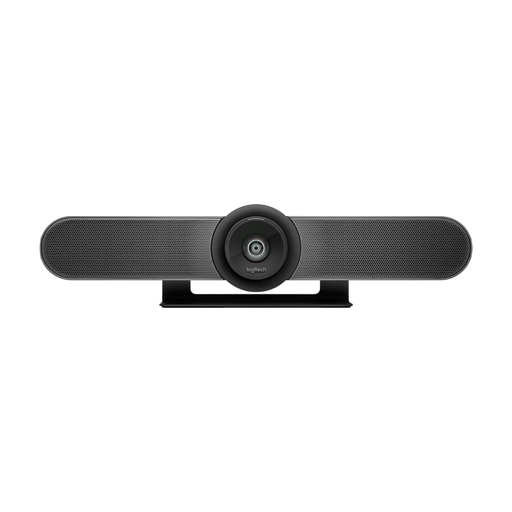 Image unavailable
Logitech MeetUp All-in-One 4K Conference Camera
For small meeting rooms where several people need to be seen and heard together.
The product name lists a 120° field of view, built-in microphones and a speaker.
Joybuy
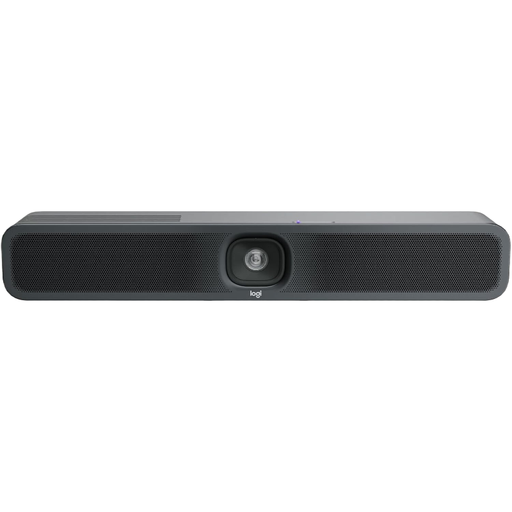 Image unavailable
Logitech MeetUp 2 4K All-in-One Conference Camera
For tutorials in a meeting room where you want to use one conference device for both the picture and room audio.
The product name lists 4K, a built-in microphone and a speaker.
Joybuy
Frequently asked questions
Is a 4K webcam enough for participants to watch my tutorial in 4K?
No. The camera’s resolution doesn’t automatically determine the resolution being streamed. Zoom lists additional requirements for HD in group meetings and for Full HD, including account, settings, hardware and bandwidth requirements that vary by stream. Check the requirements for the platform you actually use.
How do I set up the camera for my first tutorial?
Connect the webcam to a compatible port and select the camera and microphone in your video conferencing app, especially if several input devices are connected. Then test the picture and sound from the seats you plan to use. The documented connection steps may vary by model.
Do I need to plan for anything else apart from the camera?
That depends on your setup. Check that you have a mount and compatible connections, and whether you’ll need separate room audio for several people. Zoom lists additional account requirements for certain HD streams; which ones apply to you depends on your account and the platform you use.
Can I simply record a tutorial with the people in the room?
Not just because your webcam or video conferencing software has a recording feature. The German Data Protection Conference says that recordings require you to check the legal basis and ensure effective consent and provide the required information. The requirements in a specific case depend, among other things, on the organiser and participants. The guidance referred to here dates from 23 October 2020 and isn’t a blanket statement for every private or organisational situation.


