Study group around one table
Several people join using the same computer. The seating arrangement, shared camera view and voices coming from different distances all affect which camera is right for you.


If you’re joining on your own laptop, a personal webcam is the obvious place to start. If several learners are sharing a computer, check that everyone is in shot and can be heard clearly. A conference camera with microphones and a speaker can simplify a shared setup, but it needs a suitable position and connection. A wide field of view alone doesn’t tell you whether everyone’s voice will come through clearly.
Several people join using the same computer. The seating arrangement, shared camera view and voices coming from different distances all affect which camera is right for you.
If everyone is in shot but some voices are still hard to understand, assess the camera coverage and audio pickup separately.
If you’re using your own laptop, you’ll usually need a suitable personal camera view. Showing documents is a separate requirement.
A good fit if: You’re sitting at the computer on your own, or want to include no more than one person sitting directly beside you.
Consider: A wide field of view doesn’t guarantee that voices from every seat will be picked up clearly.
A good fit if: Several learners are sharing a computer for video calls and are seated facing the camera.
Consider: The position, power supply and computer connection need to suit the room. Test the audio coverage with your seating arrangement.
A good fit if: The group sits around a table rather than together in front of a screen.
Consider: A table camera needs space, power and a connection to the host computer. The view depends on its position and video mode.
| Priority | What to check before buying | Who is it important to? |
|---|---|---|
| Getting everyone in shot | Check the camera position and preview with every seat occupied. If people are sitting around a table, compare the available views. | When we’re sitting around a table together, I want to see whether everyone is in shot without capturing more of the room than necessary. Around 36 % of consumers put a shared camera view first. |
| Making sure everyone can be heard | Try a test call from every seat to check that the microphone and speaker suit the layout of the room. | When different people are speaking from different distances, I want to make sure they can all be heard clearly. Around 29 % of consumers prioritise hearing the group. |
| Simple individual setup | Check for a free computer port, a suitable mount, the camera view and the camera selection in your video-conferencing software. | When I’m joining on my own computer, I want to keep the setup simple. Around 21 % of consumers prioritise an easy individual setup. |
| Showing documents | Test the preview with the documents you’ll actually be using and set the camera view you want. | When I want to show learning materials, I want to control what’s in shot and avoid showing more of the room than necessary. Around 14 % of consumers put this first. |
A wide field of view can show several people, but it doesn’t guarantee that voices from every seat will be picked up clearly.
Test picture and sound separately with everyone seated in their usual places, and have someone speak from each seat.
EMEET offers the C960 Basic as well as separate 2K and 4K versions. The short model name alone doesn’t tell you the resolution or focusing type.
Check the full model name and specifications for the exact product variant.
For the Meeting Capsule Gen 2, EMEET lists a host computer and power supply as requirements. The 360° view alone doesn’t provide a complete connection.
Before buying, plan where to position it on the table, where to plug it in, how to connect it to the computer and which video view you want.
The Brio 500 is a personal webcam, while the MeetUp and MeetUp 2 are conference cameras designed for small rooms.
The C960 Basic is a personal Full HD webcam, while the Meeting Capsule Gen 2 is designed for tabletop use with a 360° view.
Jabra positions the PanaCast 20 for personal video conferencing. It may suit an individual joining a call who needs to present.
This selection of Joybuy products includes personal USB webcams and conference cameras for individual use or groups joining together.
 No image available
Could be worth considering for personal video calls over USB. Check the camera view from your seat.
The product description lists Full HD 1080p, a 120° lens and a built-in microphone.
 No image available
Could suit a personal video call over USB. Check whether the field of view is wide enough for your seat.
The product description lists 1080p at 60 FPS, autofocus, a privacy shutter, a built-in microphone and an 80° field of view.
 No image available
Could be worth considering for an individual video call. Check the camera view from your usual seat.
The product description lists autofocus, exposure correction, a stereo microphone and a 78° field of view.
 No image available
The product description recommends this conference camera for small groups. Check that your seating positions fall within the stated microphone range.
Listed features include a 78° viewing angle, 180° pan, a speaker and a microphone range of 2,40 m.
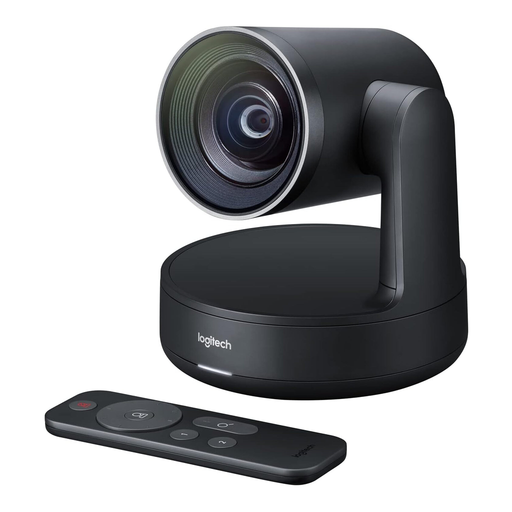 No image available
This conference camera could suit a group joining together. Before choosing it, check the picture, audio and connection specifications against your room.
Position the camera to suit the actual seating arrangement, then check the preview with everyone in place. Select the camera, microphone and speaker you want to use in your video-conferencing software, and test from every seat. Manufacturer claims about microphones can’t replace testing them in your room.
Not necessarily. For the Meeting Capsule Gen 2, EMEET describes a USB-C connection to a host computer and a separate power supply. Check the exact device version, cables and connections before planning your room setup.
In Germany, online purchases are generally covered by a 14-day right to cancel. The Verbraucherzentrale notes that when the cancellation period starts and which exceptions apply depend on the individual case. The seller is responsible for faulty goods. Cancellation rights and rights relating to faulty goods are separate options; a voluntary manufacturer’s warranty is different again.
In Germany, § 201 StGB prohibits recording privately spoken words on an audio device without authorisation. Don’t start recording unless you’ve established that you have the right to do so. Organised video conferences may also be subject to relevant data protection requirements. This doesn’t mean that every recording is prohibited in all circumstances.