Active participants in a noisy shared house
If you speak up often, check that people can still understand you over the usual background noise. In n-tv’s hands-on test, the Anker PowerConf C200 only reduced background noise to a limited extent.


First, test your existing camera and audio device with the usual background noise in your shared house. A new webcam won’t necessarily solve an audio problem. If you’re buying one, base your choice on framing, a privacy cover and lighting features. If you speak up often, a separate microphone close to your mouth may matter more than extra camera resolution. In n-tv’s hands-on test, the microphones on the Anker PowerConf C200 only reduced background noise to a limited extent.
If you speak up often, check that people can still understand you over the usual background noise. In n-tv’s hands-on test, the Anker PowerConf C200 only reduced background noise to a limited extent.
If your housemates or private areas could end up in shot, pay attention to the camera position, field of view and lens cover. Germany’s Data Protection Conference points out that video calls can also capture people from your household on camera or in the audio.
If the lighting changes or you occasionally want to show something, check the video preview, positioning and presentation features you need. Some features may require additional software or settings.
First, test whether your existing camera and audio device are up to the job. If you’re buying a webcam, choose one based on the main priority for your workspace in a shared house.
| Priority | What to look for | Who is it most relevant to? |
|---|---|---|
| Being clearly heard when you speak | Make a test call with the usual background noise in your shared house; check the camera and microphone source separately in the training app. | If I speak up often, I want to be understood despite conversations in the background. Around 36% of consumers put being clearly heard first. |
| Privacy and framing | Check the video preview from your usual seat; consider the field of view and lens cover. | If I don’t want housemates or private areas to appear on camera, I look for suitable framing and a cover. Around 29% of consumers prioritise privacy. |
| Video in changing light or during presentations | Open the video preview in your usual lighting; if you’re presenting, check that your material is easy to read in the training app. | If I want to be clearly visible in changing light or show materials, I check the exposure and presentation features. Around 21% of consumers see picture quality and lighting as their main priority. |
| Easy set-up | Check the connection and any required software on your device; test the picture and sound in the app you’ll use before the training session. | If I want to get my camera and audio ready with as few extra settings as possible, I keep the set-up simple. Around 14% of consumers put this first. |
A microphone feature mentioned in the marketing doesn’t guarantee that other voices will disappear in a shared house. In n-tv’s hands-on test, the microphones on the Anker PowerConf C200 only reduced background noise to a limited extent. This result applies to this model.
Before you buy, plan a test call with the kind of background noise you expect during training, and assess the camera and audio separately.
A high-resolution picture won’t stop housemates or private areas from being captured. Germany’s Data Protection Conference notes that video calls can also capture the picture and sound of people nearby.
Check the preview from your usual seat and make sure the framing is right before the session. A cover protects the lens when the camera isn’t in use.
Logitech says that Logi Tune is required for RightSight auto-framing on the Logitech Brio 500.
Before you buy, check that you can install the required software on your device and that you actually need the feature for your training session.
The C920s is designed for a fixed, single-person set-up; the Brio 500 adds features for changing light, movement and presentations.
The PowerConf C200 is an option if you want to switch between a tighter and wider frame at a single-person workstation.
The Meet 2 is worth considering if you genuinely need auto-framing and movement during a training session.
This selection at Joybuy includes webcams for training in a shared house, including models with an adjustable field of view, a lens cover or extra picture features.
 No image available
An option if you want to adjust the framing at your workstation using software and cover the lens between sessions.
1080p; 60 FPS; autofocus; built-in microphone; software-adjustable field of view; privacy shutter.
 No image available
An option if you’re looking for a stated field of view and a lens cover for a fixed workstation.
PDAF autofocus; 75° field of view; two microphones; lens cover; USB-A and USB-C.
 No image available
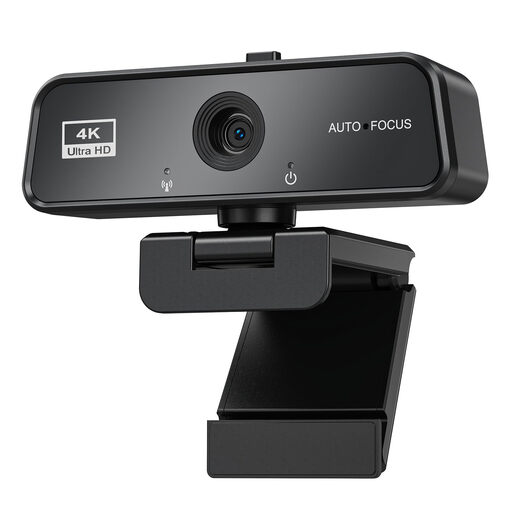
An option for video calls if you’re looking for autofocus, a built-in microphone and a lens cover.
Autofocus; built-in microphone; privacy cover; automatic light correction; USB 3.0; plug and play for Windows and Mac.
 No image available
An option if you’re looking for a built-in stereo microphone and flexible positioning at your workstation.
1080p at 30 FPS or 720p at 60 FPS; 78° field of view; autofocus; stereo microphone; tripod and extendable stand up to 18.5 cm.
 No image available
An option if you want auto-framing for different positions as well as a privacy shutter.
2K QHD; 78° horizontal field of view; autofocus; built-in stereo microphones; magnetic privacy shutter. According to the description, Dell Peripheral Manager is required for advanced features such as AI Auto Framing.
Don’t rely on the manufacturer’s claim alone. In n-tv’s hands-on test, the microphones on the Anker PowerConf C200 only reduced background noise to a limited extent. Test a call with the usual background noise in your shared house and, if needed, consider a separate audio device. If your training runs through Microsoft Teams, you can also check its audio settings.
No. A particularly wide angle isn’t necessary for every training session and may show more of the room. Check the framing from your usual seat: according to Anker, the PowerConf C200 has selectable angles, while Logitech says the C920s has a fixed field of view.
Open the preview in the app you’ll be using and test the picture, microphone source and mute function. According to Logitech, RightSight auto-framing on the Logitech Brio 500 requires Logi Tune. Microsoft Teams has its own audio settings if your training is taking place on Teams.
The Verbraucherzentrale distinguishes between your statutory rights against the seller and a voluntary guarantee. If an item is faulty, repair or replacement is usually the first step. Many contracts made online generally come with a 14-day right to cancel, subject to certain conditions and exceptions. The Verbraucherzentrale explained these topics in articles published on 28 September and 13 August 2026.
Check the video preview before the session, point the camera at a suitable area and mute the microphone when you’re not speaking. Germany’s Data Protection Conference notes that video calls can also capture the picture and sound of people from your household. You should also follow the training organiser’s guidance.