Joybuy products for computer-based demonstrations
This selection features PC webcams for computer-based demonstrations where you need a tabletop view of the experiment.
 No image available
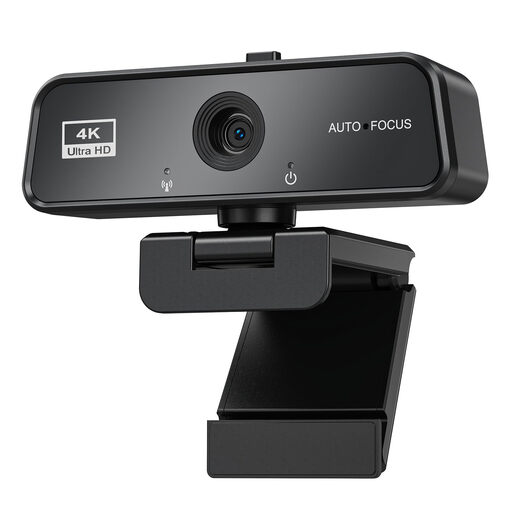
AOC 4K PRO webcam
For computer-based demonstrations where USB-A or USB-C and autofocus are useful for your setup.
The product title lists a Sony IMX363 sensor, PDAF autofocus, a 75° viewing angle and USB-A/USB-C.
The product description states that a desk stand is included.
View at Joybuy
 No image available
maxineer 4K webcam for PC with autofocus
For computer-based demonstrations if you’re looking for an autofocus webcam that you can position to show an object.
The product title lists 3840 × 2160 at 30 FPS, USB 3.0 and plug and play for Windows and Mac.
The product description mentions a 360° rotating clip and the ability to present objects.
View at Joybuy
Frequently asked questions
How can I check that the subject will be clearly visible before my presentation?
Put the actual sample in the position you plan to use and check on the screen you’ll be presenting on that it’s fully in frame and the key detail is in focus. A stated sensor resolution alone won’t tell you this.
Can I connect a USB visualiser straight to the projector’s HDMI input?
A USB connection doesn’t provide an HDMI output. If you’re using a USB visualiser, plan to route the image through a compatible computer. Alternatively, choose a model with the right output for a direct video connection, such as the MX-P3 with HDMI. Check the cables and power supply too.
How should I clean and protect the camera?
Protect the lens while setting up and transporting the camera, and follow the instructions for your specific model when cleaning it.
What extra equipment or service terms should I check?
Check whether your setup needs extra cables, a suitable mount or a computer. ELMO lists a five-year warranty for the MX-P3; the specific warranty terms of the offer you choose will apply.
Can I include my classmates in a project video?
If people can be recognised in a recording, or their images are shared or shown publicly, you’ll need to check the purpose and legal basis separately. Section 22 of the KunstUrhG covers consent for sharing or publicly displaying images; Section 23 sets out exceptions. For school recordings, you’ll also need to consider the legal basis under data protection law. The Federal Commissioner for Data Protection and Freedom of Information provides further information. Whether a particular recording or publication is permitted depends, among other things, on who is involved and how the footage will be used.


