What should you look for when buying?
Start by testing the audio in your usual office conditions. Then decide how you’ll share your writing and what framing you need in a shared workspace.
| What matters |
What to check before buying |
Who should pay particular attention? |
| Clear speech |
Check the microphone on the specific model and select the right audio input. Make a test call using the settings in your video conferencing software. |
If I want to speak clearly despite office conversations, I’ll test the audio first. Around 36% of consumers would rank speech clarity as their top buying priority. |
| Sharing text and notes |
Check whether you’re allowed to share a window. For paper, check whether the camera tilts, whether it has a presentation mode and whether your handwriting is legible. |
If I want to share digital drafts or handwritten notes, I’ll choose the right way to show them. Around 29% of consumers would put sharing their writing first. |
| Picture and privacy |
Check whether the specific model has an adjustable viewing angle and a privacy cover. Check the background before the workshop. |
If I’m in a shared office, I’ll want to keep the frame focused on what’s necessary. Around 21% of consumers would consider control over the frame their top buying priority. |
| Setting it up on an office computer |
Check the connection, operating system and installation permissions. Make sure you meet the requirements for any software features you want to use. |
If I want to use the webcam with my existing office computer, I’ll check the connections and any required software first. Around 14% of consumers would prioritise straightforward set-up above all else. |
Joybuy products for this purpose
The Joybuy products below are webcams for video calls. Check the microphone, framing and any required software against the needs of your workspace.
 No image available
AOC 4K PRO Webcam with Sony IMX363
Worth considering for speaking contributions if you need the two noise-cancelling microphones listed in the product name. Test the audio in your actual office noise.
Features listed in the product name: PDAF autofocus, lens cover, 75° field of view and USB-A/USB-C.
View at Joybuy
 No image available
Logitech C922 Pro Stream Webcam
A webcam for video calls. Before the workshop, make a test call to check whether the audio is good enough for your office.
Feature listed in the product name: USB.
View at Joybuy
 No image available
Webcam SPL6408BT/00, EU version, black
If you’re considering this model for spoken contributions, test the audio on a call in your usual office conditions.
Features listed in the product name: EU version, black.
View at Joybuy
 No image available
Insta360 Link 2C Standard Bundle, Graphite Black
For video calls with automatic framing. Check that the feature suits your workspace and the framing you want.
Features listed in the product name: 4K webcam, 1/2-inch sensor, Auto-Framing, HDR and a microphone with AI Noise Cancellation. The product name also mentions gesture control.
View at Joybuy
 No image available
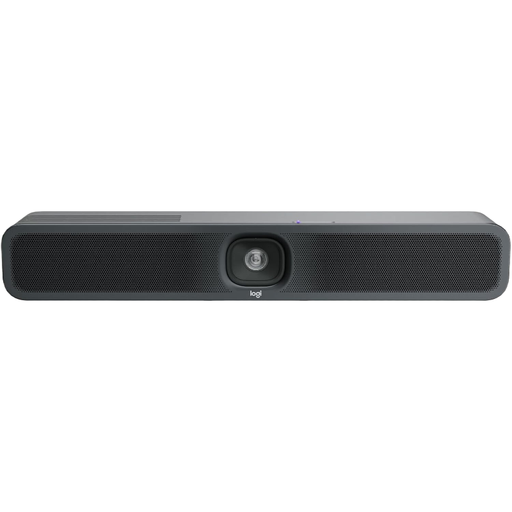
Logitech MeetUp 2, 4K all-in-one conference camera
Described as a conference camera for small meeting rooms. Check whether this type of device suits your workshop set-up.
Features listed in the product name: 4K, microphone, speaker, USB and AI Video & Audio.
View at Joybuy
Frequently asked questions
How can I check the audio before the writing workshop?
Select the microphone input you want to use in your video conferencing software, then make a test call in your usual office noise. In Zoom, you can adjust background noise suppression; test the setting using your own voice.
Does the webcam need to film my digital document?
No, not necessarily. If you’re using Zoom and the workshop organiser allows it, you can share a single document window instead of your entire screen. For handwritten notes, however, you’ll need to position the camera appropriately and check that they’re legible beforehand.
What extra costs and rights should I be aware of?
If the audio test with the webcam microphone isn’t good enough, you could consider a separate headset. If you buy as a consumer in Germany, statutory rights against the seller should be distinguished from a voluntary guarantee, as explained by the Verbraucherzentrale (German consumer advice centre).
Can a writing workshop in the office be recorded without further ado?
A webcam cover doesn’t give you legal permission to make recordings. The Data Protection Conference points out that you need to check the legal basis for the processing in question. People nearby may also be affected if their image or audio is captured. Whether a particular recording is permitted depends on the circumstances and responsibilities involved in the workshop.


