Hosts who want postcard-size prints
You’d like to print several classic photo prints at a shared table and need a straightforward printing process with the right supplies to hand.


For classic prints to take home, a postcard-size printer such as the Canon SELPHY CP1500 could be a good fit. For small square or sticky-backed prints, the format and compatible printing media need to match. An A4 photo ink tank printer is more of an option if you plan to use it regularly for photos or documents after the celebration. The key things to consider are the finished print size, how easy the printer is to use at a shared table, and whether you can get the right supplies.
You’d like to print several classic photo prints at a shared table and need a straightforward printing process with the right supplies to hand.
You’re planning small instant photos or sticky-backed prints, where the image area and film or cartridge matter more than postcard size.
You’d like to keep using the printer for photos and documents after the wedding, so paper feeding and refillable ink matter more than how compact it is on the day.
A good fit if: You’re planning classic photos for guests to take home. Canon lists the SELPHY CP1500 as supporting the 100 × 148 mm format.
Bear in mind: The paper and ink ribbon need to be a compatible set.
A good fit if: You’d like small square instant photos to be part of your table set-up. Fujifilm lists an image area of 62 × 62 mm for the SQUARE Link.
Bear in mind: SQUARE film is sold separately, and you’ll also need the compatible smartphone app.
A good fit if: Guests would like to stick photos onto cards or into a guest book. Polaroid lists the 54 × 86 mm format for the Hi·Print 2x3 Generation 2.
Bear in mind: Polaroid says the compatible cartridge and a USB-C cable are not included.
A good fit if: You’d like to use the printer regularly for photos and documents after the wedding. Epson describes the ET-8500 as offering A4 photo printing and six refillable inks.
Bear in mind: Its extra features may be more than you need for a single celebration; a manufacturer’s stated page yield is no guarantee of how many prints you’ll get at your wedding.
| Buying priority | What to check before buying | Who is this especially important to? |
|---|---|---|
| Print format | Compare the image area and compatible printing media with the model specifications. | If I’m planning classic prints for guests to take home, the actual image area matters to me; around 36% of consumers say postcard size is their main buying priority. |
| Supplies for multiple prints | Check that the paper, film or cartridge suits the number of prints you’re planning, and check what’s included. | If lots of guests will be printing, I want enough compatible supplies for the number of photos planned; around 29% of consumers put supplies and consumables first. |
| Photo effect and backing | Decide in advance between instant film, sticky-backed prints and photo paper. | If the photos are going to be stuck onto cards or into a guest book, the photo effect and backing matter more to me than a larger format; around 21% of consumers prioritise this look. |
| Shared printing process | Test the planned printing method with the devices you’ll actually use, and decide who is responsible for what. | At a shared table, I want to agree who will select the photos and start printing; around 14% of consumers say a smooth process is their main priority. |
One printer may produce postcard-size photos, while another is designed for a much smaller image area.
First decide on the exact size you want, then choose the printer and printing media to match.
Some printers need compatible film, cartridges or paper and ink ribbon sets bought separately. Polaroid also says that a USB-C cable is not included with the Hi·Print 2x3 Generation 2.
Check what’s included and allow for compatible media to cover the number of prints you’re planning.
A stated yield under test conditions doesn’t predict how many wedding photos you’ll be able to print with your actual images and planned printing process.
Only compare yields on a like-for-like basis, and consider whether you’ll keep using the printer after the wedding.
The documented ways to send images to the printer vary, and people may be identifiable in guests’ photos.
Decide who will receive the photos, select them, print them and hand them out to guests, and test your planned printing method in advance.
The SELPHY CP1500 is a compact range for postcard-size prints; the PIXMA G650 is a refillable A4 photo printer for more extensive use.
The SQUARE Link is an option for printing small square instant photos from your smartphone.
The Hi·Print 2x3 Generation 2 is designed for small sticky-backed prints from a smartphone.
The EcoTank ET-8500 combines A4 photo printing with document functions for regular use beyond the celebration.
This selection includes portable printers for smartphone photos and, in some cases, other uses. For each model, check that the photo format and colour output suit the prints you’re planning for the table.
 No image available
Could be an option if you’d like to print photos straight from your smartphone; the product name mentions smartphone photos and notes.
Before buying, check that the print format and results will suit the wedding photos you have in mind.
 No image available
Could be an option for a shared table if you’d like to print documents as well as photos.
The product name lists support for US Letter and Legal, as well as iOS, Android and laptops. These paper formats don’t confirm that the printer supports your chosen photo size, so check before buying.
 No image available
The product name lists photos, notes, stickers and labels as possible uses; check that the photo format and print results will suit your celebration.
This model is described as a portable Bluetooth printer; check in advance that it works with the smartphones you plan to use.
 No image available
Could be an option if you’re planning small sticky-backed photos for cards or a guest book.
The product details list self-adhesive ZINK photo paper in the 50 × 76 mm format and the Xiaomi Home app. Check that the small format and app will work with the smartphones you plan to use.
 No image available
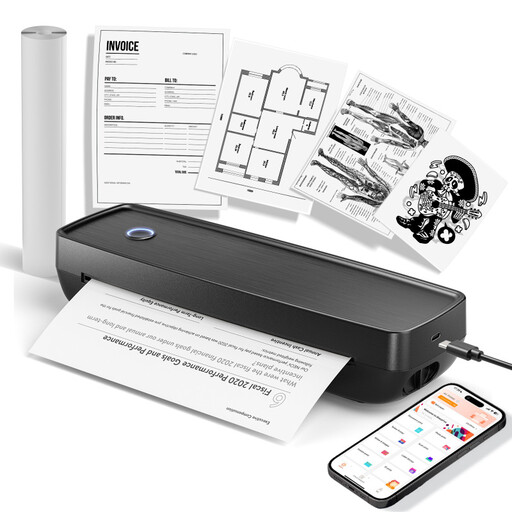
The product details specify black-and-white prints. This model is therefore only an option if monochrome prints are suitable for cards or notes; it isn’t right for colour wedding photos.
The product name lists ten rolls of thermal paper; check that the specified media is suitable for the type of print you have in mind.
Not with every printing method. Canon also lists USB and memory card printing for the SELPHY CP1500, whereas the compatible smartphone app is required for the instax SQUARE Link. Decide in advance whether one person will collect and print the photos or guests will print them themselves.
For the SELPHY CP1500, check that you have the paper and ink ribbon set for your chosen format. For the SQUARE Link, you’ll need SQUARE film, sold separately, and the compatible app. For the Hi·Print 2x3 Generation 2, Polaroid lists a compatible cartridge and a USB-C cable for charging, which is not included.
Plan the consumables you’ll need for the number of photos you have in mind separately from your choice of printer; a manufacturer’s stated yield for an ink tank printer doesn’t guarantee how many wedding prints you’ll get. If a product is faulty, statutory consumer rights against the seller are separate from a voluntary manufacturer’s guarantee. The consumer advice centre generally states that the statutory guarantee period is two years from delivery.
There’s no one-size-fits-all answer without knowing who is organising the event, the purpose, who will receive the photos and whether they might be published. The Federal Commissioner for Data Protection and Freedom of Information (BfDI) explains the scope of the GDPR in general terms. For your particular set-up, clarify who will receive the photos and whether they’ll be shared or published beyond a private group before passing them on.