Creating table displays
You want to display individual photos on a table or project page. Make sure the actual image area works for the viewing distance and the space you have available.


For individual prints that need to stand out on a table, a compact photo printer such as the SELPHY CP1500 is worth considering. For small pictures you can stick down, try a portable ZINK printer; for A4 project pages, choose a suitable inkjet printer. The key factors are the actual image area, how many prints you need, compatible media and how you’ll send files from the school device to the printer. If people are recognisable in the photos, you’ll also need to consider how the images will be used.
You want to display individual photos on a table or project page. Make sure the actual image area works for the viewing distance and the space you have available.
You’re combining photos with text or planning to print several copies. Paper size and compatible consumables are important factors to consider.
You want to print small pictures on the spot, stick them down or arrange them as instant photos. Check both the image area and how you’ll print from your smartphone or tablet.
First, check that the visible image area suits your planned layout. Then consider the number of prints, consumables and how the image file will get to the printer.
| What matters | What to look for when buying | Who should consider this? |
|---|---|---|
| Visible image area | Compare the actual image area with the viewing distance and available space. Canon Deutschland lists postcard-size media of 100 × 148 mm for the SELPHY CP1500; according to FUJIFILM eShop Deutschland, the image area on the instax mini Link 3 is 62 × 46 mm. | If I want to display table photos from a little distance, I need a large enough image area. Around 40% of consumers put image size first. |
| Print quantity and media | Plan how many prints you need and check which paper, film or paper-and-ink ribbon sets are compatible with the model and included in the box. | If I’m planning several prints or more school projects, I want to make sure I have the right media for the full print run. Around 30% of consumers put print quantity and consumables first. |
| Portable prints you can stick down | Xiaomi Deutschland lists self-adhesive ZINK paper in 50 × 76 mm format for the Portable Photo Printer 1S. Fujifilm eShop Deutschland notes that instax mini film is sold separately. | If I want to stick pictures into a collage on the spot, a handy format and the right adhesive material are important. Around 20% of consumers prioritise portability and the ability to stick prints down. |
| How you’ll print | Check that the model works with the device your photos are stored on. Canon Deutschland lists USB or Wi-Fi computer printing for the SELPHY CP1500; the Xiaomi 1S uses the Xiaomi Home app with supported smartphones and tablets. | If my files are on a school computer, the printing method needs to work with the available devices and comply with the school’s rules on transferring images. Around 10% of consumers put the printing method first. |
On the instax mini Link 3, the film is larger than the image. Even a small self-adhesive photo may not show enough of the subject when viewed from further away.
Before buying, compare the actual image area with your planned layout on the table or project page.
The different printing technologies use media that aren’t interchangeable. A compatible battery isn’t included with the SELPHY CP1500.
Plan the number of prints you need, and check which refills are compatible and exactly what’s included with the model.
Printing via an app may mean you need to transfer the files to a smartphone first.
Before choosing, check which devices and apps are supported, and whether the transfer method you plan to use complies with your school’s rules.
Canon offers compact printers for individual photo prints as well as inkjet models for project pages.
The Portable Photo Printer 1S is designed for small, self-adhesive pictures printed via an app from supported mobile devices.
The instax mini Link 3 is a good fit for designs where the instant-photo frame is part of the finished look you want.
The EcoTank ET-8500 is a model for A4 photos and documents, with refillable ink tanks.
The Mini 2 Retro P210R is a handy printer for small, non-adhesive smartphone photos.
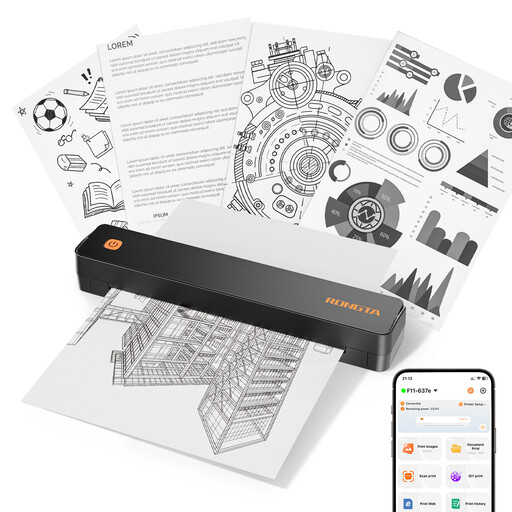
The Joybuy products listed here include portable thermal printers, a ZINK photo printer for smartphone pictures and a portable A4 thermal printer. In particular, check that the image area, printing technology and output suit the table photos for your school project.
 No product image available
Could be suitable for portable smartphone prints, if the output size and appearance work for your planned table photos.
Thermal printing; the product name mentions smartphone photos and notes.
 No product image available
Could be suitable for project materials with pictures and documents. Check that thermal printing and the output meet your photo display requirements.
The product name lists A4, A5 and B5; 203 DPI and 16 mm/s are also specified.
 No product image available
An option for creating designs on the go with photos or stickers, as long as the print size and output suit your project.
Thermal printing; the product name mentions Bluetooth and iOS and Android devices.
 No product image available
Suitable for small, self-adhesive pictures in a collage, if an image area of 50 × 76 mm is large enough.
Xiaomi Deutschland lists ZINK printing and self-adhesive paper. Printing is via Xiaomi Home with supported smartphones or tablets.
 No product image available
Only suitable if black-and-white output is enough for your project; the product description specifies black-and-white prints.
The product name lists ten rolls of thermal paper.
Choose a size that suits the viewing distance and the space available on your table or project page. Canon Deutschland lists postcard-size media of 100 × 148 mm for the SELPHY CP1500; according to FUJIFILM eShop Deutschland, the image area on the instax mini Link 3 is 62 × 46 mm. For full project pages, the Canon PIXMA G650 supports photo printing up to A4.
That depends on the printer model and the printing options available. Canon Deutschland lists USB or Wi-Fi computer printing for the SELPHY CP1500. According to Xiaomi Deutschland, the Xiaomi Portable Photo Printer 1S prints via Xiaomi Home with supported smartphones or tablets. Kodak Photo Printer says that computer files need to be transferred to a smartphone first, before printing through the app.
Follow Xiaomi’s care and troubleshooting advice for this specific model. Xiaomi Support recommends using official photo paper and explains how to use the orange Smart Sheet. Follow the printer’s instructions when using it.
Under § 22 KunstUrhG, consent is generally required to publish or publicly display images of people. Any exceptions and the specific audience must be considered separately. The Rhineland-Palatinate data protection authority also notes that photos of recognisable people contain personal data, and that a legal basis is needed to process them. Calling something a ‘school project’ does not automatically mean you have permission to publish the images.
Under certain conditions, § 60a UrhG allows certain uses to illustrate teaching. Subsection 2 contains a separate provision for images. Whether it applies to a particular wedding photo, the specific use and the intended audience must be considered separately. You’ll also need to take into account the rights of any recognisable people.