Home-based organisers
If you mainly manage appointments, contacts, checklists and budgets, choose a laptop to suit your workspace and the software you actually use. Photography hardware doesn’t have to set the standard.


For appointments, contacts, checklists and budgets, a laptop that suits your software and workspace is usually all you need; you don’t automatically need a creator model. If you regularly edit large batches of images yourself, also check your software’s requirements, along with the display, memory and storage. For important photos, make a separate backup that isn’t stored on the laptop part of your workflow.
If you mainly manage appointments, contacts, checklists and budgets, choose a laptop to suit your workspace and the software you actually use. Photography hardware doesn’t have to set the standard.
If you edit lots of high-resolution photos yourself after a shoot, check the requirements of your specific software, as well as the display and file management features of the model you’re considering.
If you receive photos from a camera or from team members, make sure you have a suitable way to import and hand them over. Also plan a backup that isn’t stored solely on your laptop.
First, work out whether you’ll mainly be organising or regularly editing images yourself. This will determine the display you need, the right ports and how important a separate data backup is.
| Priority | What to check when buying | Who is it important for? |
|---|---|---|
| Keeping on top of planning and communication | Check your planning software, display size, keyboard and connection to any existing monitor. | If you want to work on checklists, contacts and schedules side by side at your desk, a clear overview is your main priority. Around 36% of consumers put organisation first. |
| Reviewing and editing images yourself | Decide which editing software and file types you’ll use, and how much image work you’ll do, then check these against the specific configuration. | If you regularly edit high-resolution photos yourself, your software requirements and display specification matter most. Around 29% of consumers prioritise editing their own images. |
| Transferring images and protecting against data loss | Check that your camera’s card format is compatible with the ports, and plan a backup outside the laptop. | If you need to import, hand over and keep images safe long-term, a reliable file workflow is essential. Around 21% of consumers consider transferring and backing up files their top priority. |
| Moving between your desk and appointments | Compare the weight, display size, ports and charging accessories with the places where you’ll work. | If you regularly take your laptop to meetings, portability matters alongside having the right ports. Around 14% of consumers put portability first. |
Notebookcheck’s list dated 3 November 2026 covers photo and video editing. Its rankings don’t automatically tell you which device is right for scheduling and organisation.
First decide whether you’ll edit images locally yourself, and use lists like these only to assess that part of your needs.
Displays and ports can vary within a product range. For example, the documented Lenovo ThinkPad T16 Gen 4 AMD, model 21QN004EMH, has no card reader; HP notes that configurations vary across the Envy x360 range.
Check the full model number, display specification, ports and what’s included with the specific offer. If you need an external monitor or card reader, make sure the right connections are available.
The Federal Office for Information Security lists hardware failure, theft and accidental deletion as risks to your data. More storage in your laptop is no substitute for a separate backup.
Plan independent backup copies of your original files and check that you can restore them.
Additional backup media or a suitable backup service needs to be built into your file workflow.
Some configurations may be offered without a power adapter. The card, drive or monitor connections you need can also vary from one device to another.
Check what’s included with the exact configuration, and make sure its ports work with your camera and existing peripherals.
The MacBook Air M5 is a documented portable Mac option for organisation and occasional image review.
The ThinkPad T16 Gen 4 AMD is a Windows business range suited to a workstation with a monitor and wired peripherals.
The ProArt P16 H7606 is aimed at buyers who also regularly edit photos or videos themselves.
The Dell 16 Plus DB16250 is a Windows option with a large screen, suited to a permanent or flexible workspace.
The Envy x360 16-ac0000 range includes 16-inch convertibles for anyone who wants a touchscreen for meetings or planning.
This selection includes business laptops for organisation and mobile working, as well as a MacBook Pro for buyers who also edit images locally.
 No image available
For checklists, contacts and documents at your home office, if you’re looking for a large business laptop.
Intel Core Ultra 7 255U, Windows 11 Pro and Intel Graphics.
40.6 cm (16-inch) IPS display with 1920 × 1200 pixels, 32 GB RAM, 1 TB NVMe SSD and Wi-Fi 7.
 No image available
For organising at your desk and regular image editing on your laptop, provided these specifications suit your software.
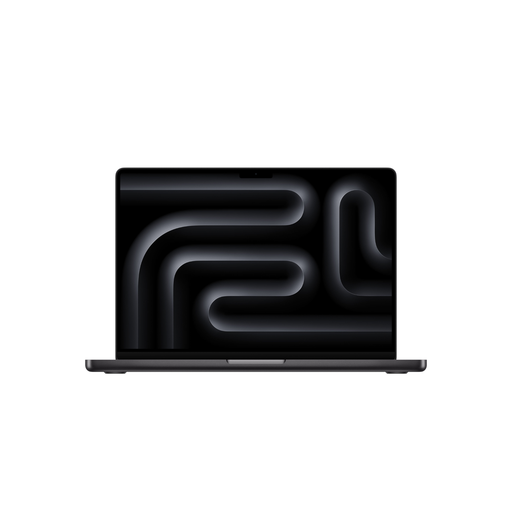
16.2-inch model in Space Black, with a German QWERTZ keyboard, 48 GB of unified memory and a 2 TB SSD.
The product description states that no power adapter is included; check that you have a compatible charger.
 No image available
For planning documents and appointments at a permanent workstation, if you’re looking for a 16-inch business laptop.
AMD Ryzen 5 220 at 3.2 GHz, Windows 11 Pro and Radeon 740M.
40.6 cm (16-inch), 32 GB RAM and 1 TB NVMe SSD. The 45% NTSC display specification is an important consideration for colour-critical image review.
 No image available
Another 16-inch option for checklists and documents at your home office.
Intel Core Ultra 5 325, 32 GB DDR5 RAM, 512 GB PCIe SSD and Windows 11 Pro.
Bear the 45% NTSC display specification in mind if you want to assess colours yourself.
 No image available
For planning and meeting notes on the move, if you’re looking for a compact convertible with a touchscreen.
14-inch touchscreen with 2.8K OLED, Intel Core Ultra 7 258V, 32 GB RAM, 1 TB SSD and Windows 11 Home.
The 14-inch display gives you less room for several planning views open at once than a larger screen.
Not for these tasks alone. First check the software you actually use and your desk setup. Requirements for demanding image editing only become relevant if you’ll be doing that work yourself.
Organise your original and working files clearly, and create separate backup copies. The Federal Office for Information Security recommends backups as protection against risks including hardware failure, theft and accidental deletion. A larger laptop SSD on its own won’t do the same job.
No. Verbraucherzentrale distinguishes statutory rights against the seller from a voluntary manufacturer’s guarantee. It also explains that consumers typically have a 14-day right to cancel distance-selling contracts; whether these consumer rules apply to a business purchase depends on the buyer’s status.
You can’t determine this simply from your laptop purchase. Where the GDPR applies to the processing of personal data in question, there must be a legal basis under Article 6. The Federal Commissioner for Data Protection and Freedom of Information explains that consent is one possible legal basis, but not the only one. Before sharing, check who is processing the data, for what purpose and on what legal basis.