Team using different laptops
You share a desk and switch between planning, communication and selecting images. Check the connections, power delivery and whether the screen can be adjusted to suit different people.


If you mainly use a shared desk to organise image selections, schedules and messages, an adjustable workspace and the right connections for different laptops matter more than an especially wide colour gamut. If you regularly edit wedding photos there for colour-critical output, colour gamut and calibration become more important – while docking convenience and suitable power delivery may take a back seat.
You share a desk and switch between planning, communication and selecting images. Check the connections, power delivery and whether the screen can be adjusted to suit different people.
You want to keep your image selection, schedule and messages in view at the same time. Make sure the resolution, text size and screen size suit your laptop and the space available.
You also edit wedding photos at your planning desk. If your output is colour-critical, colour gamut, calibration and your overall output workflow become important selection criteria.
A good fit if: the shared desk is mainly used for switching between laptops, planning and selecting images.
The trade-off: The QHD models mentioned offer fewer pixels than the 4K photo monitors considered here; connections and power delivery need to suit your laptops.
A good fit if: you organise your work and regularly review photos at the same desk.
The trade-off: Manufacturer colour-gamut figures alone do not guarantee consistent colours across different laptops or a suitable print workflow.
A good fit if: retouching and assessing photos for colour-critical output are among your main tasks.
The trade-off: Calibration and the rest of your output workflow are still needed. Also check that the USB-C power delivery suits your laptop.
| Priority | What to check before buying | Who it matters most to |
|---|---|---|
| Quickly switching between laptops | Check video output, power requirements, the USB ports you need and, if applicable, KVM functionality separately. | If you switch between different laptops and want to use peripherals at the desk, connecting a device should be straightforward. Around 25% of consumers put this first. |
| Space for planning and image selection | Consider resolution, text scaling, viewing distance and available desk space together. | If you want to see schedules, messages and images side by side, having a suitable workspace is essential. Around 25% of consumers prioritise space for multiple items of content. |
| Colour accuracy for image delivery | Check your output requirements, colour-gamut coverage, calibration options and your actual workflow. | If you edit photos with colour accuracy in mind or prepare them for print, your colour assessment should suit your output method. Around 20% of consumers prioritise colour control. |
| Adjustability | Check the height, tilt and swivel range, as well as potential glare at your desk. | If several people use the desk, you’ll want to adjust the screen to suit each person when they take over. Around 20% of consumers consider adjustability their top priority. |
| Only the features you need | Start by identifying your tasks and laptop requirements, then choose the docking and calibration features you need. | If you mainly organise your work and don’t plan to prepare prints where colour accuracy is critical, you won’t want to pay for features you don’t need. Around 10% of consumers prioritise focusing on their actual requirements. |
A USB-C port alone doesn’t tell you whether a laptop can output video through it or receive enough power.
Check each laptop’s connections and power requirements against the monitor’s specifications.
Depending on the laptop, you may also need a separate power supply or an additional connection.
A wide colour gamut and a managed colour workflow are not the same thing. Accurate output also depends on calibration and the other steps in your process.
If you’re preparing prints, factor in calibration and checks of your output method.
Calibration and setting up your output workflow can take extra time and require additional equipment.
An adjustable monitor stand alone doesn’t ensure that the whole workspace is properly set up for different people.
Check the adjustment range and glare at the actual desk, and readjust the workspace when someone else takes over. The DGUV recommends adjustable work equipment for desk-sharing.
The ProArt PA279CRV is a 27-inch 4K all-rounder for organising work and editing images.
The DesignVue PD2706U is a 27-inch 4K option for workflows that also include image editing.
The UltraSharp U2724DE is a QHD hub monitor for a workspace where connections matter when switching between laptops.
The ColorEdge CS2740 is designed for regular colour-critical photo work, including demanding print preparation.
The 27BA75QB-B business monitor combines QHD with USB-C docking and an adjustable stand.
This selection includes monitors for planning and selecting images at a shared desk, as well as models with features for image work and switching between devices.
 No image available
For planning and image work if you want 4K resolution and a USB-C connection with power delivery.
27 inches; 3840 × 2160; 120 Hz; USB-C with 90 W; PIP/PBP; height-adjustable, swivel and tilt functions.
 No image available
For image work and switching between devices if you want to use the listed KVM and USB-C features.
4K at 160 Hz or FHD at 320 Hz; USB-C with 65 W; KVM; height-adjustable stand with tilt and swivel functions.
 No image available
For planning and selecting images if QHD and a USB hub are useful at your shared workspace.
2560 × 1440; 75 Hz; USB-C with 65 W; USB hub; height-adjustable, tilt, swivel and pivot functions.
 No image available
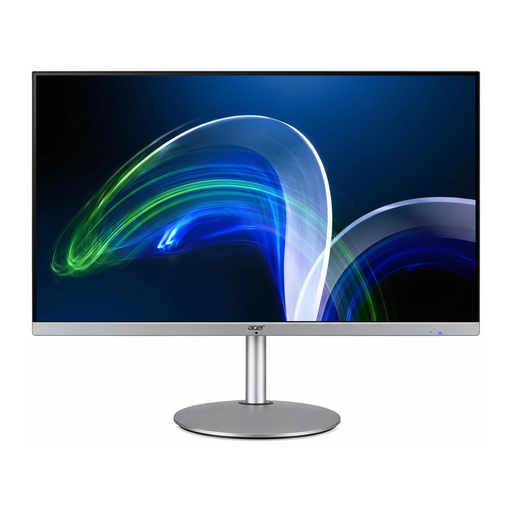
For a larger workspace for planning and selecting images, if QHD and a USB hub for peripherals suit your needs.
32 inches; 2560 × 1440 pixels; integrated USB hub with four USB 3.0 ports; adjustable stand.
 No image available
For switching between devices at a shared desk if docking, KVM and an adjustable position suit your setup.
WQHD; USB-C with 98 W; RJ45; KVM; daisy chain; four USB-A ports; integrated webcam; 130 mm height adjustment, plus tilt, swivel and pivot functions.
For these tasks, what matters is how clearly content appears at your workspace. The models considered include the 27-inch QHD LG 27BA75QB-B and the 27-inch 4K ASUS PA279CRV, for example. Check text scaling and the space available; 4K alone doesn’t tell you whether a monitor is suitable for assessing photos.
Adjust the position and tilt for each person when they take over, and avoid distracting glare. The DGUV recommends adjustable work equipment for desk-sharing; within its scope, ASR A6 from the Federal Institute for Occupational Safety and Health sets out requirements for screen-based workstations.
No. Colour-gamut coverage describes a monitor feature; according to the manufacturer, the EIZO ColorEdge CS2740 also offers hardware calibration. If you’re planning to print your work, calibration and the settings across the rest of your output workflow also matter.
When you buy as a consumer, your statutory rights against the seller are separate from any voluntary guarantee. Online contracts generally come with a 14-day right to cancel; exceptions and the terms of the specific purchase may apply. The Verbraucherzentrale explains these rights separately.
Electrical and electronic equipment may need to carry a CE mark where the relevant EU rules require it. Within its remit, the Bundesnetzagentur checks matters including labelling and manufacturer details. Waste electrical and electronic equipment must be collected separately and not put in ordinary residual waste, as the Umweltbundesamt points out.