Which setup is right for you?

PC wet-weather practice

If you want to practise steering and braking inputs on changing wet tarmac, make sure your force feedback and pedals are set up to suit you. iRacing explains that the usual, heavily used racing line may offer less grip in the rain.

PlayStation racers

If you race on PlayStation, check that you choose the wheel version specifically designed for your platform, and make sure the pedals and mounting are compatible with your setup. Thrustmaster lists PC and PlayStation as platforms for the T300RS GT Edition.

Racers with a compact setup

If you race at a desk using headphones, check in advance which clamp and pedals are included, and how to set up the audio output. iRacing lists audio devices separately from wheels and pedals.

What should you look for when buying?

Direct Drive PC set

A good fit if: You play on PC and want adjustable force feedback, plus a set that includes a wheel, pedals and desk clamp.

Things to consider: Manufacturer claims about torque and settings don’t prove you’ll get better results in the rain. Check game compatibility and make sure you have room for the pedals.

Belt-driven set

A good fit if: You use a PC or PlayStation platform listed by Thrustmaster and want the T300RS GT Edition, with its interchangeable wheel rim and T3PA-GT pedals.

Things to consider: Extra wheel rims are sold separately. The GT Edition is not the same specification as the standard T300RS model.

Logitech G923

A good fit if: You want an integrated pedal set and choose the version that’s compatible with your console or PC.

Things to consider: Logitech lists different versions for different platforms. TRUEFORCE is a manufacturer feature, but it doesn’t prove you’ll get better results in the rain.

Priority What to check before buying Who is this important to?
Game and platform compatibility Check the exact model version, platform compatibility and game support. For wet-weather driving in iRacing, you’ll also need a suitable paved track and a rain-enabled car. If I want to practise wet-weather driving on my console or PC, the entire setup needs to work with my game and platform. Around 28% of consumers put this compatibility first.
Adjustable steering feedback Compare the drive type and settings of the specific wheel base. To make a meaningful comparison later, you’ll need to be able to identify the track conditions and feedback strength. If I want to compare different lines on a wet track, I look for adjustable steering feedback rather than focusing only on a high torque figure. Around 22% of consumers prioritise steering feedback.
Throttle and braking inputs Check which pedals are included in the bundle and how they can be secured in the space you plan to use. If I want to practise braking and acceleration points repeatedly, I need pedals that suit my setup. Around 22% of consumers put controllable pedal inputs first.
Mounting and what’s included Check that your desk edge, clamp range and pedal position work with the set. Only count parts that are actually included in the box. If I race at a desk, I want to position the wheel and pedals securely and know which parts I still need. Around 17% of consumers prioritise the setup and a complete package.
Headphones and game audio Check the audio output and headphone connection on your PC or console, as well as the sound settings in your game. If I want to hear rain sounds or announcements through my headphones, the audio output needs to work with my gaming platform. Around 11% of consumers prioritise headphone audio.

Common buying mistakes

  • Ordering the right model name in the wrong platform version

    Logitech lists different platform versions of the G923. PC compatibility doesn’t automatically mean it will work with the console you want to use.

    Before buying, check the full model version against your console and the specific game.

  • Taking “Direct Drive” in a retailer’s description at face value

    A Joybuy listing called “G923 SE” describes the wheel as Direct Drive. This drive specification can’t be matched to a specific official Logitech G923 version.

    Before treating a listing as a particular model, check the full manufacturer model number and what’s actually included.

  • Assuming similar T300RS editions have the same specification

    The T300RS GT Edition is listed with T3PA-GT pedals, while Thrustmaster lists two pedals for the standard T300RS.

    Check the edition and the components specifically listed as included in the offer.

  • Confusing headphone audio with wheel feedback

    The wheel and audio device are separate components. A force feedback system doesn’t confirm that the wheel has a headphone connection.

    Set up audio output separately on your PC or console, then check that you can hear the in-game cues you want.

Brands to consider

MOZA Racing

The R5 Racing Bundle is a Direct Drive PC set that includes an ES steering wheel, SR-P Lite pedals and a desk clamp.

  • MOZA quotes 5.5 Nm peak torque and adjustable force feedback. These are manufacturer claims, not measurements of how much you’ll improve.
  • The PC specification doesn’t establish that this bundle is compatible with consoles.

Fanatec

The CSL DD QR2 Ready2Race Bundle (5 Nm) combines a PC Direct Drive base with a P1 V2 steering wheel, CSL pedals and a desk clamp.

  • Fanatec lists Hall sensors on the throttle and brake, as well as an expanded tuning menu for this bundle.
  • Other Fanatec bundles may come with different steering wheels, pedals and platform compatibility.

Thrustmaster

The T300RS GT Edition is a belt-driven alternative for the PC and PlayStation platforms listed by Thrustmaster.

  • Thrustmaster lists a dual-belt drive, interchangeable steering wheel rim and T3PA-GT pedals for the GT Edition.
  • Extra steering wheel rims are sold separately. The GT Edition is not the same as the standard T300RS.

Logitech G

Depending on the version, the G923 is listed for PC and PlayStation or for PC and Xbox.

  • Logitech describes TRUEFORCE as connecting to in-game physics.
  • TRUEFORCE doesn’t prove you’ll get better results in the rain. The full platform version is what matters when you buy.

Joybuy products

The Joybuy selection below features racing wheels listed for PC and/or PlayStation. Check the exact platform version, what’s included and how the wheel is mounted against your setup.

Logitech G923 SE racing wheel and pedal bundle

Logitech G923 SE Racing Wheel + Pedals Bundle

A pedal-set option with a choice of platform versions. Before buying, check the exact model number and that it connects to your gaming system.

The listing names PlayStation, Xbox, PC and Mac. “Direct Drive” is not a confirmed feature of any specific official G923 version.

View at Joybuy
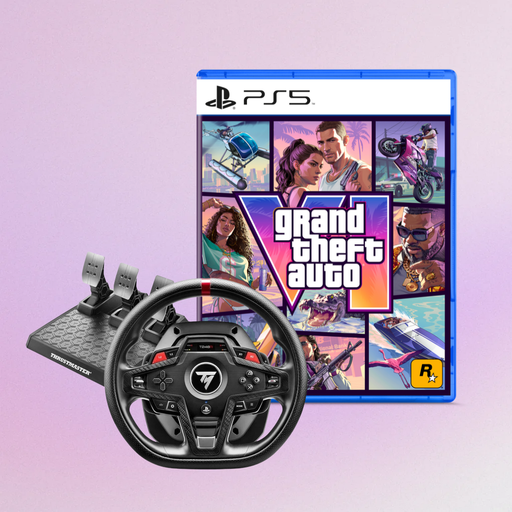
Thrustmaster T248R racing wheel with Grand Theft Auto VI PS5 German Edition

Thrustmaster T248R Racing Wheel + Grand Theft Auto VI PS5 German Edition (Code in Box)

If you’re choosing by platform, the product name lists PS5, PS4 and PC.

The listing also names Grand Theft Auto VI PS5 German Edition as part of the bundle.

View at Joybuy
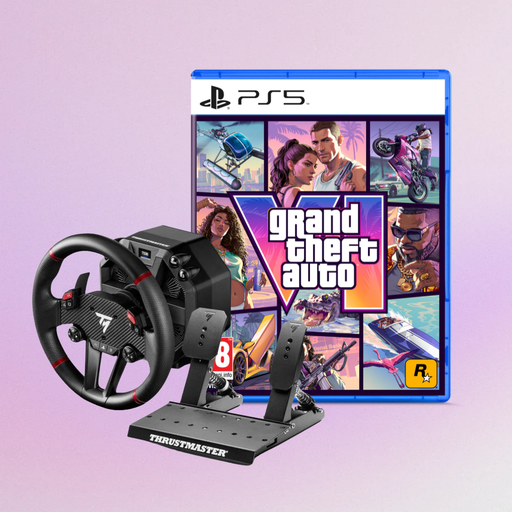
Thrustmaster T598-P Direct Axial Drive Force Feedback racing wheel

Thrustmaster T598-P Direct Axial Drive Force Feedback Racing Wheel + Grand Theft Auto VI PS5 German Edition (Code in Box)

If you’re choosing by platform, the product name lists PS5, PS4 and PC.

Direct Axial Drive and Force Feedback appear in the product name. Grand Theft Auto VI PS5 German Edition is also listed as part of the bundle.

View at Joybuy
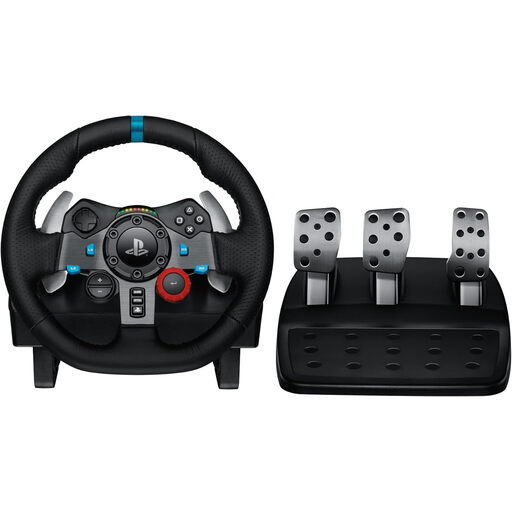
Logitech G29 Driving Force racing wheel

Logitech G29 Driving Force Racing Wheel

If you’re choosing by platform, the product name lists PlayStation compatibility with PS3, PS4 and PS5.

View at Joybuy

Thrustmaster T128-P Force Feedback racing wheel

Thrustmaster T128-P Force Feedback Racing Wheel

If you’re choosing by platform, the product name lists PC, PS4 and PS5.

Force Feedback is listed in the product name.

View at Joybuy

Frequently asked questions

Is a wheel on its own enough to practise a wet-weather racing line?

No. For a wet-weather session in iRacing, you’ll need a paved circuit and a rain-enabled car. iRacing explains that the usual, heavily used racing line may offer less grip in wet conditions. This is a feature of the simulation, not the wheel.

How should I set up my set for repeat practice laps?

Secure the wheel and pedals firmly, then calibrate the input devices in the game. iRacing recommends connecting your controllers before starting Windows, then configuring the controls in the simulator.

Do I need to plug my headphones into the racing wheel?

No. Set up audio output through your gaming platform and check its settings. iRacing treats the wheel, pedals and audio devices as separate peripherals, so TRUEFORCE or force feedback doesn’t mean there’s a headphone connection on the wheel.

What costs and rights should I consider when buying online?

Check whether pedals and mounting are included in the specific set, and whether any extra parts you want are sold separately. When buying from a business seller, your statutory rights for faulty goods apply against the seller. Online purchases generally come with a 14-day right to cancel, subject to applicable exceptions. A voluntary manufacturer’s guarantee doesn’t replace your statutory rights. The Verbraucherzentrale clearly distinguishes between statutory rights and guarantees, while the Council of the European Union explains the right to cancel online purchases.

Does a sim-racing wheel need road approval?

No. The wheels described here are input devices for racing simulations, not steering equipment for a real road vehicle. Road approval is therefore not a factor to consider for this type of product.