
Lieferung heute & morgen

Qualitätsgarantie

Willkommens-Angebote freischalten: KOSTENLOSE Lieferung | Bis zu 80 % RABATT | Kostenlose 30-Tage-JoyPlus-Testphase
App herunterladen
A white gaming mouse can enhance the look of your desk and, depending on its features, provide precise control for gaming or reliable operation in the office. Before buying, however, it is worth taking a close look at the technical specifications. High DPI values, RGB lighting or a wireless connection alone say little about whether a mouse suits your hand, your gaming style and your workspace.
A high-DPI mouse can move the cursor across the screen more quickly with small movements. However, actual precision also depends on sensor quality, consistent tracking, acceleration values and the surface being used. Lower DPI settings are often sufficient for office tasks. In fast-paced games, a flexible DPI range can be useful, but a maximum resolution of 30,000 or 35,000 DPI is not necessary for every user.
A white wireless gaming mouse needs a charged battery and a suitable receiver. You should therefore check the stated battery life, connection technology and charging options. With a 2.4 GHz wireless connection, the receiver should be positioned as close to the mouse as possible. Bluetooth can be practical for laptops, but in certain applications it may have different latency characteristics from a dedicated wireless connection.
A lightweight esports mouse can make quick movements easier, while a larger, heavier model may feel more stable in the hand for some users. Grip style also matters: with a palm grip, most of your hand rests on the mouse, while a claw or fingertip grip guides it differently. An ergonomic white mouse is usually shaped for a specific hand. If you use the mouse alternately with your left and right hand, look specifically for an ambidextrous mouse.
Look for an optical sensor and an adjustable DPI range. The DPI figure describes sensitivity, not overall quality. The polling rate is also relevant. This indicates how often per second the mouse reports its position to the computer. 1,000 Hz corresponds to one report per millisecond. Higher rates such as 4,000 or 8,000 Hz can make data transmission more frequent, but they require compatible hardware and may increase power consumption.
A white wired gaming mouse operates without a battery and connects directly via USB. This is straightforward for desktop PCs and long gaming or work sessions. Check the cable length, the cable’s stiffness and the position of the USB connector.
A white optical USB mouse with plug-and-play functionality, on the other hand, is often suitable for the office, laptops and everyday use. With wireless models, you should also consider the receiver, USB-C charging port and, where applicable, Bluetooth support.
Depending on the game, programmable mouse buttons can be useful. Five to eleven buttons may be suitable for role-playing games, strategy games or productivity applications, while a simple three-button mouse is sufficient for word processing and web browsing. Also check whether profiles can be stored in the mouse’s internal memory or whether the configuration software must remain installed on the PC.
An RGB gaming mouse provides additional lighting, but does not automatically improve tracking accuracy. For a quiet workspace, a quiet white office mouse with reduced click noise may be a better fit. Click lifespan figures are based on manufacturer specifications and are not a guarantee of the actual service life.
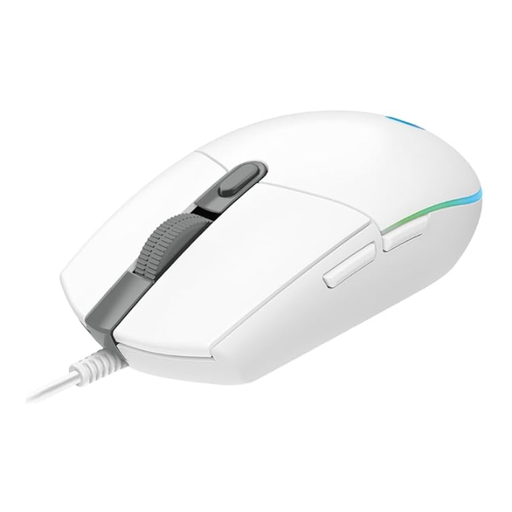
Why this product suits the profile: This wired Logitech gaming mouse combines a USB connection with six programmable buttons, up to 8,000 DPI and LIGHTSYNC RGB lighting.
The USB connection means you do not have to rely on a battery. The DPI range can be adjusted rather than limiting you to a fixed sensitivity.
Optical sensor with 200 to 8,000 DPI, a 1,000 Hz polling rate and a 2.1-metre cable.

Why this product suits the profile: This symmetrical, lightweight model is aimed at users who value low weight and a fast wireless connection when playing competitively.
Battery life is stated as up to 95 hours. USB-C charging and a USB receiver allow for flexible use.
Stated weight of 55 g, Focus Pro sensor with up to 35,000 DPI, six programmable buttons and a polling rate of up to 8,000 Hz.
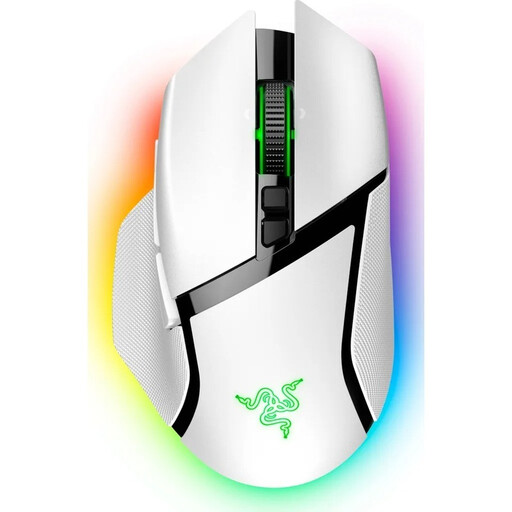
Why this product suits the profile: This ergonomic right-handed model is designed for users who need plenty of commands, macros and scroll functions directly on the mouse.
The shape is specifically designed for the right hand. If you are looking for an ambidextrous mouse, you should choose a different design.
Eleven programmable buttons, 13-zone Chroma RGB, USB-C, Bluetooth and 2.4 GHz wireless connectivity, plus up to 90 hours of battery life according to the product specification.
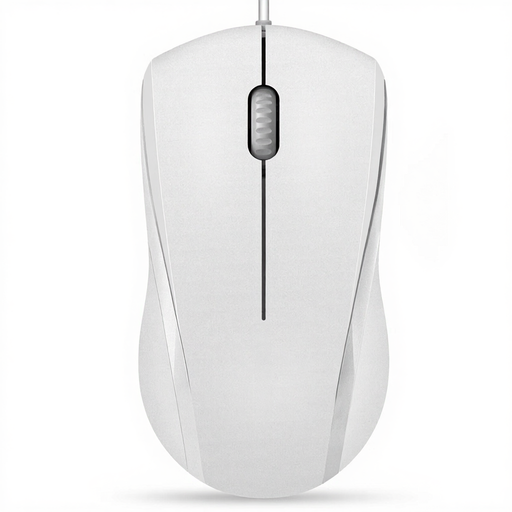
Why this product suits the profile: This symmetrical USB mouse is designed for left- and right-handed users and is suitable for office work, browsing and everyday laptop use.
The wired connection does not require a battery. The product specifications indicate reduced click noise; the middle click is excluded.
Optical tracking, three buttons, 1,000 or 1,600 DPI according to the product specifications, and a symmetrical design.
We have put together a complete, regularly updated list of products that fully meet these strict selection criteria and the safety regulations applicable in the EU.
A wired mouse is suitable for long periods of use without charging breaks and is usually straightforward to set up. A wireless version offers greater freedom of movement and a tidier desk. The key factors are the battery life you need, the connection type and the distance from the receiver.
A moderate DPI range is sufficient for office tasks and many games. Models with 8,000 DPI or more offer additional headroom, but do not need to be used permanently at the highest setting. Consistent sensor tuning and an adjustment suited to your gaming style are more important than the maximum value.
Disconnect a wired mouse from the USB port before cleaning it, and switch off a wireless model. Use a soft, lint-free cloth and only a small amount of moisture. Liquids, harsh cleaning products and direct exposure to water can damage the casing, sensor or electronics.