
Lieferung heute & morgen

Qualitätsgarantie

Willkommens-Angebote freischalten: KOSTENLOSE Lieferung | Bis zu 80 % RABATT | Kostenlose 30-Tage-JoyPlus-Testphase
App herunterladen
By Joybuy Product Recommendation OfficerLast updated: July 5, 2026
The video call with colleagues drops mid-sentence, the 4K movie in the bedroom buffers endlessly, and a stable internet connection in the garden or on the balcony is out of the question. Such scenarios are a daily reality in many households and point to a clear problem: inadequate Wi-Fi coverage. While a single router is often sufficient for small apartments, it quickly reaches its limits in larger apartments or houses.
A Mesh Wi-Fi System is designed to eliminate these exact dead zones. It consists of multiple interconnected stations (nodes) that create a single, expansive, and stable network for your entire home. This article explains what to look for when choosing a system and presents a selection of options that can help you improve your Wi-Fi coverage.
Before you decide on a model, several technical aspects should be considered to find a solution that fits your needs and living situation.
The Wi-Fi standard determines the maximum speed and efficiency of your network.
Manufacturers specify the maximum coverage area in square meters (m?). This figure serves as a guideline. Thick walls, reinforced concrete ceilings, or large metal objects can weaken the signal.
Pay attention to the number of Gigabit Ethernet ports on each node. These are useful for connecting devices like a PC, gaming console, or smart TV via cable to ensure the most stable connection possible. Many systems can also be conveniently set up and managed via an app. Features like parental controls, a guest Wi-Fi network, or Quality of Service (QoS) for prioritizing specific devices can further simplify daily use.
Here is a selection of mesh systems that cover different needs and budgets.
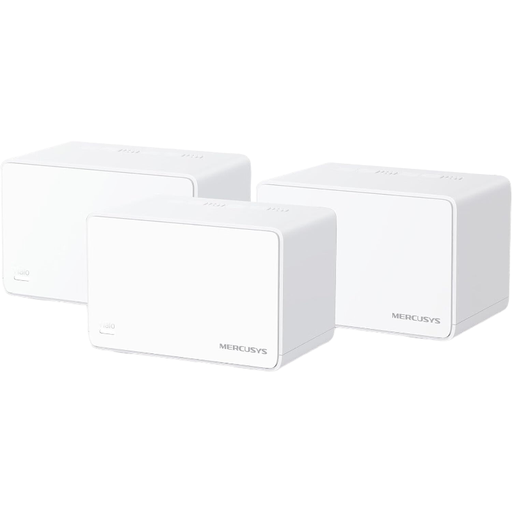
Why it stands out: The Mercusys Halo H3000X is a powerful WiFi 6 Mesh system that combines very high coverage with solid speed. According to the manufacturer, the 3-pack covers an area of up to 650 m?. A key advantage is that each of the three units is equipped with three Gigabit ports, offering great flexibility for connecting wired devices.
Pros:
Who is it for? Ideal for families and users in large houses or multi-story apartments looking for a reliable solution for whole-home Wi-Fi. Its high device capacity and numerous LAN ports make it a practical choice for modern households with many smart home devices, PCs, and consoles.
View Product: MERCUSYS Halo H3000X
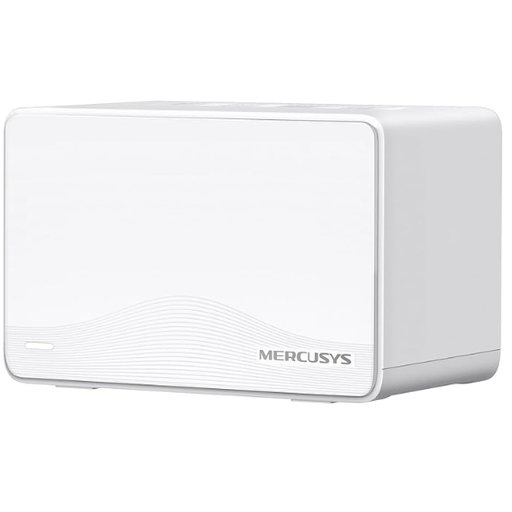
Why it stands out: This system brings the latest Wi-Fi 7 standard to the home. With BE3600 speed and advanced technologies like Multi-Link Operation (MLO), it is designed for maximum performance and extremely low latency. The 2-pack is designed for coverage of up to 460 m? and also offers three Gigabit ports per unit.
Pros:
Who is it for? A future-proof choice for tech-savvy users, demanding gamers, and households with a very fast fiber optic connection. Anyone looking to get the highest possible performance from their home network and be prepared for future technologies will find a suitable solution here.
View Product: MERCUSYS Halo H25BE
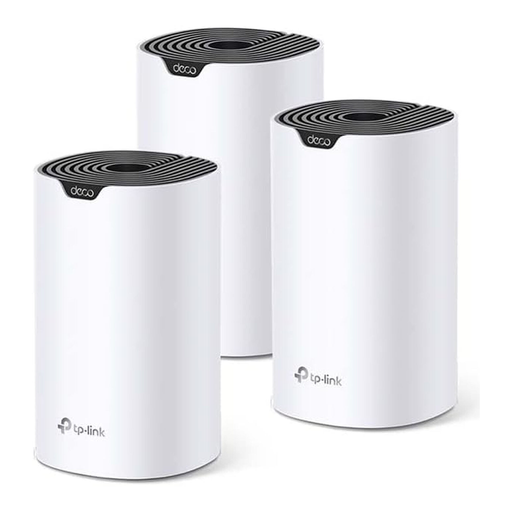
Why it stands out: The TP-Link Deco S4 is an established and accessible mesh system based on the proven Wi-Fi 5 (AC1200) standard. It offers solid and reliable performance for everyday applications like browsing, HD streaming, and home office tasks. The setup and management via the intuitive Deco app are considered particularly user-friendly.
Pros:
Who is it for? A cost-effective and straightforward choice for users in medium-sized apartments or houses who primarily want to eliminate dead zones and ensure stable baseline coverage. It is ideal if you don't need extremely high speeds for professional applications or 8K streaming.
A mesh system is a comprehensive solution for stable Wi-Fi throughout the house. However, if you only need to cover a single room or a small, remote area with a weak signal, a single Wi-Fi repeater could be a suitable and more budget-friendly alternative.
A classic Wi-Fi extender kit picks up the router's signal and re-broadcasts it, often under a different network name (SSID) and with some speed loss. A mesh system, on the other hand, creates a single, seamless network. Your devices automatically connect to the strongest node without interruption as you move through your home. This ensures a more stable and consistently faster connection.
As a rule of thumb, you can plan for one node per 70–100 m?, depending on the construction of your house. For a multi-story house, at least one node per floor should be planned. It's advisable to start with a 2- or 3-pack and expand the network with additional units later if needed.
Yes, most mesh systems offer two operating modes. In "Router Mode," the first mesh node replaces your current router. In "Access Point Mode" (AP Mode), the system works with your existing router. To do this, you connect the main node to your router via cable and, ideally, disable your router's Wi-Fi function to avoid signal interference. This turns your existing setup into a powerful Mesh Router network.