
Lieferung heute & morgen

Qualitätsgarantie

Willkommens-Angebote freischalten: KOSTENLOSE Lieferung | Bis zu 80 % RABATT | Kostenlose 30-Tage-JoyPlus-Testphase
App herunterladen
A stable and fast internet connection is the foundation for seamless remote work, uninterrupted streaming, and a connected smart home. If video conferences stutter, downloads are slow, or the Wi-Fi signal doesn't reach every corner, an outdated router is often the cause. The current WiFi 6 standard (also known as 802.11ax) offers significant improvements in speed, efficiency, and capacity, especially when many devices are online simultaneously.
This article serves as a guide. It explains the key differences between various router types and presents a selection of models for specific use cases to help you decide on the right WiFi 6 router.
The choice of the right device depends on your internet connection and individual needs. The following points will help you identify the right category.
The most important question is how you connect to the internet.
Your usage habits determine the features you'll need.
Modern routers are more than just internet distributors.
Based on different requirement profiles, we have selected three models from our range that solve specific connectivity issues.
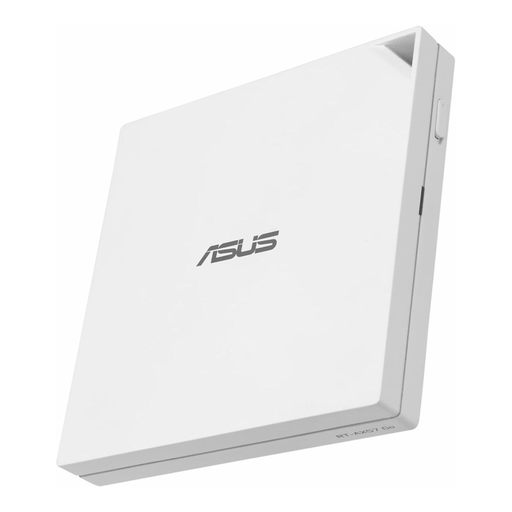
What makes this model stand out The ASUS RT-AX57 GO is extremely versatile thanks to its tri-mode connectivity. It can be operated via 4G/5G smartphone tethering, a public Wi-Fi network (WISP mode), or as a traditional router. Its compact design and comprehensive security features make it a reliable companion.
Advantages:
Who is this model for? This device is aimed at frequent travellers, digital nomads, and anyone who needs a secure and high-performance mobile internet solution. It is ideal for setting up your own secure Wi-Fi in a hotel, café, or holiday apartment.
View details for the ASUS RT-AX57 GO
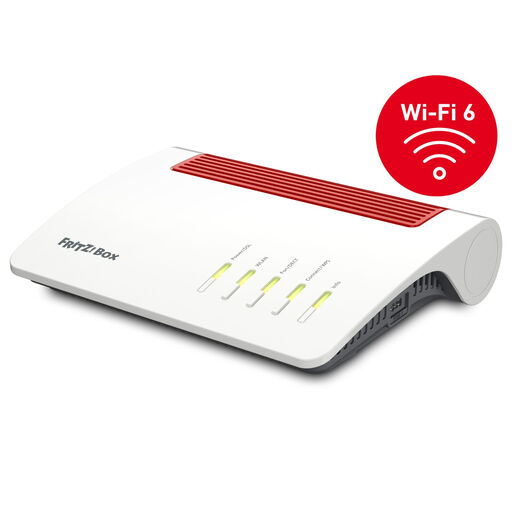
What makes this model stand out The FRITZ!Box 7590 AX is an all-in-one solution for DSL connections. It combines a high-performance VDSL Supervectoring modem with fast WiFi 6, a full-featured telephone system (DECT and VoIP), and smart home functions.
Advantages:
Who is this model for? Ideal for demanding home users and families with a DSL connection who are looking for a powerful and reliable hub for internet, telephony, networking, and smart home.
View details for the FRITZ!Box 7590 AX
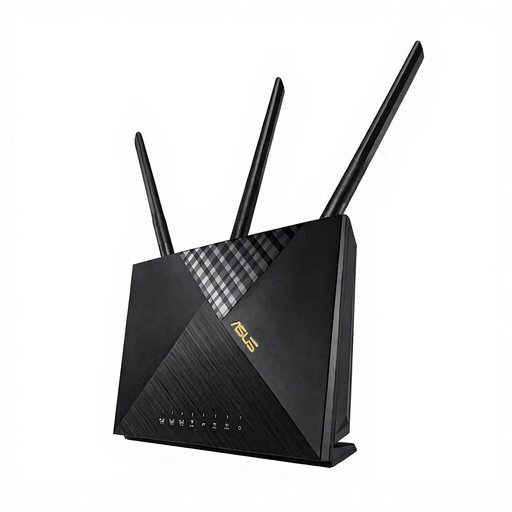
What makes this model stand out The ASUS 4G-AX56 is a high-performance LTE router with a SIM card that provides fast internet where no landline connection is available. It combines LTE Cat 6 technology for mobile data rates of up to 300 Mbps with the advantages of WiFi 6.
Advantages:
Who is this model for? This device is the solution for users in rural areas without fast DSL expansion, for holiday homes, or for business customers who need a reliable backup internet connection.
View details for the ASUS 4G-AX56
The models presented cover common, but not all, conceivable scenarios. If your requirements are more specific or you wish to compare other devices, you can find additional options in our main category.
Explore our entire range of routers and modems to find the right solution for your network.
A WiFi 6 router offers several advantages over older standards:
That depends on the router type. A DSL router with a modem, like the FRITZ!Box 7590 AX, connects directly to the telephone socket and requires no additional device. An LTE router with a SIM card establishes the connection independently via the mobile network. In contrast, pure Wi-Fi routers without an integrated modem (like many travel routers) must be connected to an existing modem (cable, fibre optic) or another internet source.
Setting up a VPN connection is often simplified on modern routers. Typically, configuration is done through a web interface in a browser or a manufacturer's app. You can configure the router as a VPN client to connect your entire home network to an external VPN service, or as a VPN server to securely access your local devices while on the go. Models like the ASUS RT-AX57 GO often offer one-click activation for this and support common protocols like OpenVPN or WireGuard. The exact steps are described in the respective manufacturer's manual.