
Lieferung heute & morgen

Qualitätsgarantie

Willkommens-Angebote freischalten: KOSTENLOSE Lieferung | Bis zu 80 % RABATT | Kostenlose 30-Tage-JoyPlus-Testphase
App herunterladen
Stuttering 8K streaming, high latency in online gaming, or spotty Wi-Fi coverage in your home office—these are common frustrations. An outdated router is often the cause of an unreliable home network. The new Wi-Fi 7 standard promises a solution with higher speeds, lower latency, and a more stable connection for a growing number of devices.
As your Joybuy Product Recommendation Officer, I have analysed the latest market developments. This article offers clear guidance on the key technical features to consider when choosing a Wi-Fi 7 router and presents a selection of models for different needs.
Choosing a new router can seem complex with all the technical jargon. The following three points will help you make an informed choice that fits your needs.
Modern routers operate on different frequency bands to manage data traffic.
Your network's speed is determined not only by Wi-Fi but also by its wired connections (LAN ports). While the Gigabit standard (1 Gbps) was sufficient for a long time, modern fibre optic connections and high-end devices set a higher standard.
A Wi-Fi router with a 2.5G port offers significantly faster wired speeds. This is crucial if you connect devices like a gaming PC, a Network Attached Storage (NAS), or a workstation directly via cable to achieve maximum transfer rates without bottlenecks. Such a port future-proofs your network.
The size and layout of your apartment or house determine whether a single router is enough.
Based on the criteria above, we have compiled a selection of devices that cover different use cases.
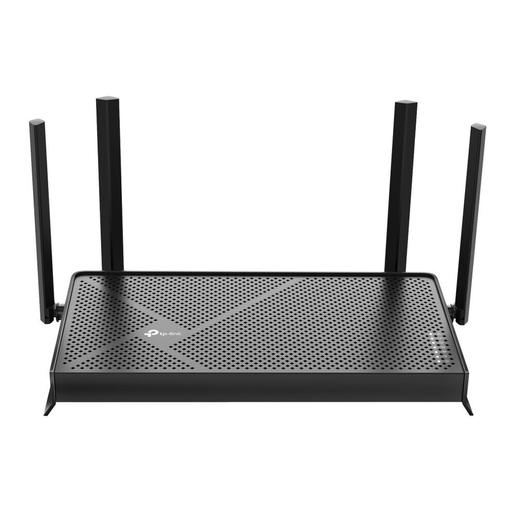
Why it stands out: The Archer BE230 offers a cost-effective entry point into the world of Wi-Fi 7. It combines the new standard's benefits, like higher efficiency and lower latency, with proven dual-band technology. With a 2.5 Gigabit port and EasyMesh compatibility, it's a flexible and future-proof choice for the average household.
Pros:
Who is it for?: Users in mid-sized apartments or houses looking to upgrade their network to benefit from more stable connections for streaming, online meetings, and everyday tasks.
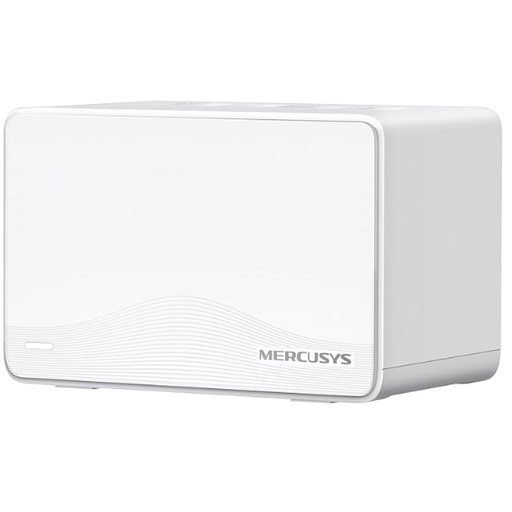
Why it stands out: The MERCUSYS Halo H25BE is a Wi-Fi 7 mesh system specifically designed to eliminate dead zones. The two-unit kit covers areas up to 460 m? (5,000 sq ft), according to the manufacturer, and ensures a stable connection for over 150 devices. Thanks to Multi-Link Operation (MLO), the system aggregates frequency bands for even more reliable performance.
Pros:
Who is it for?: Families and residents of larger or multi-story homes who need gap-free, stable Wi-Fi coverage for a multitude of devices—from smartphones to smart home components.
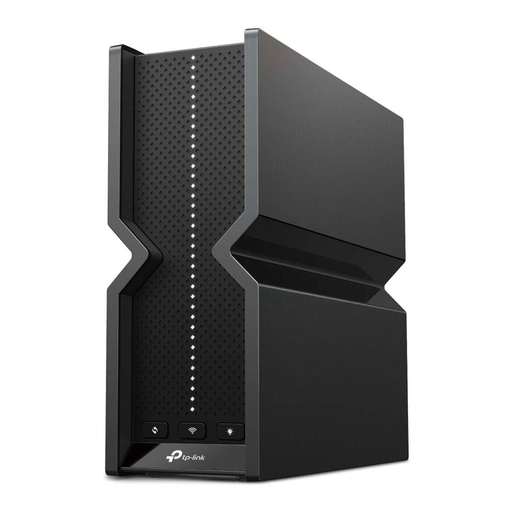
Why it stands out: The Archer BE550 is a high-performance tri-band router designed for maximum performance. With speeds of up to 9.2 Gbps and a full set of 2.5G ports (1x WAN, 4x LAN), it handles even the most demanding scenarios. It is an excellent choice as a gaming router, for 8K streaming, and for households with extremely high data traffic.
Pros:
Who is it for?: Power users, gamers, and tech enthusiasts who refuse to compromise on speed and latency and need a network for multiple bandwidth-intensive applications simultaneously.
If the models presented here don't exactly match your requirements, or if you'd like to compare more options to find the ideal solution for your home network, it's worth taking a look at our wider selection.
Discover our full range of Network Routers and find the perfect device for your needs.
Wi-Fi 7 introduces several key technologies. The most important is Multi-Link Operation (MLO), which allows devices to send and receive data across multiple frequency bands simultaneously. This significantly increases data throughput and connection reliability. Other benefits include wider 320 MHz channels and 4K-QAM modulation, which together provide higher peak speeds and more efficient data transmission.
Yes, Wi-Fi 7 routers are fully backward compatible with older Wi-Fi standards like Wi-Fi 6 (802.11ax), Wi-Fi 5 (802.11ac), and earlier versions. Your existing devices can connect to a new router without any issues. However, to take full advantage of Wi-Fi 7's speed and latency benefits, your client devices (e.g., smartphone or laptop) also need a Wi-Fi 7 compatible chip.
A Wi-Fi 7 mesh system is always the better choice whenever a single router struggles to provide stable, wall-to-wall coverage. This is typically the case in:
A mesh system creates a unified network that allows you to move around freely without experiencing connection drops.