
Lieferung heute & morgen

Qualitätsgarantie

Willkommens-Angebote freischalten: KOSTENLOSE Lieferung | Bis zu 80 % RABATT | Kostenlose 30-Tage-JoyPlus-Testphase
App herunterladen
A desktop PC without wireless internet access or a laptop with slow, outdated Wi-Fi can significantly limit productivity in a home office and spoil the fun of gaming or streaming. A Wi-Fi adapter is a simple and cost-effective solution to upgrade a PC or improve an existing connection. However, the market is saturated with products whose technical specs often confuse more than they clarify. Before you make a decision, you should be aware of the most common pitfalls.
Common Pitfalls When Buying a Wi-Fi Adapter:
To find the right Wi-Fi adapter, focus on the parameters that are relevant to your specific use case.
The first decision concerns the form factor. Both options have specific advantages and disadvantages.
The Wi-Fi standards define the maximum theoretical speed and the technologies used.
Many modern adapters offer more than just a Wi-Fi connection.
Here are some recommendations tailored to different user profiles and their requirements.
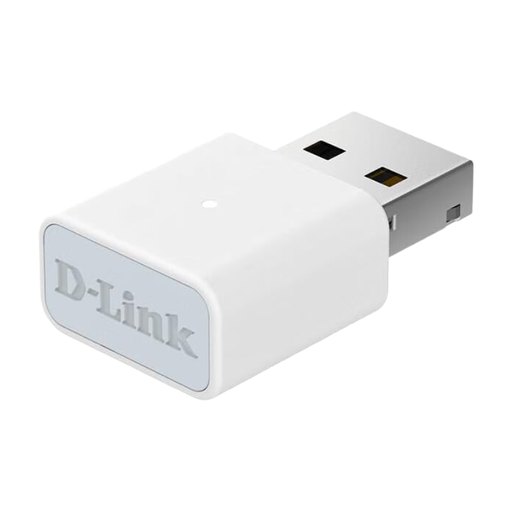
Why This Fits Their Persona: Ideal for users who need a simple, out-of-the-box solution for basic internet tasks like browsing, email, and social media. The installation is incredibly straightforward and requires no technical expertise.
This adapter avoids the speed trap. Its N300 speed (Wi-Fi 4) is perfectly sufficient for standard internet connections and everyday applications, so you don't pay for unused performance.
Compact design and simple plug-and-play installation on Windows 10/11. It offers a modern security standard with WPA3.
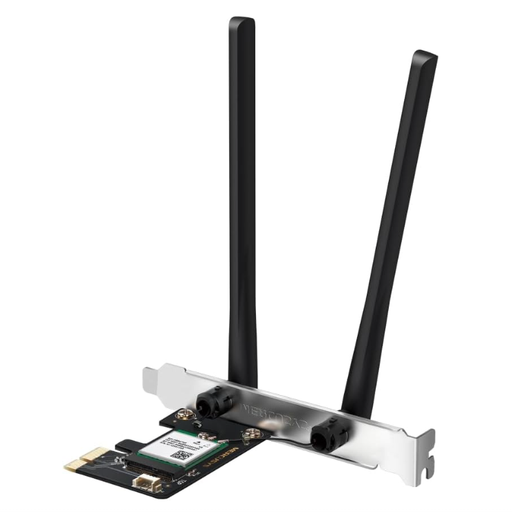
Why This Fits Their Persona: Perfect for desktop owners looking for a stable, fast, and future-proof upgrade. The combination of Wi-Fi 6, Bluetooth 5.4, and a PCIe interface is ideal for demanding home office tasks, 4K streaming, and online gaming.
This card bypasses the antenna fallacy. The two external high-gain antennas ensure strong and stable signal coverage, even if the PC is placed in an awkward position.
Offers a powerful overall package with modern AX1800 Wi-Fi 6 speed and the latest Bluetooth 5.4. The PCIe interface ensures a reliable, low-latency connection.
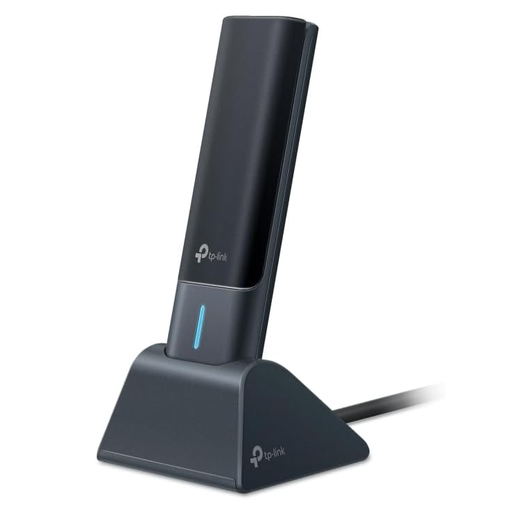
Why This Fits Their Persona: For users who want the performance of an internal card but prefer the flexibility of USB. Ideal for power users looking to equip their laptop or desktop with the latest Wi-Fi 6E standard without opening the case.
This adapter solves the compatibility problem. As a USB device, it fits any PC or laptop with a USB 3.0 port, and the external antennas with a base station allow for optimal positioning for reception.
Delivers AXE5400 Tri-Band speed, including the new 6 GHz band for an extremely fast and low-interference connection. The plug-and-play installation with pre-installed drivers is very user-friendly.
We have compiled a complete, up-to-date list of products that fully meet these strict selection criteria and safety regulations.
Installing a PCIe Wi-Fi card is straightforward. Completely shut down your PC and unplug it from the power source. Open the case, find a free, matching PCIe slot (usually a short x1 slot), insert the card, and secure it with the screw to the case. Then, attach the external antennas. After restarting the PC, install the drivers provided by the manufacturer.
Neither option is universally "better." The choice depends on your use case.
Wi-Fi adapters are backward compatible. A Wi-Fi 6 adapter will work with an older Wi-Fi 5 (AC) or Wi-Fi 4 (N) router. However, you will only benefit from the full speed and technological advantages of Wi-Fi 6 when your router also supports this standard. The purchase can still be worthwhile if you plan to upgrade your router in the near future as well.