Backing up from a remote study
If your study is on another floor, the key is having a usable connection from your backup location back to the router or backup destination. The repeater itself needs to be placed somewhere with adequate reception.


First, check the connection in your study and at a possible repeater location. A single wireless repeater is only suitable if it still has a usable connection to the router. If that wireless link is not strong enough, a wired access point using an existing Ethernet cable or a mesh system with a suitable connection is an obvious alternative. Powerline is another option if neither Wi-Fi nor Ethernet is suitable. Advertised Wi-Fi data rates are no guide to how quickly or reliably a backup will run in your home.
If your study is on another floor, the key is having a usable connection from your backup location back to the router or backup destination. The repeater itself needs to be placed somewhere with adequate reception.
If you need Wi-Fi on several floors, plan where all your access points will go and how they will connect. A single repeater may not reach every workspace.
If an existing network cable reaches your study, you can connect a suitable access point by cable and avoid a wireless link between floors.
| Priority | What to check before buying | Who is this important to? |
|---|---|---|
| Reliable backup connection | Check the connection at the planned repeater location, then save and restore a test file from your workspace. | If I’m backing up work documents from a remote room, I want to check the connection along the entire route. Around 36% of consumers put backup reliability first. |
| Wi-Fi across several floors | Identify the rooms affected, possible locations and the connection route for each additional node. | If you want to work in several places around the house, plan how the access points will connect to each other. Around 29% of consumers prioritise coverage in the home. |
| Use an existing Ethernet cable | Check that the cable runs all the way to the target floor and that the device offers the required access point or Ethernet bridge mode. | If an Ethernet socket reaches your study, a wired access point can replace the wireless link between floors. Around 21% of consumers prioritise having a usable Ethernet connection. |
| Security and router compatibility | Check that your router model supports the mesh features you want, and keep the firmware and Wi-Fi settings up to date. | If you back up work documents on your home network, consider both router compatibility and secure setup. Around 14% of consumers put these points first. |
The stated Wi-Fi data rate does not tell you how well the connection between floors and through to the backup destination will perform.
Don’t decide based on the number on the box alone. Test the connection where you work by backing up and restoring a test file.
A wireless repeater needs a usable connection to the rest of your network. A strong signal right next to the device cannot make up for a weak link back to the router.
Try an intermediate location. If there isn’t one, consider an Ethernet bridge or another way to connect the floors.
According to TP-Link, EasyMesh on the RE705X requires a compatible router. Standard Wi-Fi extension is not the same as this mesh feature.
Check your router model against the specific features you want before choosing a device.
Devolo warns that electrical devices can affect transmission. The manufacturer also says that interference is possible under certain VDSL conditions.
Test Powerline using the sockets you intend to use, and take your VDSL connection into account.
Repeaters for extending an existing FRITZ! network.
The range includes everything from standalone Wi-Fi extenders to mesh systems with several units.
The Magic 2 WiFi 6 next Starter Kit connects a Wi-Fi access point over your home’s electrical wiring.
The models listed include standalone Wi-Fi repeaters, a mesh system with several units and a wired access point. The right option for a three-storey home depends on the connection at the planned locations. Before buying, also check the CE mark and the relevant EU Declaration of Conformity for the exact version of the device on offer.
 No image available
For a single workspace where you can find a suitable location with a usable connection to the router.
The product description mentions a signal strength indicator to help you choose a location. As a wireless repeater, the device needs to be within range of your existing Wi-Fi router.
 No image available
For several areas around the house, if you can plan where the three mesh units will go and how they will connect to each other.
The product title specifies three units. According to the product description, each unit has two Gigabit Ethernet ports; check that the connection between the units will work in your home.
 No image available
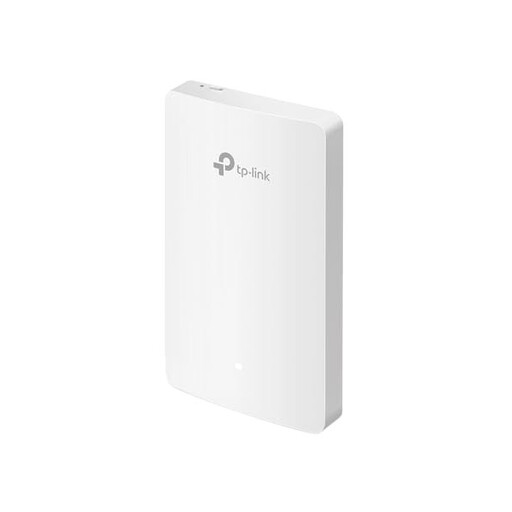
For a study that has an existing network cable and needs Wi-Fi.
The product title specifies four Gigabit ports and centralised management. Check that the cable reaches your workspace and that the intended operating mode is right for your network.
 No image available
For a single area, if there is a suitable location for wireless extension or an Ethernet connection for access point mode.
The product title specifies dual-band Wi-Fi, a Gigabit port and access point mode. As a wireless repeater, the device should be placed roughly between the router and the area with a weak signal.
 No image available
For extending coverage to one area, provided there is still a usable connection to the router at the planned location.
The product title specifies dual-band Wi-Fi 7 and a 2.5 Gigabit Ethernet port. EasyMesh requires a compatible router; the stated Wi-Fi class is no guarantee of specific backup performance.
Back up and restore a test file from the place where you actually work. If you’re using a wireless repeater, also check the connection at its planned location; the stated Wi-Fi rates are no substitute for this real-world test.
Yes, if the device has the right operating mode and the cable reaches your destination. TP-Link describes an access point mode for the RE705X using its Gigabit Ethernet port; FRITZ! lists a Gigabit LAN port on the 1200 AX for a wired connection.
No. A network extender transmits data, but it doesn’t create a restorable backup. The German Federal Office for Information Security explains the importance of backups in protecting against data loss.
Check your router model against the specific mesh feature you want. TP-Link requires a compatible router for EasyMesh on the RE705X; this is separate from standard Wi-Fi extension.
Check the CE mark and the relevant EU Declaration of Conformity for the version of the device on offer. The German Federal Network Agency also lists product traceability and correct manufacturer details among the points it checks when monitoring the market.