A Wi-Fi repeater can improve access to a club archive on a poorly covered floor, provided it still has a decent connection to the router where it’s installed. If there’s a usable LAN connection to the floor you want to cover, an access point with a wired backhaul is less dependent on a wireless signal passing through floors. If you need coverage in several places, you could add more Wi-Fi access points. Mesh compatibility and access permissions for the archive need to be checked separately.
Which solution is right for you?
Archive users with a Wi-Fi dead spot
If you mainly use the club archive in one fixed location on another floor, look for a place to install a repeater where it can still get a decent connection to the router. Deutsche Telekom points out that walls, ceilings and multiple floors can weaken the Wi-Fi signal.
Homes with LAN on each floor
If you already have a network cable running to the place where you need Wi-Fi, check whether a compatible access point can be used there to provide wireless access with a wired backhaul. devolo describes this setup using existing cabling.
Users on several floors
If you access the archive from different rooms, check both how many Wi-Fi access points you need and whether your existing devices are compatible. Deutsche Telekom and TP-Link make the number of devices and mesh features dependent on the specific equipment and the conditions in your home.
What should you look for when choosing?
Wi-Fi repeater
A good fit if: You need coverage for one archive location and can find a spot with a decent connection to the router.
The trade-off: It works without cabling between floors, but depends on the wireless connection at the intermediate location.
LAN-connected access point
A good fit if: There’s a usable LAN connection to the router on the floor you want to cover, and the device supports the right mode.
The trade-off: The backhaul uses a cable, but you’ll need suitable cabling and a compatible device.
Multiple mesh access points
A good fit if: You need coverage across several floors or in different locations, and all the devices support the mesh features you want.
The trade-off: Additional units need suitable connections and well-chosen locations. Mesh won’t fix a weak connection between units.
Powerline mesh
A good fit if: There’s no suitable LAN connection or decent wireless route, and the electrical wiring at the installation location can be used to carry data.
The trade-off: TP-Link says the Deco PX10 transfers data between units over the electrical wiring. You’ll need to check whether this works in your home at the intended location.
| What matters |
What to check before buying |
Who is it most relevant to? |
| A decent wireless connection to the archive |
Check the router connection at the planned installation location and the signal at the actual archive location. |
If I want to connect one archive location without cabling between floors, the intermediate location is crucial. Around 36% of consumers prioritise a decent wireless connection to the archive location when choosing. |
| Backhaul over existing LAN |
Check that the network socket is connected to the router and that the model supports access point or LAN bridge mode. |
If you want to use a connection on the floor you need to cover, this can avoid relying on a wireless signal passing through the ceiling. Around 29% of consumers prioritise a LAN backhaul. |
| Mesh and multiple floors |
Check that the exact router and repeater models and, where necessary, the required firmware support the same mesh features. |
If I want to access the archive from several rooms, I need to plan the right Wi-Fi access points and how they’ll connect to one another. Around 21% of consumers prioritise coverage across multiple floors. |
| Access to the right archive network |
Find out whether the archive is stored locally or online, who needs access, and which Wi-Fi network or login they should use. |
If you first need to clarify the network setup or access permissions for the club archive, do this before choosing your devices. Around 14% of consumers prioritise clarifying archive access. |
Which mistakes should you avoid?
-
Putting the repeater right in the dead spot
A repeater extends a connection it receives. If ceilings or walls are already weakening its connection to the router where it’s installed, it won’t automatically solve the problem at the archive location.
Check potential intermediate locations for a decent connection to the router, then test access at the place where you’ll actually use the archive. Consider an existing LAN connection between floors as an alternative.
If the first location doesn’t provide a decent backhaul, you may need another Wi-Fi access point or a different way to connect.
-
Assuming every device with mesh is compatible
The mesh features you want to use across devices depend on the specific models. TP-Link requires a compatible router for EasyMesh; you should also check the model when using Speed Home WLAN devices.
Before buying, check the router model, device version and the mesh features each device supports.
-
Confusing better reception with archive access permissions
A separate guest Wi-Fi network may be isolated from your home network. So, extending Wi-Fi coverage won’t automatically give you access to a local club archive.
Before setting anything up, find out where the archive is stored, who needs access and which network users should connect to. The German Federal Office for Information Security explains how guest and home networks can be separated.
Relevant brands at a glance
FRITZ!
The FRITZ!Repeater 1200 AX is designed as a compact add-on for an existing Wi-Fi network, particularly when paired with a compatible FRITZ!Box.
- FRITZ! lists Wi-Fi 6, FRITZ! Mesh and a Gigabit LAN port.
- Mesh integration depends on your existing devices; this doesn’t tell you how well it will cover a specific three-storey home.
Deutsche Telekom
Speed Home WLAN is designed to extend a compatible Speedport network.
- Deutsche Telekom lists Wi-Fi 6, as well as Wi-Fi and Ethernet connections.
- Check your Speedport model and the exact device generation before choosing. The number of units you need can’t be determined simply by counting the floors in your home.
TP-Link
According to TP-Link, the RE705X can be used as a repeater or access point. The Deco PX10 is a separate mesh system that connects units over Powerline.
- TP-Link lists a Gigabit port and access point mode for the RE705X.
- EasyMesh requires a compatible router. You’ll need to check whether Powerline will work in your home at the intended location.
devolo
According to the manufacturer, the WiFi 6 Repeater 3000 is designed to provide an additional Wi-Fi zone and can work wirelessly or as an access point using existing LAN cabling.
- devolo lists Gigabit LAN and access point mode.
- A wired backhaul only offers an advantage if you have a usable LAN connection. Advertised wireless performance isn’t a measurement of how it will perform in your home.
Suitable products at Joybuy
This selection includes Wi-Fi repeaters, devices for wired access point use and kits with multiple Wi-Fi access points to suit different ways of connecting around the home.
 No image available
1200 MBit/s 5GHz Wi-Fi Repeater
An option if you want to choose between repeater and access point modes, depending on the connection available at the installation location.
The product name specifies 1200 MBit/s and 5GHz.
Joybuy
 No image available
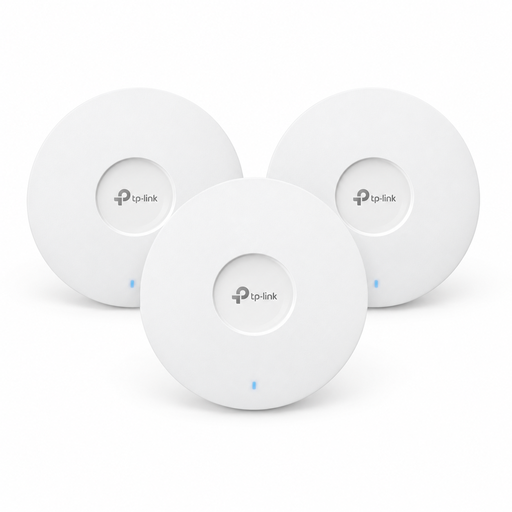
TP-Link Omada EAP653 AX3000 Wi-Fi 6 Access Point, three-pack
This kit is an option if you’re planning to install access points in several locations and can set up a suitable connection between them.
The product name specifies Wi-Fi 6 and three access points. The described installation uses PoE+; a 12-V-DC adapter, sold separately, is also mentioned as an option.
Joybuy
 No image available
MERCUSYS ME80X Wi-Fi 6 Range Extender
It may suit you as a Wi-Fi repeater if there’s still a connection to the router at the intermediate location. If you have usable LAN, its access point mode may be worth considering.
The product name specifies AX3000, dual band and a Gigabit port. For wireless use, it should be installed within range of the router.
Joybuy
 No image available
TP-LINK RE235BE BE3600 Dual-Band Wi-Fi 7 Range Extender
A way to extend an existing Wi-Fi network. EasyMesh is only relevant if your router also supports the feature you want.
The product name specifies Wi-Fi 7 and a 2.5G Multi-Gigabit port. For wireless use, the instructions require the device to be placed within range of the existing router.
Joybuy
 No image available
MERCUSYS Halo H25BE Mesh Wi-Fi Set, two-pack
This kit is an option if you want multiple mesh access points. The second unit needs to be placed within range of the first.
The product name specifies Wi-Fi 7 and three Gigabit ports per unit. According to the setup guide, one unit connects to the modem by Ethernet and acts as the main router.
Joybuy
Frequently asked questions
Where should I place the repeater?
Choose a possible intermediate location where the repeater can still get a decent connection to the router and from which it can reach the archive. Deutsche Telekom points out that walls, ceilings and multiple floors can weaken the signal, so check the connection both at the planned location and where you’ll use the archive.
Can I use a repeater as an access point with a network socket?
Yes, provided the specific model supports this mode and the network socket is connected to the router and working. devolo describes this use for its WiFi 6 Repeater 3000 and 5400; TP-Link lists access point mode for the RE705X.
Why might I not be able to see a local club archive on guest Wi-Fi?
A guest Wi-Fi network may be separated from the home network, as the German Federal Office for Information Security explains. If the archive is on the home network, you’ll need to check the network setup and access permissions; a repeater won’t change those permissions.


