Joybuy products
This selection features wireless repeaters for extending an existing Wi-Fi network. To use one behind thick walls, there must still be a usable connection to the router at the planned location.
 No image available
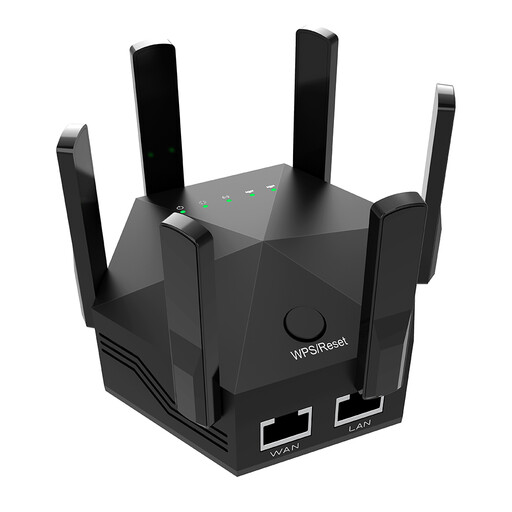
Dual-band Wi-Fi repeater, 1200 Mbit/s, 6 adjustable antennas, black
An option for extending your network wirelessly if the router’s Wi-Fi still reaches the intended location.
The product name lists 1200 Mbit/s and 6 adjustable antennas. The description lists two 10/100 Mbit/s LAN ports; the stated data rate does not guarantee the same throughput behind the archive walls.
View at Joybuy
 No image available
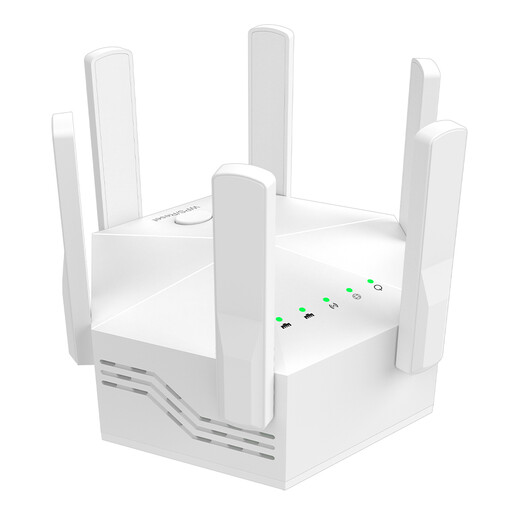
Dual-band Wi-Fi booster, 1200 Mbit/s, 6 adjustable antennas, white
Consider it for a wireless extension only if the router’s Wi-Fi is still available where you plan to place the device.
The product name lists 1200 Mbit/s and 6 antennas; the description says the external antennas are adjustable. According to the description, your router should support dual-band.
View at Joybuy
 No image available
Compact Wi-Fi booster
An option for extending an existing Wi-Fi network wirelessly, provided the router’s signal still reaches the location.
The description lists a compact design and plug-and-play set-up. No further details of ports or data rates are provided here.
View at Joybuy
 No image available
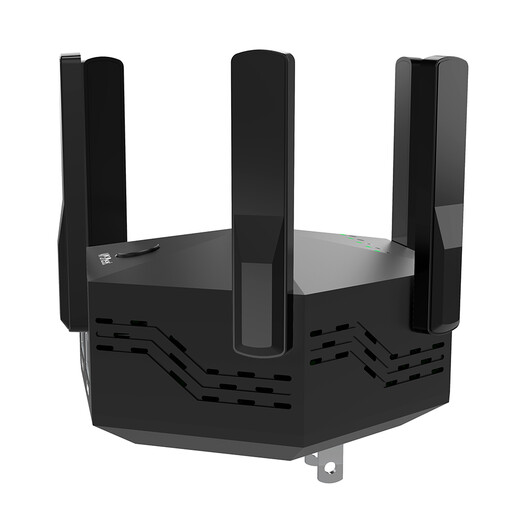
Dual-band signal booster, 1200 Mbit/s, 6 adjustable antennas
An option for extending your network wirelessly if there is still a connection to the router at the planned location.
The product name lists dual-band, 1200 Mbit/s and 6 adjustable antennas. The description says it is designed for indoor use and can be set up using WPS; the stated rate does not guarantee reception through a particular wall.
View at Joybuy
 No image available
TP-Link RE190 AC750 Wireless Repeater, 433 Mbps, white
A suitable option for a wireless extension only if the router’s Wi-Fi still reaches the intended location.
The product name lists AC750 and 433 Mbps. According to the instructions, the RE190 must be within range of the existing router Wi-Fi; a signal strength indicator is listed.
View at Joybuy
Frequently asked questions
Where should I place a wireless repeater in a club building?
Choose a location where both the connection to the router and the connection to devices in the archive are usable. Check both links there; simply placing it close to the archive is not enough. FRITZ! recommends carefully checking the repeater’s position.
Can a repeater with a LAN port bypass the wall using a cable?
Yes, if the specific model offers access point or LAN bridge mode and there is an Ethernet connection to the network. devolo describes access point mode for the WiFi 6 Repeater 5400; ASUS also lists an access point mode for the RP-AX50.
What should I check when using powerline in the archive?
Test the connection at the sockets you actually plan to use, and watch out for possible interference from other electrical devices. devolo also notes that interference is possible with some VDSL set-ups.
How can I keep visitors off the archive network?
If your router supports it, set up a separate guest network and check that it remains separate at the archive. The BSI describes a guest network as separate from the rest of the network.
What should I check when buying a Wi-Fi device in Germany?
For the specific device, check details such as the CE marking, manufacturer and product information, and instructions and warnings in German. The Federal Network Agency lists these points in connection with market surveillance of radio equipment; a model name alone does not prove that a device on offer meets all the requirements.


