
Lieferung heute & morgen

Qualitätsgarantie

Willkommens-Angebote freischalten: KOSTENLOSE Lieferung | Bis zu 80 % RABATT | Kostenlose 30-Tage-JoyPlus-Testphase
App herunterladen
By the Joybuy Product Recommendation Officer, August 29, 2026
Buffering video streams in the bedroom, dropping video calls in the home office, or an unstable connection on the patio—dead zones in your home Wi-Fi are a common frustration. A Wi-Fi extender promises a quick fix, but the market is crowded and full of technical promises that often don't hold up in practice. Before you make a purchase, it's crucial to understand the most common pitfalls to avoid a wasted investment.
Many users grab the first device they see, lured by high-speed claims, only to find that the problem is barely solved. The three most common sources of error are:
To meaningfully increase your Wi-Fi range, you should focus on a few crucial technical features. These determine whether a device will solve your problem or just shift it.
The most fundamental decision concerns the type of network extension. Both systems have their place, but they are suited for different living situations.
The Wi-Fi standard (IEEE 802.11) defines the speed and efficiency of data transmission.
These two features are essential for performance.
Based on these objective criteria, we have identified a few models that are well-suited for specific user profiles.
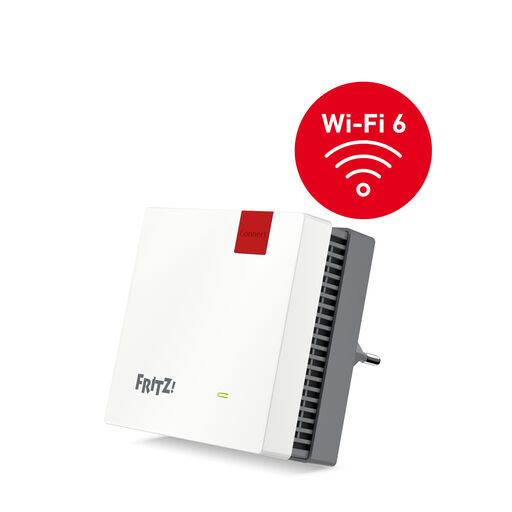
Why This Fits Their Persona: Ideal for users who want to eliminate a specific dead zone in their home office or living room. The combination of Wi-Fi 6 and seamless integration with existing FRITZ!Box networks makes it a straightforward and powerful solution for apartments.
Thanks to Dual-Band Wi-Fi 6 and intelligent cross-band repeating, it completely avoids the performance-halving trap of single-band devices. The connection remains fast and stable.
Features a Gigabit LAN port for a stable wired connection. Simple setup via WPS button, especially when paired with a FRITZ!Box router.
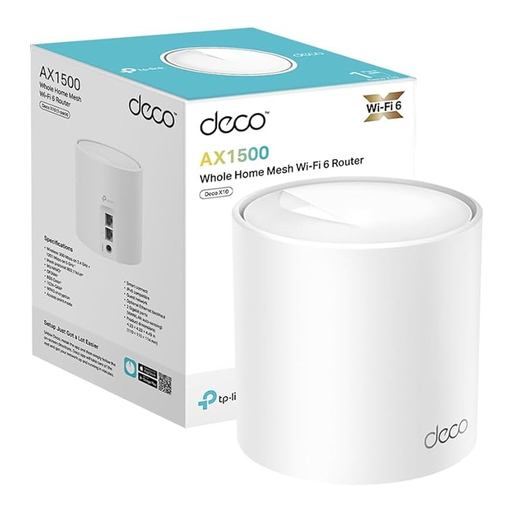
Why This Fits Their Persona: Perfect for families and users in larger homes who need gap-free coverage. As part of a mesh system, this unit ensures seamless roaming without connection drops as you move through the house.
This device bypasses the trap of insufficient coverage from a single repeater. As a mesh node, it creates a unified, intelligent network instead of just mirroring a signal.
Offers Wi-Fi 6 to efficiently serve many devices. The easy setup and management via an app, including parental controls, is particularly family-friendly.
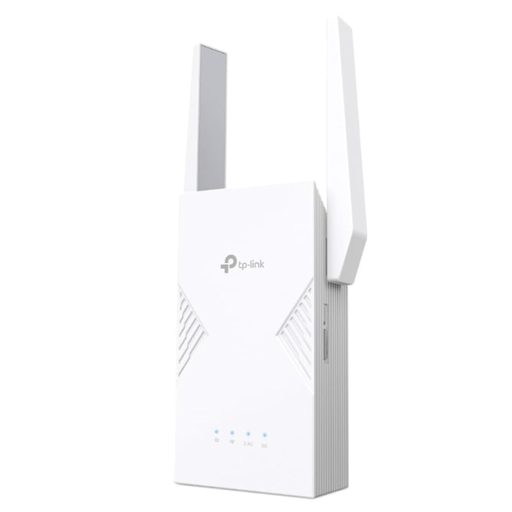
Why This Fits Their Persona: For tech enthusiasts and gamers who refuse to compromise on speed and latency. This device is a future-proof investment to get the most out of high-speed internet connections.
This model escapes the trap of theoretical speed promises by actually delivering higher throughput and lower latency with Wi-Fi 7 and MLO technology.
The 2.5G Multi-Gigabit port enables wired connections that are faster than standard Gigabit Ethernet. EasyMesh compatibility allows for building a flexible, high-performance network.
We've compiled a complete, up-to-date list of products that fully meet these strict selection criteria and German safety regulations.
1. How do I set up a Wi-Fi extender correctly? Setup is usually straightforward via a WPS button or a smartphone app. The key is placement: don't plug the extender directly into the dead zone, but place it halfway between your router and the area you want to cover. In this position, it can still receive a strong signal from the router and re-broadcast it effectively. Many devices have a signal strength indicator to help you find the optimal location.
2. Does a Wi-Fi repeater slow down my internet speed? A modern dual-band repeater with cross-band repeating functionality should not noticeably slow down your speed. It uses one frequency band to communicate with the router and the other to communicate with your devices, which prevents a bottleneck. However, with very old or cheap single-band repeaters, you may experience a halving of the data rate.
3. What is the difference between a Wi-Fi repeater and a mesh system? A repeater extends the signal of your existing router and acts as a separate signal source. You essentially have two access points. A mesh system replaces or supplements your current Wi-Fi with multiple nodes that work together to form a single, large, and intelligent network. Your devices switch seamlessly between nodes without losing connection. For complete coverage in larger or more complex living areas, a mesh system is the more robust solution.