
Lieferung heute & morgen

Qualitätsgarantie

Willkommens-Angebote freischalten: KOSTENLOSE Lieferung | Bis zu 80 % RABATT | Kostenlose 30-Tage-JoyPlus-Testphase
App herunterladen
A choppy video meeting in your home office, buffering while streaming in the living room, or an unstable connection during online gaming—Wi-Fi dead spots in your home are a common annoyance. Often, the problem isn't your internet connection itself, but the limited range of your Wi-Fi router. A Wi-Fi repeater, also known as a Wi-Fi extender, is an effective and often cost-efficient solution to expand the signal and ensure stable coverage in every room.
This guide is designed to help you navigate the options. It explains the key technical features and presents a selection of devices for different needs, enabling you to make an informed decision to extend your Wi-Fi range.
Choosing the right device depends on your router, the size of your home, and your usage habits. The following three criteria are essential for making the right decision.
The Wi-Fi standard (IEEE 802.11) defines the maximum speed and efficiency of data transmission. For optimal performance, the Wi-Fi repeater should support at least the same standard as your router.
Wi-Fi signals are transmitted on different frequency bands. A dual-band repeater is the standard recommendation today.
A dual-band device can use both frequencies simultaneously. Modern repeaters often use cross-band repeating technology, where the connection to the router runs on one band and the connection to end devices runs on the other, which minimises speed loss.
Additional features can significantly enhance a repeater's utility.
Based on the criteria mentioned, we have compiled a selection of models that cover different use cases.
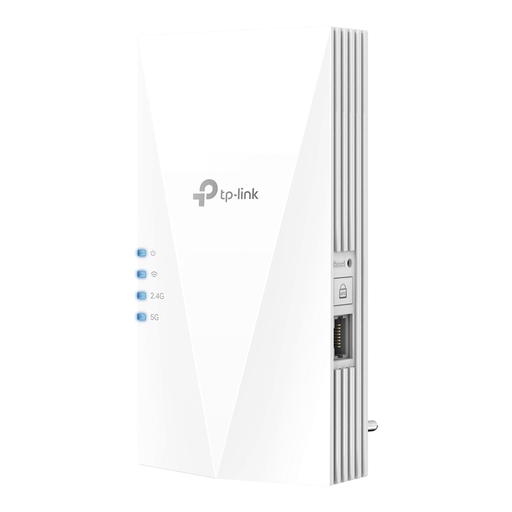
Why This Model Stands Out
The TP-Link RE700X is a high-performance Wi-Fi 6 repeater designed for demanding applications like 4K streaming and online gaming. With a combined data rate of up to 3000 Mbps in dual-band mode, it ensures fast and stable coverage. The integrated Gigabit LAN port makes it a flexible solution, as it can also function as an access point to equip a wired network with Wi-Fi capabilities.
Benefits
Who is this model for? Users with a Wi-Fi 6 router who need high performance for data-intensive tasks across multiple rooms and appreciate the flexibility of a LAN port.
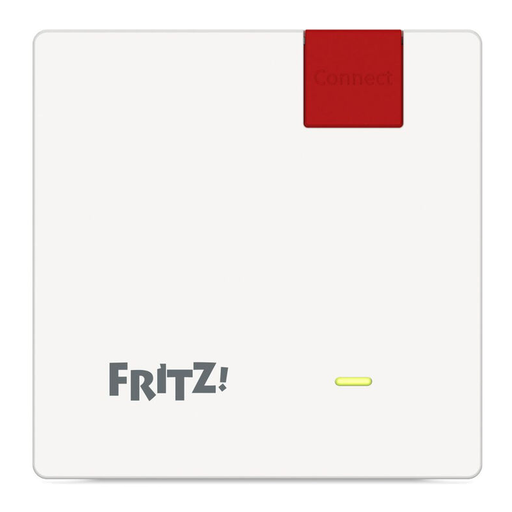
Why This Model Stands Out
The FRITZ!Repeater 600 is distinguished by its ultra-compact design and ease of use. It is specifically optimised for seamless integration into an existing FRITZ!Box home network and establishes a stable mesh network at the push of a button. With a focus on the 2.4 GHz band and low power consumption of around 2 watts (according to the manufacturer), it is a discreet and energy-efficient solution for eliminating smaller Wi-Fi dead spots.
Benefits
Who is this model for? FRITZ!Box owners or users looking for a straightforward, low-power solution to improve range for basic internet applications like browsing and email in a specific area.
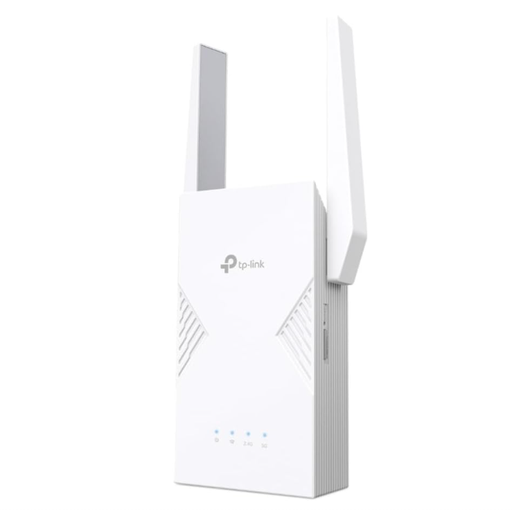
Why This Model Stands Out
The TP-Link RE235BE brings the power of the latest Wi-Fi 7 standard to your home network. With technologies like Multi-Link Operation (MLO), which increases data throughput and reduces latency, this device is built for the highest demands. A standout feature is the 2.5 Gigabit LAN port, which provides an ultra-fast connection for wired devices. Thanks to EasyMesh compatibility, it can also flexibly build a mesh network with routers from other manufacturers.
Benefits
Who is this model for? Tech-savvy users, gamers, and professional users with fibre-optic connections who are looking for a future-proof, high-end solution to get the most out of their network.
The models presented cover common scenarios, but the market offers a wide variety of other solutions. If you are looking for a device with different specifications or for a specific budget, it's worth taking a look at the entire range.
Discover our full range of signal boosters and find the perfect solution for your home.
A classic Wi-Fi repeater receives the signal from your router and re-broadcasts it under its own or the same network name. When switching between access points, brief interruptions can occur. A mesh repeater is part of a system where multiple devices (nodes) create a single, expansive Wi-Fi network with one name. The handoff between nodes is seamless, which is ideal for moving around in larger apartments or houses.
The ideal position for a Wi-Fi repeater is halfway between your router and the area with poor reception (the "dead spot"). It is crucial that the repeater can still receive a strong and stable signal from the router at this location. Many devices have an LED indicator that shows the signal strength to the router, helping you find the optimal placement.
With older, single-band repeaters, bandwidth could be halved because they had to send and receive on the same frequency band. Modern dual-band repeaters largely bypass this problem through "cross-band repeating": they receive data on one band (e.g., 5 GHz) and transmit it on the other (e.g., 2.4 GHz). This significantly minimises speed loss and boosts a stable Wi-Fi signal.