What to look for when buying
Wi-Fi extender
A good fit if: There’s still a usable connection to the router at a midway point.
Bear in mind: An extender placed in a Wi-Fi dead zone can’t make up for a missing router signal.
Access point via Ethernet
A good fit if: A usable network cable reaches the other floor and the device has a suitable access point mode.
Bear in mind: The cable route and set-up need to work with the specific model.
Powerline with Wi-Fi
A good fit if: There’s no suitable midway point or Ethernet connection, and the connection works well from the intended sockets.
Bear in mind: According to devolo, your choice of socket and electrical interference can affect transmission.
For a live lecture, what matters is whether the connection works well where you actually study, even when other devices are in use – not just the advertised data rate.
| What you need |
What to check before buying |
Who it matters to |
| A usable wireless connection between floors |
Check possible midway positions and sockets; when setting up, look at the connection indicator. |
If I want to study on another floor, I need somewhere to put the extender where it can still reach the router. Around 36% of consumers are likely to give this wireless connection top priority. |
| A reliable connection during the live lecture |
Test it where you study and consider whether other devices will be using your home network at the same time. |
For anyone watching a live lecture who relies on a connection at their actual study spot, this is likely to be the main concern for around 29% of consumers. |
| Making use of existing Ethernet |
Check the cable route and router connection, and confirm the exact model supports access point or LAN bridge mode. |
If there’s a network cable running to the floor I need, I’d rather use it than rely on a wireless connection between floors. Around 21% of consumers are likely to prioritise Ethernet. |
| An alternative when there’s no wireless connection or Ethernet |
Choose a complete kit and test the connection using the intended wall sockets. |
If there’s no suitable wireless position and no Ethernet cable, I want to try Powerline using the sockets in my home. Around 14% of consumers are likely to put this alternative first. |
Joybuy Wi-Fi extenders
The Joybuy products below are Wi-Fi extenders for use at a midway point; some models also offer an access point mode for a wired connection.
 No image available
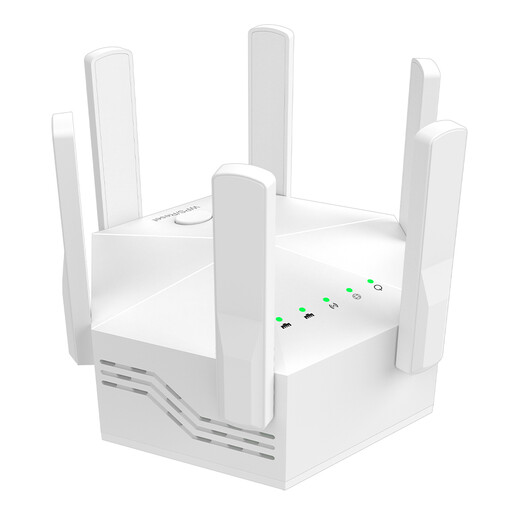
Dual-band Wi-Fi booster, 1,200 Mbit/s
May work as a Wi-Fi extender if the router’s Wi-Fi still reaches the chosen midway point.
Dual-band; advertised data rate of 1,200 Mbit/s; six antennas; EU plug.
View at Joybuy
 No image available
Compact Wi-Fi booster
For extending an existing Wi-Fi network; as an extender, it needs to receive the router’s signal where it’s placed.
Compact design; plug-and-play set-up according to the product description.
View at Joybuy
 No image available
TP-Link RE190 AC750 Wi-Fi extender
For a midway point where the router’s signal still reaches; the signal strength indicator helps you find a suitable position.
Dual-band Wi-Fi; 433 Mbps according to the product name; WPS set-up and signal strength indicator according to the product description.
View at Joybuy
 No image available
MERCUSYS ME80X Wi-Fi 6 Range Extender, AX3000
Can be used as a Wi-Fi extender at a suitable midway point or in access point mode with Ethernet.
Dual-band; 574 Mbps at 2.4 GHz and 2,402 Mbps at 5 GHz according to the product name; Gigabit port; app control; signal strength indicator; AP mode.
View at Joybuy
 No image available
TP-Link RE235BE BE3600 Dual-Band Wi-Fi 7 Range Extender
For extending Wi-Fi where the router’s signal reaches; the product description also lists an access point mode via Ethernet.
Dual-band; 2.5G Multi-Gigabit port; MLO; Smart Roaming; EasyMesh compatible according to the product name.
View at Joybuy
Frequently asked questions
Where should I put a Wi-Fi extender for my lecture?
Place it between the router and your study area, where it can still receive the router’s Wi-Fi signal. TP-Link suggests starting roughly halfway between them. Check the connection at the exact spot and move the device closer to the router if reception is weak.
Will any mesh extender work with my router?
No. The word “mesh” on its own doesn’t guarantee compatibility. TP-Link says EasyMesh requires a compatible router. For Speed Home WLAN, Deutsche Telekom distinguishes between routers with and without a built-in mesh base. Check the exact device models and the recommended set-up.
What do I need for Powerline Wi-Fi across several floors?
For setting up a new Magic Powerline network, devolo says the Magic 2 WiFi 6 next Starter Kit includes two adapters. Test the connection using the intended wall sockets, as devolo notes that sockets and electrical devices can affect transmission.
What should I check when buying a wireless device for the German market?
For electrical and electronic devices sold in Germany, the Bundesnetzagentur lists requirements including correct CE marking, device and manufacturer identification, and German-language instructions for non-commercial users. Check these details on the specific product listing; a product title alone doesn’t confirm them.


