Audiobook fans with a Wi-Fi dead spot
If you download audiobooks on one floor while your router and internet connection are elsewhere, first check reception where you listen and whether there’s a suitable place for an additional Wi-Fi point.


If your internet connection is working and reception is poor only where you listen, a suitably positioned Wi-Fi extender is usually the obvious first step. If several floors have weak coverage, the key question is how the additional Wi-Fi points connect to the router: existing Ethernet cabling can replace the wireless backhaul; without cables, the points need to be placed where reception is strong enough. Replacing the main router is more likely to be the right option if your existing device is unsuitable or incompatible with your connection.
If you download audiobooks on one floor while your router and internet connection are elsewhere, first check reception where you listen and whether there’s a suitable place for an additional Wi-Fi point.
If you need reception in several areas, it’s important to know whether the Wi-Fi points can connect to one another using existing network cables or a wireless connection.
If you want to keep your main router, check that the connections and operating mode of your planned extender will work with your existing home network.
A good fit if: Your internet connection and main router work, but Wi-Fi is poor mainly where you listen.
Bear in mind: A wireless repeater needs to be placed somewhere it can still receive a usable signal. FRITZ! describes the FRITZ!Repeater 3000 AX as an extension for a home network.
A good fit if: You have usable network cabling between floors and need Wi-Fi in several areas.
Bear in mind: The cable route, available ports and operating mode all need to be suitable. TP-Link says Deco X50 supports optional Ethernet backhaul; according to TP-Link, some Deco router features are unavailable in Access Point mode.
A good fit if: Several floors need Wi-Fi and you can place additional nodes where the signal is strong enough.
Bear in mind: The connection between nodes can become a bottleneck. TP-Link describes the Deco BE25 as a dual-band system; the Wi-Fi 7 model name alone does not mean it’s a tri-band system.
A good fit if: There’s no Ethernet connection between floors and you can’t establish a suitable wireless backhaul.
Bear in mind: Performance can vary depending on the socket and sources of electrical interference. devolo says Magic adapters form a mesh with one another, but older dLAN adapters are not supported.
A good fit if: Your existing main device is unsuitable or you’re changing your internet connection.
Bear in mind: The new device needs to work with your DSL, cable or fibre connection, modem and any telephone features you need. Changing your router won’t automatically fix weak reception caused by several floors.
| Priority | What to check before buying | Who is this particularly important to? |
|---|---|---|
| Reception where you listen | Rooms with a weak signal and potential locations for an additional Wi-Fi point; an Ethernet connection if needed. | If I want to download audiobooks in a particular place, reception right there matters to me. Around 31% of consumers prioritise reception where they listen. |
| Connection between floors | Existing Ethernet sockets and cable routes; for a wireless connection, reception where you plan to place the node. | If several floors need coverage, I need a suitable way to connect the Wi-Fi points. Around 31% of consumers prioritise this connection between floors. |
| Keeping your existing router | Router model, connections and the mesh features you want; check whether Router or Access Point mode is appropriate. | If my main router works, I first want to know whether an extender will work with it. Around 23% of consumers mainly want to continue using their existing router. |
| Connection type and overall cost | Before replacing your router, check your connection type, modem and telephone features; for kits, consider how many units and cables you’ll need. | If I’m considering replacing my router, I want to avoid buying the wrong thing or needing unnecessary extra devices. Around 15% of consumers primarily check compatibility with their connection and the overall cost. |
The connection between mesh nodes and where you place them affect the signal you get on another floor. Manufacturers’ figures don’t tell you what the reception will be like where you listen.
Check reception at the intended location and consider the possible backhaul to the router before comparing model specifications.
Depending on your connection, you may need an additional modem.
devolo notes that transfer speeds can be low at individual sockets and that sources of electrical interference can have an effect.
Try the sockets you plan to use in everyday conditions and, if available, compare Powerline with an Ethernet connection between floors.
A targeted way to extend an existing home network, particularly if you already have a FRITZ!Box.
The Deco X50 and Deco BE25 are multi-unit mesh options, with features that vary by model.
Magic 2 WiFi next Powerline with Wi-Fi may be an option if a wireless backhaul between floors is difficult and there’s no Ethernet connection.
Orbi systems connect a router and satellites; the right connection type depends on the specific kit.
The Joybuy products below include Wi-Fi repeaters for extending an existing network and mesh kits for covering several rooms. In a three-storey home, check in particular whether an additional Wi-Fi point can connect via Ethernet or from a location with a strong enough wireless signal.
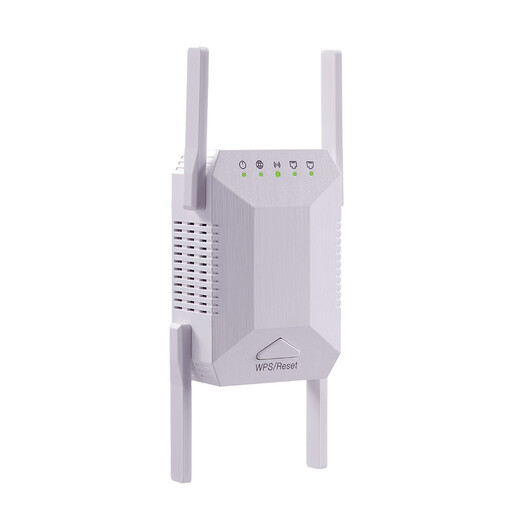 No image available
For extending an existing Wi-Fi network to an area with a weak signal; the repeater’s location must still be within reach of the existing Wi-Fi.
Four adjustable antennas and two Ethernet ports, according to the product description.
 No image available
For Wi-Fi coverage in several areas of the home; check that the planned locations for the units will allow them to connect to one another properly.
Dual-band Wi-Fi, three units and two Gigabit Ethernet ports per unit, according to the product description; Router or Access Point mode and automatic roaming are also listed.
 No image available
For Wi-Fi coverage in several areas using two mesh units; check reception at the planned locations for the nodes.
Dual-band Wi-Fi and three Gigabit ports per unit, according to the product description; roaming between units is also listed.
 No image available
For extending an existing Wi-Fi network; according to the product description, the extender should be within range of the router.
A 2.5-Gigabit Ethernet port and EasyMesh compatibility are listed in the product description.
 No image available
For Wi-Fi in several areas of the home; position the two mesh units so they stay connected to each other.
Dual-band Wi-Fi, Gigabit Ethernet ports and roaming between units are listed in the product description.
Where possible, test your internet connection separately from the Wi-Fi signal where you listen. The Federal Network Agency offers a desktop app for measuring broadband speeds on fixed-line connections; if reception is poor on just one floor, it’s worth checking your home network too.
Yes. TP-Link describes using a Deco system behind an existing router in Router or Access Point mode. In Access Point mode, the existing router remains responsible for certain network functions; according to TP-Link, some advanced Deco features are then unavailable.
According to the consumer advice centre, if you use your own router instead of a device managed by your provider, you’re responsible for setting it up and installing updates. Also follow the relevant manufacturer’s guidance for additional Wi-Fi points.
In principle, you’re free to choose your own device at the network termination point. On 22 January 2025, the Federal Network Agency confirmed that this also applies to passive optical fibre networks; the device you choose must be technically compatible with your connection.
According to the Federal Network Agency, there’s no need to register a Wi-Fi network used solely for private purposes. However, you still need to comply with the applicable radio spectrum rules.