Viewers on several floors
If you want to watch the concert in different parts of your home, both the connection to your playback device and the link between mesh units matter.


First, check whether the problem lies with your internet connection or only occurs where you’re trying to get online. A new router won’t fix a weak broadband connection. If your current router works reliably and only one area has poor reception, a targeted extension may be enough. If several floors have weak coverage, mesh could be the answer, provided the units have a reliable connection to one another. For watching, the download speed where you’re streaming matters; if you’re broadcasting, upload speed is particularly important too.
If you want to watch the concert in different parts of your home, both the connection to your playback device and the link between mesh units matter.
Existing network cables can provide a wired backhaul. Check whether your chosen system supports Ethernet backhaul.
If only certain areas have poor Wi-Fi reception, an extension could be an alternative to replacing your entire router. The key is how the particular system is set up.
A good fit if: Your broadband connection and router work reliably, but some areas have weak reception.
Worth noting: Check how the system connects. If you’re using the FRITZ!Mesh Set 4200 behind a third-party router, the first mesh unit needs a LAN connection to the router.
A good fit if: You need coverage across several floors and usable network cables run between the units.
Worth noting: You’ll need cables and suitable ports at the intended locations.
A good fit if: There’s no LAN connection between the units, but a usable wireless connection is available at the locations you’re considering.
Worth noting: The wireless link between units can itself become a bottleneck.
Worth considering if: Neither LAN nor a reliable wireless backhaul is available, and you have suitable power sockets.
Worth noting: Performance depends on your home’s electrical wiring and any sources of interference.
| Buying criterion | What to check before buying | Who it matters most to |
|---|---|---|
| Reception at your screen | Test at the places where you’ll actually watch; check whether you can connect your TV or streaming device by LAN. | If I want to watch the concert on a particular screen without interruptions, the connection needs to be reliable there. Around 36% of consumers are likely to have reception as their main concern. |
| Connection between units | Check for existing LAN cables and ports. If there are no cables, test the wireless connection at the planned location. Assess Powerline using the sockets you’ll actually use. | If you want coverage across several floors, check the connection between the units as well. Around 29% of consumers are likely to consider this backhaul their top priority. |
| Broadband connection and router | Measure your broadband speed separately from Wi-Fi, and check the system’s intended operating mode and any cables it needs. | If I want to keep my router or broadcast my own stream, I need to check that my connection and setup are suitable. For broadcasting, upload speed is especially important. Around 21% of consumers are likely to have this as their main concern. |
| Set contents and ongoing use | Check the pack size and contents of the exact version you’re buying. Find out about firmware updates and any extra services for that model. | If you want to keep track of how many units you need and the ongoing running costs, compare the versions and their maintenance requirements. Around 14% of consumers are likely to have running costs and upkeep as their main concern. |
Streaming depends on both your broadband connection and your home network. Manufacturers’ stated wireless speeds don’t tell you how fast your broadband is or what reception will be like in a particular spot.
Check your broadband and Wi-Fi separately. For watching, download speed where you’re streaming matters; if you’re broadcasting, upload speed is particularly important.
This can help you avoid replacing your router unnecessarily if the real problem is your broadband connection.
With wireless backhaul, the unit itself needs a good connection to the rest of your network. A mesh node can’t simply bridge an unusable connection at its location.
Test possible locations first. If you have existing cabling, check whether the system supports Ethernet backhaul.
Product ranges are available in different pack sizes. A single unit won’t automatically provide stations for several locations.
Check the exact pack size and what’s included, but don’t assume this guarantees coverage on every floor.
Electrical appliances and nearby sockets can affect the signal over your home’s electrical wiring.
Test Powerline using the sockets you intend to use and check the actual connection. If LAN is available, you can also try a wired backhaul.
If the sockets don’t provide a usable connection, you may need to try a different location or solution.
The FRITZ!Mesh Set 4200 is listed as a three-unit set with three FRITZ!Repeater 3000 AX devices. According to the manufacturer, it can also be used with an existing router.
The Deco models covered here include the Wi-Fi 6 X50 system, which offers optional Ethernet backhaul, and the Wi-Fi 7 BE25 system, with two 2.5 Gbit/s ports on each unit.
The ZenWiFi XD5 is a Wi-Fi 6 mesh option. ASUS describes Ethernet backhaul and compatibility with AiMesh routers.
Magic 2 WiFi 6 next is a Powerline and Wi-Fi alternative if the wireless connection between floors is unreliable and you don’t have LAN cabling.
This selection includes mesh systems for several Wi-Fi locations, as well as a wired UniFi access point. Before buying, check that the operating mode, your existing cabling and the number of units suit your home.
 No image available
The set includes two mesh units and offers router and access point modes. Check that the number of units and operating mode suit your setup.
Wi-Fi 7, dual-band and Gigabit WAN/LAN ports on each unit.
 No image available
The three units create a single mesh network. The access point mode may be useful if you want to connect the system to an existing router.
Dual-band Wi-Fi and Gigabit ports on each unit.
 No image available
The three mesh units are designed to provide reception in several areas. Test the connection at your planned locations before assuming they’ll cover every floor.
Dual-band Wi-Fi and Gigabit Ethernet ports on each unit.
 No image available
The set includes two units. According to the product description, the second unit should be placed within range of the first.
Wi-Fi 7, dual-band and three Gigabit ports on each unit.
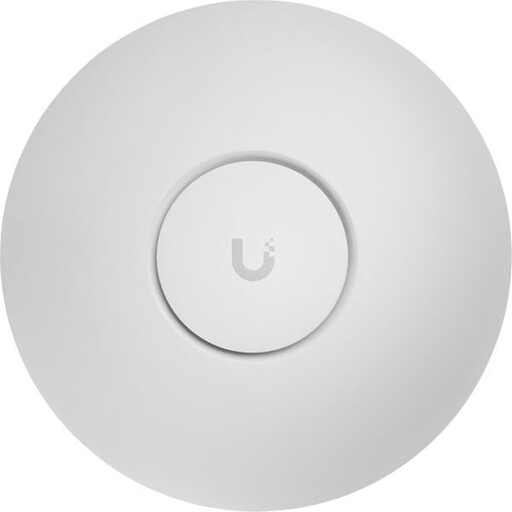 No image available
This access point is designed for a wired Ethernet connection. Check that you have the required PoE+ power supply and infrastructure.
Tri-band, 2.5GbE and PoE+. Requires PoE+ (802.3at); configured through UniFi Network.
Check your internet connection at the router, or by cable if possible, and compare it with measurements at the place where you plan to watch. Germany’s Federal Network Agency provides a broadband speed test for your connection; you should also test the Wi-Fi where you’ll be using it.
It depends on the service, picture quality and whether you’re watching or broadcasting. Netflix recommends at least 5 Mbit/s for Full HD and 15 Mbit/s for UHD/4K content; these figures aren’t a general recommendation for every concert platform. If you’re broadcasting, YouTube recommends matching your upload speed to the actual stream bitrate.
With wireless backhaul, place each unit somewhere it still has a sufficiently strong connection to the rest of your network. Then check reception at the screen you’ll use for the concert. If you have LAN cabling, a wired backhaul supported by your system can replace the wireless link between units.
Not necessarily. According to FRITZ!, the FRITZ!Mesh Set 4200 can be used behind a router from another brand. In this configuration, the first mesh unit must be connected by LAN, and separating the networks can restrict access between devices. Check the intended operating mode for other systems.
Check how many units are included in the particular set and whether you’ll need additional units or cables for your planned locations. Germany’s Federal Office for Information Security recommends keeping your router’s firmware up to date. Also check the support available and any extra services for the exact version you’re buying.