Viewers in a Wi-Fi dead zone
You want to watch a recording in a room where the router’s Wi-Fi signal is weak. It’s important to find a spot for the extender where it can still get a usable connection to the router.


A Wi-Fi extender can help if the signal is weak where you want to watch or make a call, and the extender can still get a usable connection to the router from its own location. If you have an Ethernet cable running to the area you want to cover, an access point or LAN bridge may be a better option. What matters is the connection where you place the device and its compatibility with your router — not just its advertised maximum Wi-Fi speed. An extender also can’t make up for an inadequate internet connection.
You want to watch a recording in a room where the router’s Wi-Fi signal is weak. It’s important to find a spot for the extender where it can still get a usable connection to the router.
While the recording is playing, other devices need a connection for two-way video calls. Check how well everything works together where you plan to use it, rather than relying solely on advertised peak Wi-Fi speeds.
If an Ethernet cable reaches the room you want to cover, you could consider an extender with a suitable access point or LAN bridge mode. Whether it can use a wired backhaul depends on the device’s operating mode.
First, check whether a wireless midway point can get a usable connection to your router, or whether an existing Ethernet cable makes an access point a better choice.
| What you need | What to look for | Who should pay particular attention? |
|---|---|---|
| Signal and placement | Check the connection indicator at the planned midway point, then test the signal in the room you want to cover. | If you want to watch a film in a room with a weak signal, you’ll need a spot where the extender can still reach the router. Around 33 % of consumers put wireless coverage in the area they want to use first. |
| Using multiple devices at once | Test the recording and video calls at the same time. Take the requirements of the services and settings you actually use into account. | If people at home will be streaming and making calls at the same time, you’ll want to know whether both work where you plan to use them. Around 27 % of consumers pay particular attention to using multiple data streams at once. |
| Router compatibility | Check your router model and whether it’s compatible with the specific mesh features you want. | If you want to expand an existing mesh system, the extender should support the features you need with your router. Around 20 % of consumers prioritise mesh integration. |
| Wired backhaul | Check whether an Ethernet connection is available in the area you want to cover, which operating mode you’ll need and whether there are enough ports for your devices. | If an Ethernet cable reaches the room you want to cover, you can provide Wi-Fi there without using a wireless connection back to the router. Around 20 % of consumers prioritise a wired connection. |
Even if your devices can see the new Wi-Fi network, the extender’s connection to the router may be too weak.
First, look for a midway point with a usable connection to the router. If there’s no suitable wireless connection there, consider access point or LAN bridge mode if you have an Ethernet cable.
An unsuitable location could mean you need to switch to a different type of connection.
An advertised Wi-Fi data rate doesn’t tell you what internet connection will actually be available where you place the device.
Check the requirements of your video and calling services, then test both at the same time where you plan to use them.
The mesh features you want depend on the specific combination of router and extender.
Before you buy, check your router model and the documented compatibility for the feature you want.
The mesh feature you want may not work with your existing router.
If you have a compatible FRITZ!Box, the documented mesh integration of FRITZ!Repeaters is worth considering. The FRITZ!Repeater 1200 AX also has Gigabit LAN.
The RE705X is an option to consider if you need an extender with a wired access point mode.
The WiFi 6 Repeater 5400 is worth considering as an alternative if you need two RJ45 ports and an Ethernet access point mode.
Speed Home WLAN is relevant for households using a compatible Speedport or Speed Home setup.
The following Joybuy product options include Wi-Fi extenders for extending wireless coverage, as well as models with access point mode for a wired connection.
 No image available
An option to consider if you’re looking for a Wi-Fi extender with access point mode for a wired connection.
The description lists two RJ45 ports and an access point mode.
 No image available
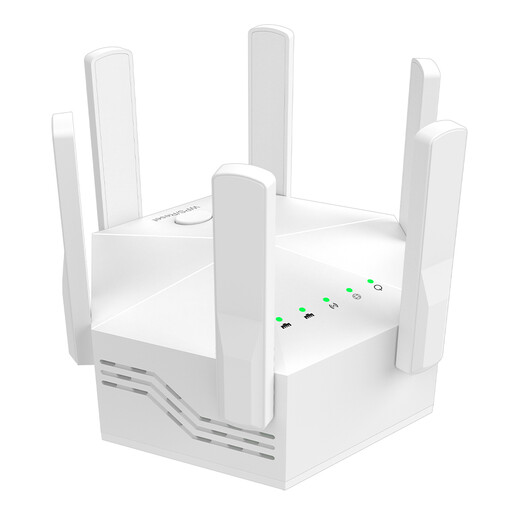
An option for extending wireless coverage if your existing router supports dual-band Wi-Fi.
The description lists six adjustable external antennas and an EU plug for indoor use. Your router should support dual-band Wi-Fi.
 No image available
An option if you want to extend an existing Wi-Fi network into another room.
The description lists plug-and-play setup and the extension of an existing Wi-Fi signal for multiple devices.
 No image available
An option for extending wireless coverage if you also want to consider an access point mode and a signal strength indicator.
The description lists dual-band Wi-Fi, an access point mode and a signal strength indicator to help you choose where to place it.
 No image available
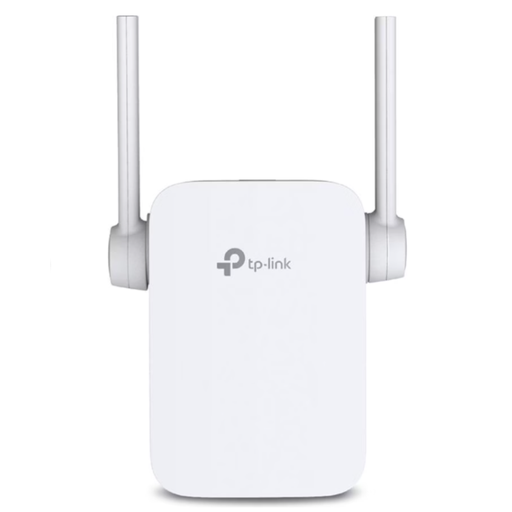
An option if you want to choose between extending your Wi-Fi wirelessly and using a wired connection in access point mode.
The description lists dual-band Wi-Fi, an Ethernet port and an access point mode. The port supports 10/100 Mbps in this mode.
There’s no service-specific minimum we can give without knowing the theatre platform and its picture quality. Netflix recommends 5 Mbit/s for its Full HD streams and 15 Mbit/s for 4K; these figures don’t automatically apply to a theatre recording or to the whole household. Also check the requirements of the calling service you actually use.
Choose a midway point where the extender still shows a usable connection to the router. Telekom recommends moving a Speed Home WLAN closer to the Speedport if the connection is weak. This won’t solve the problem if the device is placed outside the Wi-Fi range.
Not necessarily for basic Wi-Fi extension, but specific mesh features depend on compatibility. TP-Link says the RE705X needs an EasyMesh-compatible router for its EasyMesh feature. So check compatibility for the mesh feature you want separately from basic Wi-Fi connectivity.
Check the connection where you plan to use it and keep the firmware up to date. Deutsche Telekom warns that missed firmware updates can cause malfunctions and security vulnerabilities.
The German Federal Network Agency states that products covered by the relevant EU harmonisation legislation and placed on the market in the EU must carry the CE marking. The CE marking alone says nothing about a device’s Wi-Fi performance.