If you have a usable Ethernet connection between floors, an access point or LAN bridge mode that supports this setup could be a good option. That way, the connection to the router doesn’t have to pass through the ceiling over Wi-Fi. Without a cable, the planned location should still get a usable connection to the router, as a repeater can only extend an existing signal. Mesh features may require compatible devices and, in some cases, the right firmware. Make sure you secure your Wi-Fi and file sharing separately, too.
Which solution is right for you?
Teams with Ethernet between floors
If you regularly transfer project files and have a network connection to the other floor, an access point with a wired connection could be a good fit. devolo describes wired access point mode as a way to make use of existing network cabling.
Teams without cabling between floors
If you want to connect a repeater wirelessly, choose a location where it can still get a usable connection to the router. According to the manufacturer, the connection indicator on the devolo WiFi 6 Repeater 5400 can help you find a suitable spot.
Users with an existing mesh network
If you want to add several access points to an existing mesh, check that your specific router and devices are compatible. TP-Link and Telekom list requirements for their respective mesh features that vary by model.
What should you look for when buying?
| What you need |
What to check before buying |
Who is it important to? |
| Wired connection between floors |
Check for an existing network socket and an access point or LAN bridge mode that is explicitly supported. |
If we regularly transfer project files between floors and have a network socket there, we want to connect the access point via Ethernet. Around 36% of consumers put a wired connection between floors first. |
| Wireless connection to the router |
Check whether the repeater can still receive a usable connection from the router at the planned location. |
Without a cable between floors, I need a spot where the repeater can still receive Wi-Fi and reach the floor I want to cover. Around 29% of consumers prioritise a wireless connection between floors. |
| Mesh compatibility |
Check your router model, supported mesh features and any firmware requirements. |
If my router is already part of a mesh network, I only want to add more access points if device compatibility is confirmed. Around 21% of consumers put compatible mesh integration first. |
| Setup and features |
Check that the required operating mode works with your existing router. |
I want to extend my network without unnecessary extra features, so I make sure the operating mode and features suit my cabling. Around 14% of consumers prioritise a straightforward, practical way to extend their network. |
Common mistakes when choosing
-
Assuming the advertised Wi-Fi data rate is the same as the file transfer rate
A data rate quoted for a device model doesn’t tell you what transfer speed you’ll get across a particular floor-to-floor connection with your own devices.
Compare the operating modes you need and test the connection where you’ll actually use it, rather than choosing solely by the highest Mbit/s figure.
-
Assuming mesh support means automatic compatibility with your router
For EasyMesh Ethernet backhaul, TP-Link says that both the router and repeater must support the feature. Telekom also lists the Speedport Smart and Smart 2 as models that cannot act as the mesh base themselves.
Check your router model and any hardware and firmware requirements before buying. Depending on the mesh feature you want, you may need another compatible device.
-
Placing the repeater directly in a Wi-Fi dead spot
An additional access point still needs a usable connection to your existing network. If the signal is weak, Telekom recommends moving the device closer to the router or another Wi-Fi extender.
Check reception at the planned location. If it’s not good enough, consider another spot or a wired connection.
Key brands at a glance
FRITZ!
FRITZ!Repeaters are designed to extend a FRITZ! network.
- According to the manufacturer, the FRITZ!Repeater 3000 AX is a tri-band model with two Gigabit LAN ports; the 1200 AX has one Gigabit LAN port.
- Port specifications don’t guarantee a particular transfer speed between floors. Whether a repeater or a wired connection is right for you depends on your router and the connection at the point of use.
TP-Link
The RE700X is designed for repeater or access point mode; mesh use requires a compatible EasyMesh router.
- TP-Link lists a Gigabit Ethernet port for this model.
- For EasyMesh with Ethernet backhaul, both the router and repeater must support the feature. Check that you have the right hardware and firmware versions, too.
devolo
According to devolo, the WiFi 6 Repeater 3000 and 5400 can also be used as wired access points.
- Access point mode may be useful on a floor with existing Ethernet cabling.
- This mode requires an Ethernet cable. Manufacturer claims about range and data rates don’t predict how quickly files will transfer in a specific building.
Telekom
Speed Home WLAN is an option if your existing Speedport router is compatible with the device and the mesh feature you want to use.
- Telekom lists supported Speedport models, including the Speedport Smart 4.
- According to Telekom, the Speedport Smart and Smart 2 cannot act as the mesh base themselves. Check your router setup before buying.
Joybuy products for connecting floors
This selection includes wired access points for floors with an Ethernet connection, as well as Wi-Fi boosters for wireless extension. If you’re connecting a device wirelessly, make sure the planned location still gets a usable connection to the router. For wireless devices, also check the device identity and conformity information. A CE mark alone doesn’t tell you how well it will perform in your building.
 No image available
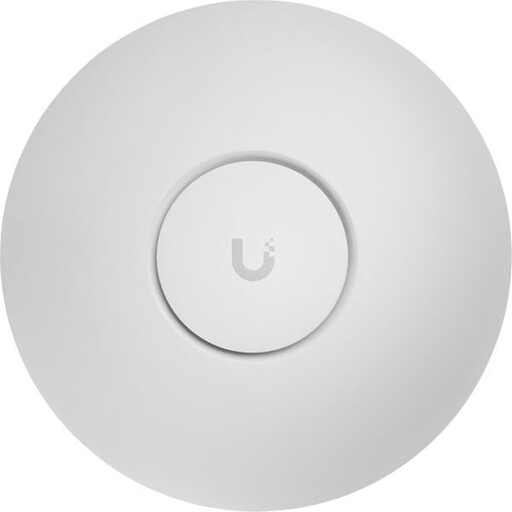
Ubiquiti UniFi U7 Pro WiFi 7 Access Point
As an access point, this model could suit a floor with a wired network connection.
The product name specifies tri-band, 2.5GbE and PoE+; check that it’s compatible with your existing network equipment.
View at Joybuy
 No image available
Ubiquiti UniFi U7 Lite WiFi 7 Access Point
This access point is an option if you want to connect it to your network via Ethernet.
The product name specifies dual-band, 2.5GbE and PoE+. Check that the connections and power supply suit your setup.
View at Joybuy
 No image available
Ubiquiti UniFi U6+ WiFi 6 Access Point
This model is described as an access point for a floor with an Ethernet connection.
The product name specifies WiFi 6, dual-band and Gigabit PoE. Check that the power supply and network connection suit your setup before buying.
View at Joybuy
 No image available
Compact Wi-Fi booster
The product name describes this device as a booster for extending an existing wireless network. For a connection between floors, it needs to be placed somewhere that still gets Wi-Fi.
View at Joybuy
 No image available
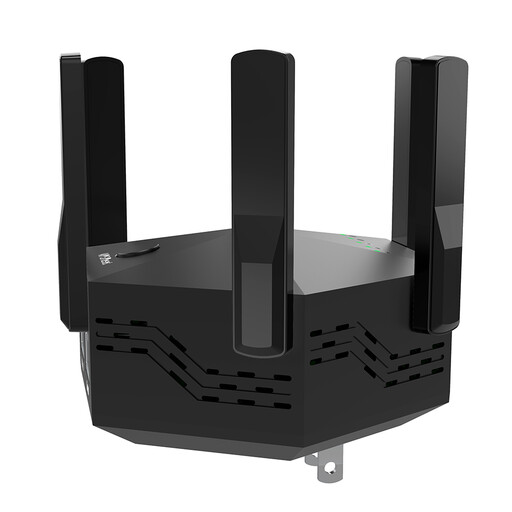
Dual-band Wi-Fi booster, 1200 Mbps, with 6 adjustable aerials
This device is described as a Wi-Fi booster for wireless extension; check reception at the planned location.
The product name specifies dual-band, 1200 Mbps and six adjustable aerials. The stated data rate doesn’t guarantee a particular file transfer speed across multiple floors.
View at Joybuy
Frequently asked questions
Where should I place a wirelessly connected repeater?
Put it somewhere that still gets a usable connection to the router and can also cover the floor you want to reach. Check the connection indicator and test the connection at the actual workstation. A socket in the middle of a Wi-Fi dead spot isn’t a suitable starting point.
Can I connect a repeater via Ethernet and still connect laptops over Wi-Fi?
Yes, provided the specific model supports access point or LAN bridge mode. The cable connects the access point to the rest of your network, while laptops can still connect over Wi-Fi on that floor.
How can I protect shared project files?
Keep your firmware up to date and secure your router and Wi-Fi with suitable login details and supported encryption, as recommended by the Federal Office for Information Security. Also check the access permissions for your file sharing, as a repeater doesn’t manage these automatically.
Do I need an individual frequency assignment for a home Wi-Fi repeater in Germany?
For the Wi-Fi frequency bands generally allocated by the Federal Network Agency, you don’t need an individual frequency assignment for normal use. The conditions of the relevant general allocation and the requirements for radio equipment still apply, so check the device identity and conformity information before buying.


