Sharing project files from your garden office
If you regularly transfer project files, what matters most is whether the connection at your desk can handle the transfers you actually make.


A wireless repeater is a good fit if there’s still a usable connection to your home Wi-Fi at the planned location. Test it there and while transferring files. If you have an existing network cable, or the wireless connection is too unreliable, look for a device with LAN bridge or access point mode. Test powerline at the sockets you’ll actually use. For an outdoor installation, you’ll need hardware specifically designed for it, with a suitable connection.
If you regularly transfer project files, what matters most is whether the connection at your desk can handle the transfers you actually make.
If you already have a network cable, look for a device with LAN bridge or access point mode, rather than connecting back to the house over Wi-Fi.
Without a network cable, your choice depends on whether a suitable Wi-Fi location or a powerline connection works at the sockets you plan to use.
First, check which type of connection is possible between your house and garden office. Then test it at the planned location and with a typical file transfer.
| Buying priority | What to check | Who it matters most to |
|---|---|---|
| Reliable file transfers | Test the connection quality at the planned repeater location and transfer a file from your garden office. | If I share project files, I need uploads and downloads to work at my desk. Around 36% of consumers put reliable file transfers first. |
| Using an existing network cable | Check that the specific model has LAN bridge or access point mode, and check the network cable run. | If there’s already a cable running to my garden office, I want to use it for Wi-Fi access. Around 29% of consumers prioritise a LAN connection. |
| A connection without installing a new network cable | Test Wi-Fi at the planned location or powerline at the sockets you’ll use. | If I can’t run a network cable, a Wi-Fi or powerline connection needs to work where I’ll actually use it. Around 21% of consumers put a solution that doesn’t require a new network cable first. |
| Hardware for an outdoor location | Check that it’s suitable for outdoor use, as well as its casing protection, power supply and required network connection. | If the device will be installed outdoors without shelter, I need hardware designed for the job and a suitable connection. Around 14% of consumers prioritise suitability for outdoor installation. |
An advertised Wi-Fi speed doesn’t tell you how good the connection between your house and the repeater will be at the location you’ve chosen.
Base your decision on a tested connection and a typical file transfer, not just the number on the box.
A wireless repeater receives your existing Wi-Fi and broadcasts it again, so it needs a suitable connection to the house itself.
First, try a sheltered spot somewhere in between. If the connection there isn’t usable, consider a LAN bridge or powerline connection.
A successful test using two nearby sockets doesn’t prove the connection will work between your house and garden office. devolo notes that electrical devices can affect the connection.
Test it at the sockets you’ll actually use.
A device designed for indoor use isn’t automatically suitable for outdoor conditions or installation. When it launched, FRITZ! described the FRITZ!Repeater 1610 Outdoor as an outdoor LAN bridge that requires a network connection.
There’s a difference between a dry garden office and an outdoor installation. For the latter, check that the device is approved for outdoor use, and confirm the power and network connections.
An outdoor setup may require weatherproof hardware and a suitable power or network connection.
The models mentioned offer wireless and LAN bridge modes, as well as a separate option for outdoor locations.
The RE700X is designed for wireless or access point use, while the EAP225-Outdoor is a separate option for outdoor installation.
The WiFi 6 Repeater 3000 is designed for wireless or access point use; powerline is another possible option for the backhaul connection.
This selection is primarily for garden offices where a wireless repeater can be used somewhere with a usable connection to the house. One model also offers access point mode for an existing network cable.
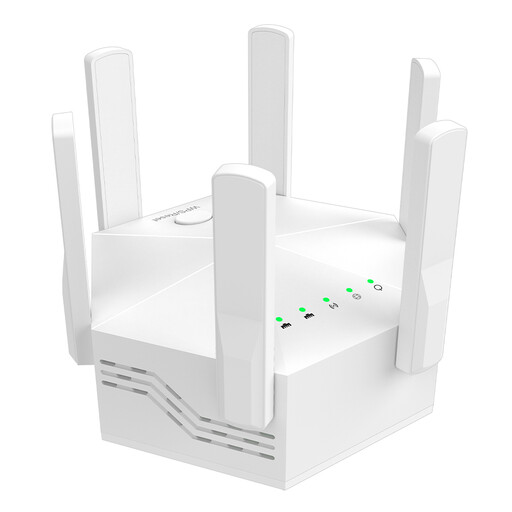 No image available
For an indoor location where there’s still a suitable connection to your existing Wi-Fi.
The title lists 1200 Mbit/s and six adjustable aerials. The product is described as a dual-band device with two 10/100-Mbit/s LAN ports, an EU plug and a white casing. The stated Wi-Fi speed isn’t a guaranteed file transfer speed.
 No image available
This model could suit a garden office with a network cable, provided its access point mode works with your planned setup.
The description lists dual-band Wi-Fi, three operating modes and two 10/100 Mbit/s Ethernet ports. Repeater and access point modes are listed; you’ll need to connect the network cable and configure the correct mode.
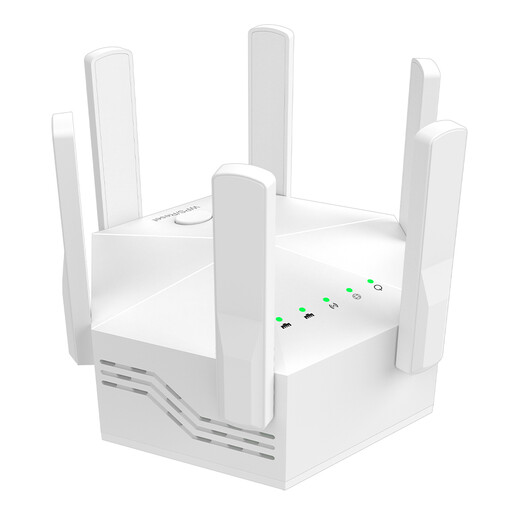 No image available
For an indoor location where the repeater can still get a usable connection to your existing Wi-Fi.
The title and description list 1200 Mbit/s, dual-band Wi-Fi, six adjustable aerials and indoor use. The title also specifies an EU plug and white casing.
 No image available
This device could suit an office if there’s a suitable connection to your existing Wi-Fi where you plan to set it up.
The product description mentions a compact design, repeater function and plug-and-play setup. No specific wireless specifications are listed here.
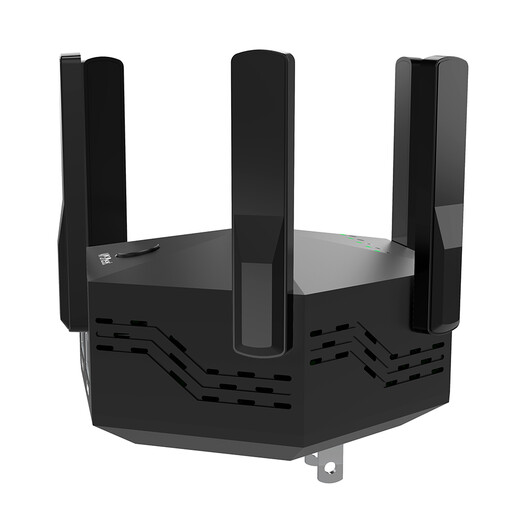 No image available
For an indoor location with a suitable connection to your home Wi-Fi, if the listed WPS setup works with your system.
The title and description list 1200 Mbit/s and six adjustable aerials; the description also mentions two LAN ports and WPS. The title states that the model is for indoor and home use, and specifies an EU plug and black casing.
Put it somewhere it can still get a good connection to your existing Wi-Fi, rather than simply placing it where the signal is weakest in the garden office. Then test the connection at your desk by transferring a typical file.
Yes, if the specific model has LAN bridge or access point mode and is set up accordingly. The manufacturers list this mode for the FRITZ!Repeater 1200 AX, the TP-Link RE700X and the devolo WiFi 6 Repeater 3000.
Test the adapters at the sockets you’ll actually use. devolo lists nearby power supplies, dimmers and chargers as possible sources of interference, and recommends plugging the adapter directly into a wall socket, among other things.
No. For Wi-Fi frequency bands covered by a general allocation from the German Federal Network Agency, an individual allocation isn’t automatically required. The relevant conditions still apply, and this isn’t blanket approval for every frequency, device setting or outdoor installation.
In Notice 76/2025, the German Federal Network Agency explicitly repeals the intervening Notice 12/2025. So, for a specific 6 GHz device, check the conditions that apply to its operation rather than relying solely on older summaries.