Designers uploading files from a fixed workspace
If you upload files from a particular room, first check your broadband speed and Wi-Fi connection at your workspace separately.


First, check your internet connection’s upload speed and the connection at your workspace: a new Wi-Fi router won’t fix a slow broadband connection. If your current router works, targeted Wi-Fi extension is often the obvious first step. Existing Ethernet cabling between floors lets you add a wired access point, while a wireless mesh needs a reliable backhaul connection between nodes. If you’re replacing the router itself, make sure the new device is compatible with your connection or an external modem.
If you upload files from a particular room, first check your broadband speed and Wi-Fi connection at your workspace separately.
If you need Wi-Fi in several places, consider whether additional nodes can connect via Ethernet or wirelessly.
If you want to keep your router and improve coverage only in areas where the signal is poor, check the devices’ operating modes and compatibility.
Suitable if: your router receives sufficient upload speed and a network cable runs to your workspace or access point.
Things to consider: You’ll need a suitable cable route, available ports and a compatible access point or LAN bridge mode.
Suitable if: you can’t use Ethernet cabling between floors, but can place additional nodes where they’ll get a good connection.
Things to consider: The wireless connection between nodes needs to work at each location. Advertised Wi-Fi speeds don’t prove it will work in your home.
Suitable if: you need to replace your current router because of connection compatibility, missing features or a lack of upgrade options.
Things to consider: The connection type, any external modem and your preferred operating mode must all be compatible with the device. A new main router alone won’t automatically provide coverage across three floors.
Suitable if: you don’t have practical Ethernet cabling between floors or a reliable wireless backhaul, and suitable power sockets are available.
Things to consider: Performance depends on your electrical wiring and power sockets. Test upload speeds at the destination.
| Buying consideration | What to check before buying | Consumers with this concern |
|---|---|---|
| Upload speed at your workspace | Check your connection speed with the broadband measurement tool, then compare it with a test at your usual workspace. | I want to know whether my broadband connection or Wi-Fi is slowing down my design upload. Around 33 % of consumers would make actual upload performance their top buying priority. |
| Wi-Fi across several floors | Note the workspaces and potential node locations on each floor; don’t choose based only on advertised coverage or total speed. | If I work on several floors, I need Wi-Fi at my actual workspaces, not just near the router. Around 27 % of consumers would prioritise coverage across floors. |
| Node backhaul | Check for Ethernet cabling between floors and available ports. If you don’t have cabling, test the wireless connection at the planned node location. | I want to know how additional nodes connect to the rest of the network. Around 20 % of consumers would make a wired or wireless backhaul their top priority. |
| Compatible connection and operating mode | Check the connection type, any existing modem and your preferred router or access point mode. | I want to make the best possible use of my existing connection and router. Around 13 % of consumers would check compatibility with their current router first. |
| Secure setup and maintenance | Check for firmware updates and Wi-Fi encryption. When setting up your network, follow the BSI’s guidance on router and Wi-Fi passwords. | Secure setup and ongoing home network maintenance matter to me. Around 7 % of consumers would make this their top buying priority. |
A router’s advertised Wi-Fi speed and your internet connection’s actual speed are two different things. If your broadband connection is already slow, replacing the router won’t solve the problem.
First, check your broadband speed and compare it with the connection at your usual workspace. The German Federal Network Agency provides a broadband measurement tool for this.
A node needs a reliable connection to the rest of the network. Good reception on your device alone doesn’t tell you whether the backhaul is working well.
Check potential locations in person, or use existing Ethernet cabling between floors with a suitable wired operating mode.
TP-Link sells the Deco BE25 in different pack sizes. The model name alone doesn’t tell you how many units are included.
Before buying, compare the exact pack option with your planned node locations.
devolo warns that transfer speeds can be low at some power sockets and notes that certain VDSL profiles, including 17a and 35b, may experience interference.
Test the power sockets you plan to use and check upload speeds at your workspace before relying on this connection.
The FRITZ!Box 7690 is a DSL router, while a FRITZ!Repeater such as the 3000 AX can extend your Wi-Fi.
The Deco BE25 is a separate mesh system that can connect wirelessly or use Ethernet backhaul.
The ZenWiFi XD5 offers router, access point and AiMesh node modes, and can use Ethernet backhaul if you have network cabling in place.
Magic 2 WiFi 6 next is a powerline option with Wi-Fi, for situations where running a LAN cable isn’t practical and wireless backhaul isn’t reliable enough.
The following Joybuy products are access points for extending an existing home network, particularly if you’re planning a wired Ethernet connection. They don’t replace a router or modem.
 No image available
For adding an access point with a wired connection to an existing network.
Tri-band Wi-Fi 7 and 10GbE RJ45 uplink. PoE+ is required for operation; a compatible PoE+ switch or injector is not included. UniFi Network App version 9.0.114 or later is also required.
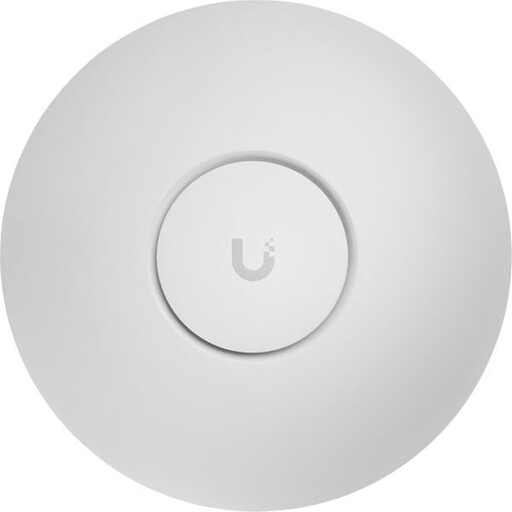 No image available
For extending Wi-Fi on an existing network with a wired connection, if Ethernet is available at the planned location.
Tri-band Wi-Fi 7, 2,5-GbE Ethernet and PoE+.
 No image available
For adding an access point with an Ethernet connection and intended wall or ceiling mounting.
Dual-band Wi-Fi 7, 2,5-GbE Ethernet and PoE. This is an access point, not a router or modem.
 No image available
For extending Wi-Fi on an existing network with a wired access point.
Wi-Fi 6, Gigabit Ethernet, 802.3af PoE and WPA2/WPA3 support. You’ll need a suitable PoE switch or injector to power it. This is not a router or modem.
 No image available
For adding an access point to an existing network, with an Ethernet connection and PoE power.
2,5-Gigabit Ethernet uplink and desktop, wall or pole mounting. For outdoor installations, the product description specifies shielded Ethernet cables, earthing and surge protection. This is not a router or modem.
Compare your actual connection speed with the speed agreed in your contract, then test the connection at your usual workspace as well. The German Federal Network Agency provides a provider- and technology-independent broadband measurement tool. Both checks can help you identify a local Wi-Fi bottleneck.
TP-Link first describes setting up the Deco units in the app, then connecting them for Ethernet backhaul. According to TP-Link, the permitted wiring depends on whether the system is in router or access point mode. Check this mode before connecting the cables between floors.
Depending on your setup, you may need additional nodes, a cable route or suitable powerline adapters. The German Federal Office for Information Security recommends keeping firmware up to date and protecting your router interface and Wi-Fi with strong passwords.
Yes. On 22 January 2025, the German Federal Network Agency confirmed that the right to choose your own device at the network termination point also applies to passive optical fibre networks. Still, check that the specific device is technically compatible with your connection.
You don’t need an individual allocation to use Wi-Fi in the frequency bands covered by Germany’s general allocations, although the relevant conditions of use still apply. For 2,4 GHz, the German Federal Network Agency lists Order 128/2023; for the specified 5-GHz bands, it lists Order 136/2022, as amended by 49/2023.