What to look for when buying
A single wireless extender
A good fit if: The target floor still gets a good Wi-Fi signal from a midway point and you only need to cover one extra area.
Consider: The extender needs a reliable connection to the router itself; it won’t automatically fix a weak broadband connection.
An access point with Ethernet or Ethernet backhaul
A good fit if: There’s an Ethernet cable on the distant floor, or you can run one there.
Consider: Access Point mode and mesh Ethernet backhaul are different operating modes. For EasyMesh Ethernet backhaul, both devices need to support the feature.
Several coordinated mesh nodes
A good fit if: Viewers are spread across multiple floors and a single extra wireless access point won’t cover the areas effectively.
Consider: You’ll need to plan for several devices and locations, and check that the mesh system is compatible with your existing router.
Powerline with Wi-Fi at the destination
A good fit if: You can’t run an Ethernet cable and ceilings are making a wireless connection difficult.
Consider: Performance can vary depending on the socket and electrical devices in use. Test the connection where you plan to use it.
Choose an option based on the floors you need to cover, the cabling you already have, how many devices will be in use at once and the router you’re using.
| What you need |
What to check before buying |
Who it matters most to |
| Wi-Fi across multiple floors |
Check the signal at any potential midway point and on every floor you need to cover. |
If I want to watch the livestream in several separate areas, the extra access point needs to receive a usable signal there. For around 36 % of consumers, coverage across floors is their top buying priority. |
| Simultaneous streams |
Test with the number of devices you expect to use, in the places where people will actually be watching. Check your broadband connection separately if needed. |
If several people are streaming at once, what matters to me is the connection in each viewing spot, not just an advertised wireless data rate. Around 29 % of consumers prioritise smooth streaming on several devices. |
| Connection to a distant floor |
Check whether Ethernet is available, along with Access Point mode and, where applicable, Ethernet backhaul support. |
If I can or want to connect a floor by cable, I need to know which operating mode the device supports. A wired connection is the main priority for around 21 % of consumers. |
| Compatibility with your router |
Check the router model, device version and firmware, as well as the mesh feature you want to use. |
If I want to keep using my existing router, I want to know before buying whether it will work with the mesh feature I need. Around 14 % of consumers prioritise router compatibility. |
Joybuy products to consider
This selection includes a wired access point, mesh systems and a single Wi-Fi extender. Check which option suits your cabling and existing mesh setup; a single extender won’t automatically provide multiple access points. Before buying, also check the CE marking on the specific offer.
 No product image available
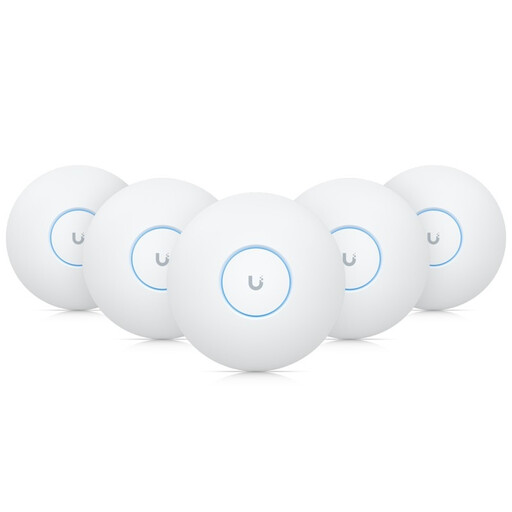
Ubiquiti UniFi U7-Pro WiFi 7 Tri-Band PoE+ Access Point
Designed for a wired Wi-Fi setup; installation requires Ethernet cabling and a PoE+ switch or PoE+ injectors.
WiFi 7, Tri-Band and PoE+ are stated in the product name. The product information says the device is intended for indoor use.
View at Joybuy
 No product image available
TP-Link Deco M4 AC1200 Mesh Wi-Fi System (3-pack)
The set includes three mesh units for Wi-Fi coverage in several areas.
The product information lists dual-band Wi-Fi and Gigabit ports on each unit. Check the CE marking on the specific offer before buying.
View at Joybuy
 No product image available
MERCUSYS Halo H25BE Wi-Fi 7 BE3600 Dual-Band Mesh Wi-Fi Set (2-pack)
This two-unit set is designed to provide Wi-Fi coverage in multiple areas.
The product information lists Wi-Fi 7, Dual-Band and three Gigabit ports on each unit. Check the CE marking on the specific offer before buying.
View at Joybuy
 No product image available
TP-Link Deco X10 Mesh Wi-Fi Unit Wi-Fi 6 AX1500 (1-pack)
Described as an extra unit for expanding an existing Deco mesh system; this single pack won’t provide multiple distributed nodes on its own.
The product information lists Dual-Band and two Gigabit ports. Check the CE marking on the specific offer before buying.
View at Joybuy
 No product image available
TP-Link RE235BE BE3600 Dual-Band Wi-Fi 7 Range Extender
Designed to provide Wi-Fi in one additional area; according to the product information, the extender needs to be placed within range of the router.
EasyMesh compatibility and a 2.5 Gigabit Ethernet port are stated in the product name. Check the CE marking on the specific offer.
View at Joybuy
Frequently asked questions
Where should I place a wireless extender?
Don’t put it somewhere that can’t receive a signal from the router. Check the connection to the router at a midway point, then check the signal on the target floor. If the connection is weak, Deutsche Telekom recommends placing Speed Home WLAN closer to the Speedport router or another extender.
Can I use any extender with an Ethernet port as a wired mesh node?
No. Access Point mode over Ethernet and Ethernet backhaul within a mesh system need to be checked separately. For the EasyMesh Ethernet backhaul described by TP-Link, both the main router and the extender must support the feature.
What should I check if the stream keeps buffering despite a strong Wi-Fi signal?
Check your broadband connection as well, rather than immediately adding another extender. The Bundesnetzagentur offers a broadband speed test for fixed-line connections. You should also test the streaming setup with the devices you plan to use.
What maintenance do Wi-Fi extenders need?
Keep the firmware up to date. Deutsche Telekom warns that missing firmware updates can lead to faults and security vulnerabilities.
Do I need an individual frequency allocation for a Wi-Fi extender in Germany?
You don’t need an individual frequency allocation to use Wi-Fi frequencies that have been allocated for general use by the Bundesnetzagentur, provided your device is operated within the applicable conditions. When buying, also check the CE marking on the specific offer. The Bundesnetzagentur explains the marking requirements for products covered by the relevant harmonisation legislation.


