Homes with a Wi-Fi dead spot upstairs
If you want to upload photos in an area where your existing router only provides a weak signal, first check whether a single additional access point or a suitable repeater will do the job.


If your internet connection and existing router are working properly, first check the actual upload speed and Wi-Fi signal where you upload your photos. If there’s just one floor with poor coverage, a suitable access point or repeater may be enough. If several floors are affected, a mesh system with multiple nodes could be a good option. A wired backhaul requires network cables, while a wireless backhaul needs suitable locations with a strong enough connection between the nodes. Advertised maximum Wi-Fi speeds are not a guaranteed speed for uploading to the internet.
If you want to upload photos in an area where your existing router only provides a weak signal, first check whether a single additional access point or a suitable repeater will do the job.
If you need Wi-Fi in several areas, plan the number and location of the nodes, as well as how they’ll connect to one another.
If uploads remain slow despite a good Wi-Fi connection, first find out whether the wireless connection or your internet service is the bottleneck.
When uploading photos across several floors, your main priorities will depend on whether you need better coverage where you take the photos, a reliable connection between nodes, a faster internet service or a way to keep your existing router.
| Priority | What to check when buying | Who is this particularly important to? |
|---|---|---|
| Signal where you upload | Identify weak-signal areas on the affected floors and check possible locations for additional nodes. | If I upload photos somewhere with barely any Wi-Fi, I want to improve coverage in that specific area rather than choose a product based only on a large coverage claim. Around 38% of consumers put coverage where they upload first. |
| Connection between floors | Check for existing network cables and suitable ports. If there are no cables, plan where to place the nodes for a wireless connection between them. | If several floors need to be connected, it’s important to me that the nodes can maintain a connection with one another. Around 25% of consumers say the backhaul between floors is their top priority. |
| Internet upload speed | Check your internet service separately from your Wi-Fi, and repeat measurements under comparable conditions. | If the Wi-Fi connection is good on my device but photo uploads to the internet are still slow, I want to check whether my internet service is the bottleneck. Around 25% of consumers first look at the actual upload speed of their internet connection. |
| Keeping your existing router | Check your router model and connection, then make sure the additional device is compatible and has an access point or mesh mode. | If my router is otherwise reliable, I’d rather extend my network where needed than replace my internet equipment without checking first. Around 12% of consumers prioritise keeping their existing router. |
An advertised Wi-Fi data rate is not a guaranteed real-world transfer speed. Your internet connection’s upload speed can also limit how quickly files are transferred.
Check your internet connection and Wi-Fi separately before buying a device based solely on a high advertised Wi-Fi speed. The German Federal Network Agency offers a broadband speed test to compare your actual connection speed with the speed specified in your contract.
A 1-pack doesn’t include an additional node to provide a backhaul between floors.
Plan the pack contents, node locations and backhaul together. Depending on your home’s layout, you may need additional nodes or network cables.
NETGEAR lists Armor Plus for the Orbi 770 as an optional offer with a trial period.
Check the service and its trial and renewal terms separately from whether the mesh system is right for your household.
The FRITZ!Repeater 3000 AX is an option for households that want to continue using their existing FRITZ!Box.
Deco BE25 is a mesh system range with router and access point modes, for homes planning to place nodes on multiple floors.
The ZenWiFi XD5 range offers Wi-Fi 6 mesh options in different pack sizes, with an access point mode.
The Orbi 770 RBE773 is a three-piece tri-band Wi-Fi 7 system for households planning a more extensive mesh network.
This selection includes mesh kits and individual devices for extending Wi-Fi coverage, including access points for multiple locations. Before buying, check whether the applicable EU requirements are met for the specific radio equipment. The German Federal Network Agency states that products covered by the rules must carry CE marking.
 No image available
This 2-pack is an option if you want Wi-Fi in several locations and plan to keep using your existing router in access point mode.
Dual-band Wi-Fi 7; two Gigabit WAN/LAN ports per unit; router and access point modes.
 No image available
Three units are an option if you want to plan Wi-Fi coverage in several areas and keep using an existing router in access point mode.
Dual-band mesh system; Gigabit LAN/WAN ports per unit; router and access point modes.
 No image available
This 2-pack could suit you if you’re planning to use two mesh units for Wi-Fi coverage in several locations. The second unit needs a suitable location where it can connect to the first.
Dual-band Wi-Fi 7 BE3600; three Gigabit ports per unit.
 No image available
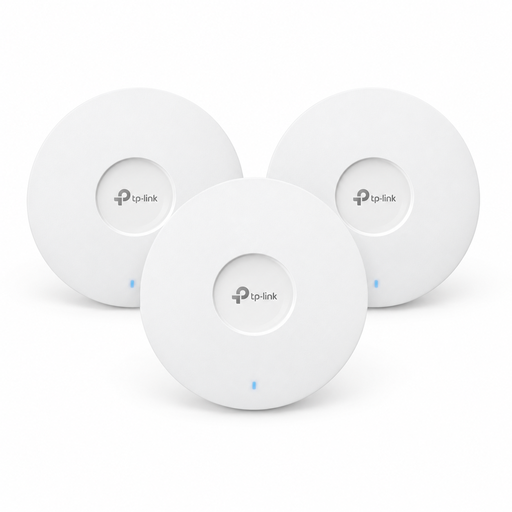
Three access points could suit several planned Wi-Fi locations. Check how each one will be mounted and powered before buying.
Wi-Fi 6; Omada Mesh between access points. Power is supplied via PoE+ or a 12 V DC adapter, available separately.
 No image available
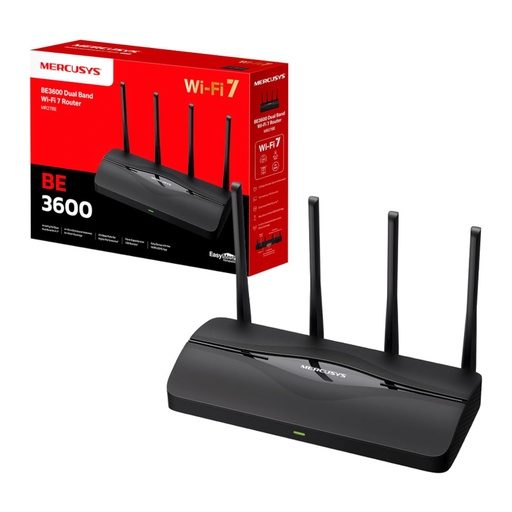
This single device isn’t a multi-node option for several floors. Check whether one router or access point will work with your existing network and the rooms you need to cover.
Wi-Fi 7; router and access point modes.
Not just because uploads are slow on one floor. First check your internet connection’s upload speed and the Wi-Fi signal where you upload. If your router is otherwise suitable, an additional access point may be enough.
With a wireless backhaul, the nodes need a decent connection to one another. Placing a node in a dead spot with no signal won’t reliably solve the connection problem. If you have network cabling between floors, you can look into a wired backhaul. Place your router somewhere open and central if possible, rather than in a cupboard.
Check optional security services separately from your choice of mesh system. NETGEAR offers optional Armor Plus with a trial period for the Orbi 770. Check the terms and whether the service is relevant to you.
The German Federal Network Agency has general frequency allocations for Wi-Fi bands. This does not remove the requirement to use radio equipment that meets the requirements applicable to the German or EU market and complies with their conditions of use. It does not mean that every imported device is automatically approved.