
Lieferung heute & morgen

Qualitätsgarantie
App herunterladen
Kategorien
A stable and comprehensive Wi-Fi signal is the foundation of modern digital life, whether for home offices, streaming, or the connected home. Dead zones and slow connections in certain rooms are common problems that significantly impact the user experience. A Wi-Fi repeater, also known as a Wi-Fi amplifier or Wi-Fi extender, is an effective and often easy-to-install solution for extending your router's range and boosting the Wi-Fi signal.
This article analyses the technical criteria to consider when selecting a suitable device and presents a selection of models for different user profiles.
Choosing the right device depends on individual requirements, existing network infrastructure, and the usage scenario. The following technical parameters are relevant for making an informed decision.
The Wi-Fi standard defines the maximum theoretical speed and efficiency of data transmission.
Modern repeaters use multiple frequency bands to reduce interference and optimise data throughput.
A mesh repeater works with a compatible router to create a unified network (mesh) with a single network name (SSID). End devices like smartphones or laptops automatically switch to the strongest access point without connection drops. This is a significant advantage over classic repeaters, which often require a manual switch between networks. Standards like EasyMesh or manufacturer-specific solutions such as TP-Link OneMesh enable this functionality.
A Gigabit LAN port on the repeater is useful for integrating wired devices like a PC, gaming console, or smart TV into the network directly and at maximum speed. Some high-end models even offer 2.5G multi-gigabit ports for even higher wired data rates.
Based on technical specifications and different use cases, we present three models here.
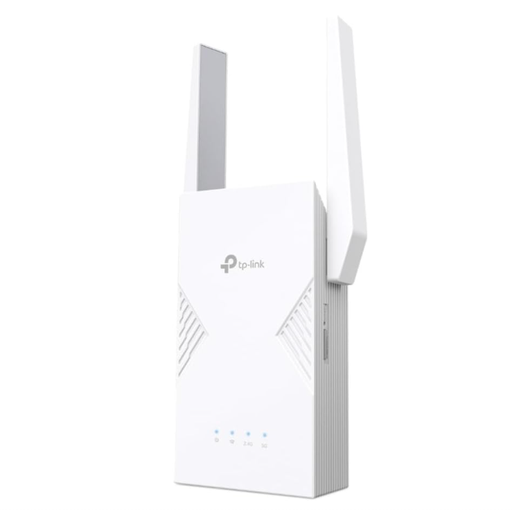
Why we're featuring this product: The TP-LINK RE235BE is designed for users who want to leverage the latest network technology. With Wi-Fi 7 and Multi-Link Operation (MLO), it addresses the demand for maximum speed and minimal latency, as required for 8K streaming, online gaming, or in heavily congested networks. The 2.5G port also provides a high-performance connection for wired devices.
Technical Features:
Who it's for: Users with a Wi-Fi 7 router who need maximum performance for data-intensive applications and want to future-proof their home network.
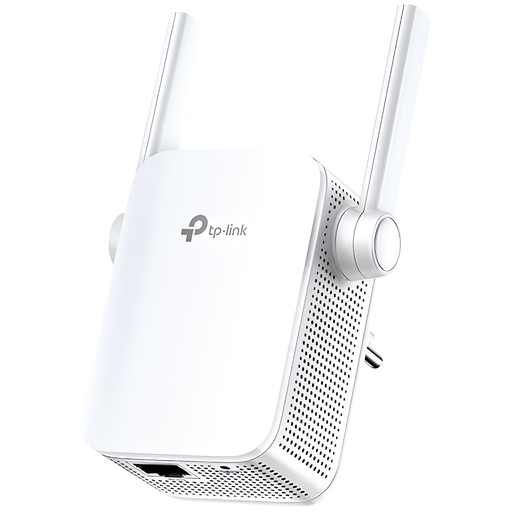
Why we're featuring this product: The TL-WA855RE is a pragmatic and cost-effective solution to extend Wi-Fi range. It focuses on core functionality and is ideal for eliminating dead zones in smaller apartments or for less demanding internet use like email and browsing. The external antennas support stable signal distribution.
Technical Features:
Who it's for: Users with basic internet needs who are looking for a simple plug-and-play solution for small to medium-sized living spaces and primarily use the 2.4 GHz band.
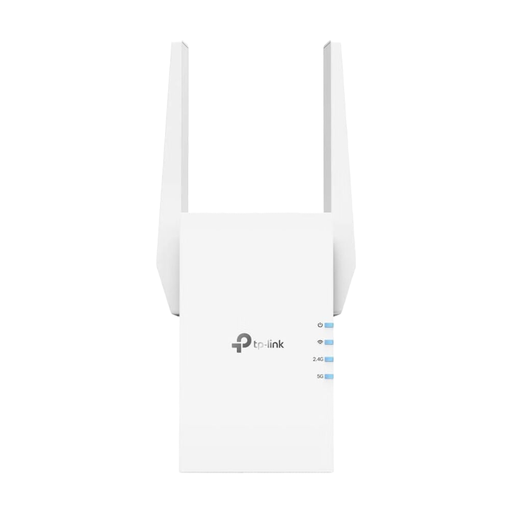
Why we're featuring this product: The TP-Link repeater RE705X strikes a balance between modern technology and an accessible price. With Wi-Fi 6 (AX3000), it offers a significant performance boost over older standards and is well-equipped for 4K streaming and home office use. Its compatibility with OneMesh makes it a flexible component for building a seamless home network.
Technical Features:
Who it's for: Most home and home office users who need a reliable and fast network extension for streaming, video conferencing, and using multiple devices simultaneously.
While optimising your digital environment is important, taking a deliberate break from technology can also be beneficial. For users seeking inspiration for offline activities alongside digital connectivity, our platform offers a wide range of products for various hobbies, such as Equestrian Supplies.
1. What is the difference between a Wi-Fi repeater and a Wi-Fi amplifier? Technically, there is no difference. The terms Wi-Fi repeater, Wi-Fi amplifier, WiFi repeater, and Wi-Fi extender are used interchangeably to describe a device that receives an existing Wi-Fi signal and re-broadcasts it to extend its range.
2. Where is the best place to position a Wi-Fi repeater? The ideal location for a repeater is halfway between the router and the area with a weak or non-existent signal (the dead zone). The device must still be able to receive a sufficiently strong signal from the router to re-broadcast it effectively. Most modern repeaters have a signal strength indicator to help with optimal placement.
3. Can I use a repeater from a different brand than my router? Yes, this is usually not a problem. Wi-Fi standards (like Wi-Fi 5, 6, or 7) are standardised across manufacturers. A repeater can connect to any standard router. However, for advanced features like seamless mesh roaming, a router from the same manufacturer or support for a cross-manufacturer standard like EasyMesh is often required.