What should you look for when buying?
If you’ll be transferring files and making video calls at the same time in a home office at the other end of your home, first check the wireless route to your router. Then consider the operating mode, connections and compatibility with your existing network.
| What you need |
What to check before buying |
Who should consider this? |
| Video calls |
The repeater’s connection to the router at your planned location; if you have a cable, look for LAN bridge or Access Point mode. |
If I’m taking meetings in my home office, I want to avoid dropouts caused by a weak connection back to the router. Around 31% of consumers are likely to put video call stability first. |
| Project files |
Whether an Ethernet cable is available, and whether the number and layout of the LAN ports suit your connected devices. |
When transferring large files alongside other Wi-Fi activity, I also care about how the repeater connects to the network and whether I can connect a work device via LAN. Around 31% of consumers are likely to prioritise file transfers. |
| Weak Wi-Fi reception |
The connection indicator at possible locations between the router and the room; if the wireless route is unsuitable, consider a cable connection and Access Point mode. |
If Wi-Fi coverage is poor in my home office, I need a location where the repeater can still connect to the router. Around 23% of consumers are likely to consider Wi-Fi coverage their main concern. |
| Router and mesh compatibility |
Check the router and repeater models and, if needed, their hardware versions; confirm that the specific mesh feature is supported. |
If I want to extend an existing mesh network, I don’t want to mistake a general mesh label for confirmation that the device will work with my router. Around 15% of consumers are likely to prioritise connecting to their existing network. |
Suitable products at Joybuy
The following product options cover wireless Wi-Fi extension, LAN Access Point mode and extending an existing Deco mesh network. Before buying, check compatibility with your router, as well as the CE marking and required accompanying documentation for the specific device.
 No image available
Compact Wi-Fi booster
This compact booster may be suitable for extending your Wi-Fi wirelessly at home or in the office.
View at Joybuy
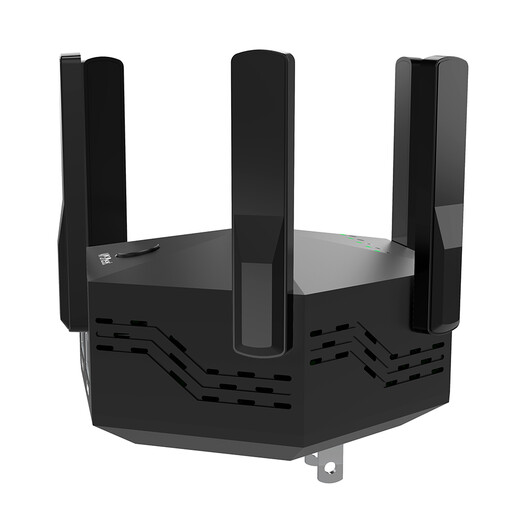 No image available
Dual-band Wi-Fi repeater, 1200 Mbps
The repeater is also designed for a wired connection in Access Point mode; make sure you plan for the connections you’ll need.
The product details list two RJ45 ports with 10/100 Mbps and an Access Point mode.
View at Joybuy
 No image available
TP-Link Deco X10 mesh Wi-Fi system (1 pack)
This unit is described as an extension for an existing TP-Link Deco mesh network. Check first that it’s compatible with your system.
Two Gigabit Ethernet ports are listed for wired devices.
View at Joybuy
 No image available
MERCUSYS ME80X Wi-Fi 6 Range Extender
According to the product details, the Gigabit port can be used in Access Point mode. A signal strength indicator can help you check possible locations for the repeater.
Listed Wi-Fi data rates: 574 Mbps at 2,4 GHz and 2402 Mbps at 5 GHz. These nominal figures aren’t a measure of the speed of a single file transfer.
View at Joybuy
 No image available
TP-LINK RE235BE BE3600 Dual-Band Wi-Fi 7 Range Extender
The product name lists EasyMesh compatibility for Wi-Fi extension. Check whether your router supports this mesh feature.
The model is described as a Wi-Fi 7 range extender with a 2.5 Gigabit Ethernet port.
View at Joybuy
Frequently asked questions
Will a repeater make a slow internet connection faster?
No. A repeater extends Wi-Fi coverage around your home, but it won’t make a slow internet connection faster. If video calls are already a problem near the router, check your internet connection and network first.
Where should I put a wireless repeater?
Choose a spot where the repeater still has a usable connection to the router, rather than placing it right in a Wi-Fi dead zone. If the connection indicator shows a weak signal, Telekom recommends placing Speed Home WLAN closer to the Speedport router or another Wi-Fi extender.
How can I check whether a mesh repeater will work with my router?
Check your router and repeater models and confirm which mesh features the manufacturer supports. Your router must also be compatible for EasyMesh to work. For Telekom Speed Home WLAN, the device generation and the relevant instructions are important too.
What should I check after setting up Speed Home WLAN?
Check whether firmware updates are available for your specific device version. Telekom warns that missing updates can cause malfunctions and security vulnerabilities.
How can I check whether a specific Wi-Fi repeater complies with the requirements for the German market?
The German Federal Network Agency specifies the CE marking and required accompanying documentation for placing a product on the market. Check these details on the specific device; a model name or online shop title alone doesn’t confirm compliance.


