Uploading and making calls at the same time
You’re transferring large portfolio files while on a video call. First, check whether the bottleneck is your connection’s upload speed or the Wi-Fi signal reaching your workspace.


A Wi-Fi repeater can help if your wireless signal is weak at your workspace, but it won’t fix a bottleneck with your internet connection itself. So, first measure your connection’s upload speed and compare it with the connection at your workspace. If you can run an Ethernet cable there, a wired access point could be an option; without a cable, signal strength at the installation point and router compatibility are key.
You’re transferring large portfolio files while on a video call. First, check whether the bottleneck is your connection’s upload speed or the Wi-Fi signal reaching your workspace.
The signal at your workspace is weaker than it is near your router. The repeater’s position and the wireless connection between the router and repeater are key.
If an Ethernet cable reaches your office, an access point can provide Wi-Fi there. Check that the specific device supports this operating mode.
First, measure your connection’s upload speed and the connection at your workspace separately. This will help you decide whether to focus on a wireless repeater, a wired access point or checking your internet connection.
| What you need | What to check before buying | Who is this important to? |
|---|---|---|
| Reliable uploads while doing other things | Measure your connection’s upload speed and the connection at your workspace separately; take other simultaneous uploads into account. | If you’re uploading large portfolio files during a video call, your upstream connection needs to handle both. Around 36% of consumers prioritise reliable uploads while doing other things. |
| Signal at your workspace | Check the signal at the planned repeater location, then at your desk. | If the Wi-Fi signal is weak at your desk, having a suitable wireless route from the router is what matters most. Around 29% of consumers prioritise Wi-Fi coverage at their workspace. |
| Wired connection | Check that the specific model has an access point or LAN bridge mode and an Ethernet port. | If an Ethernet cable reaches your office, you can provide Wi-Fi there without a wireless connection between the router and access point. Around 21% of consumers prioritise a LAN connection. |
| Router and mesh compatibility | Check your exact router model and the requirements for the mesh feature. For Speedport models, Telekom’s compatibility guide can help. | If you already have a router, the device needs to work with your network. Around 14% of consumers prioritise compatibility with their router and mesh system. |
A device’s advertised Wi-Fi speed isn’t the same as the upload speed available from your internet connection. A repeater won’t fix a bottleneck with your connection.
First, measure your connection’s upload speed and compare it with the connection at your workspace. The German Federal Network Agency’s broadband speed test lets you compare your connection’s actual data transfer rate with the rate agreed in your contract.
Mesh features may only work with certain routers or devices from the same manufacturer. The word ‘mesh’ alone doesn’t confirm that a repeater will work with your router.
Before buying, check your exact router model and the requirements for the mesh feature you want to use.
A wireless repeater still needs a wireless connection to the router. An access point connected via Ethernet can avoid this wireless link, but it won’t affect your internet connection’s upload speed.
If you have a cable available, compare this option with wireless operation and check specifically whether the model offers an access point or LAN bridge mode.
FRITZ! offers a dual-band option with the FRITZ!Repeater 1200 AX and a tri-band option with the 3000 AX. FRITZ! describes mesh as being particularly suited to working with a FRITZ!Box.
The RE700X is a dual-band Wi-Fi 6 option for wireless coverage extension or use as an access point.
The WiFi 6 Repeater 3000 is designed to plug into a socket and is described as having an access point mode; the WiFi 6 Repeater 5400 is a desktop version that you can position more flexibly.
Speed Home WLAN is worth considering if you want to extend an existing compatible Speedport network.
The products below include wired access point options and wireless Wi-Fi extenders for your workspace. The right choice depends, among other things, on whether Ethernet is available and which router or mesh connection you use.
 Image unavailable
A wired access point option if Ethernet and PoE are available at your workspace.
Wi-Fi 6, dual-band and Gigabit PoE; requires an Ethernet connection and PoE compliant with 802.3af.
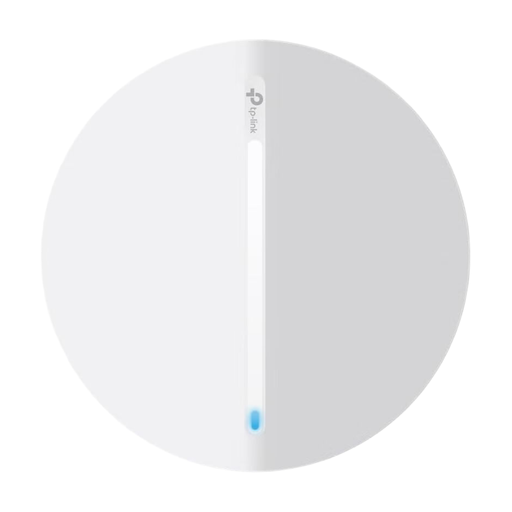 Image unavailable
A good access point option if Ethernet reaches your workspace and you want a wired access point there.
Wi-Fi 6 and AX3000; product details list PoE or 12 V DC as power options.
 Image unavailable
According to the product details, this additional unit is designed to extend an existing TP-Link Deco mesh network.
Wi-Fi 6, AX1500, dual-band and two Gigabit ports. Before buying, check that you already have a compatible Deco mesh system.
 Image unavailable
This could be an option for wireless coverage extension; according to the product details, it also has an access point mode for use with Ethernet at your workspace.
Listed Wi-Fi speeds: 574 Mbit/s at 2.4 GHz and 2402 Mbit/s at 5 GHz; Gigabit port and signal strength indicator.
 Image unavailable
An option for wireless coverage extension; a 2.5-Gigabit port is listed if you want to use Ethernet at your workspace.
Wi-Fi 7, dual-band, BE3600 and a 2.5-Gigabit Ethernet port; check EasyMesh compatibility with your specific router.
No. A repeater can affect the Wi-Fi connection to your router, but it can’t improve the performance of your internet connection. Check your connection’s upstream speed and compare it with the connection at your workspace.
Choose a model that explicitly offers an access point or LAN bridge mode, then connect it to your router with a cable, following the manufacturer’s instructions. TP-Link lists an access point mode for the RE700X; devolo lists one for the WiFi 6 Repeater 3000.
Wi-Fi repeaters placed on the EU market as radio equipment must meet the relevant conformity requirements, including CE marking. The German Federal Network Agency lists checks such as labelling, manufacturer information, German-language instructions and a declaration of conformity. CE marking does not independently verify the advertised Wi-Fi performance.